FixYourVPN

Sling TV is a US-only live television service that uses IP and DNS checking to enforce geo-restrictions. Access requires both a US IP address and an existing active subscription: there's no way to sign up fresh from abroad without a US payment method, so the VPN approach applies to existing subscribers watching from outside the US.
Why Sling TV detects you're abroad
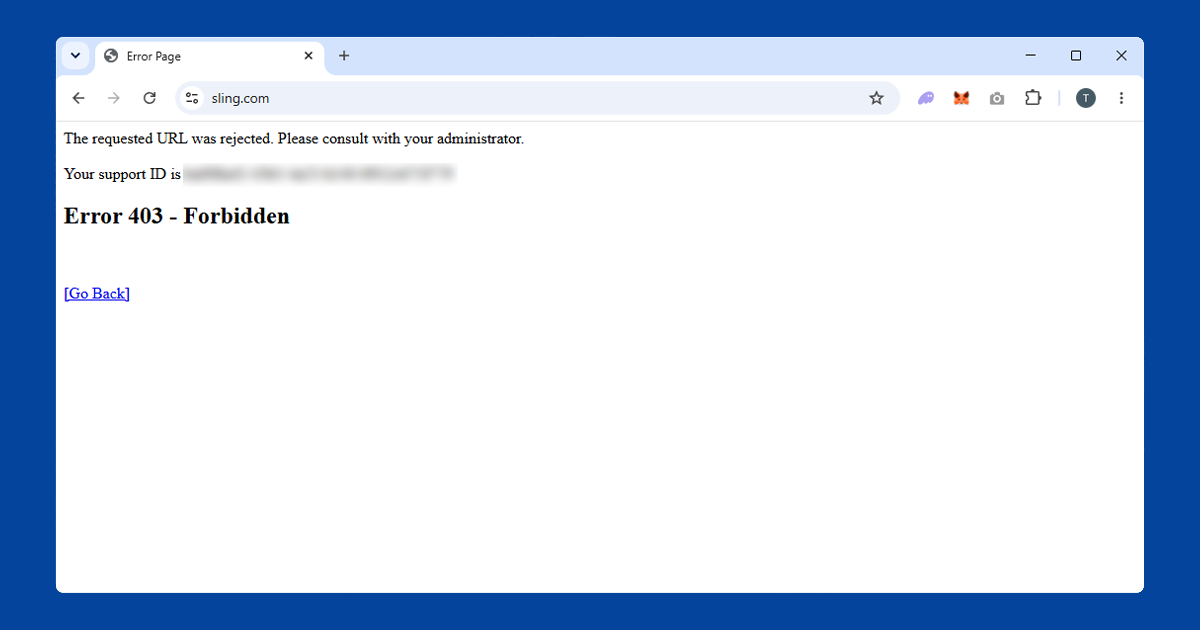
Sling TV carries channels including ESPN, CNN, Fox News, and regional sports networks, all licensed strictly for US viewers. When you connect from outside the US, Sling checks your IP address against location databases and blocks access. You'll typically see "Sling TV is not available in your current location", and sometimes a 403 error if the request is blocked before the page loads.
The detection is IP-based, which makes it fairly easy to work around with a VPN. The key distinction is between being an existing subscriber and trying to sign up for the first time. Existing subscribers have the easier path: connect your VPN to a US server before opening Sling TV and the geo-block clears. The main variable is which server you're on: some US IP addresses get identified and blocked, so if one server doesn't work, try a different US city.
Fix 1: Connect to a US server
Open your VPN app, select a US server, and connect before opening Sling TV. In NordVPN, search for United States in the server list and select a city server. In ExpressVPN, choose United States from the server list. New York or Chicago servers are good starting points. Confirm your US IP with our IP checker before proceeding.
For live TV, WireGuard protocol gives the lowest delay. If your VPN app has a protocol setting, switch to WireGuard before connecting to reduce buffering during streams.
Fix 2: Try a different US server
If Sling TV shows a location error, disconnect and try a different US server, ideally in a different city. Sling keeps an actively updated blocklist of known VPN IPs. Working through two or three US cities is usually enough to find one that goes through. NordVPN and ExpressVPN both rotate their US IP pools regularly, which keeps flagged servers to a minimum.
Fix 3: Clear cookies and use a private window
If you've used Sling TV before outside the US, your browser may have cached a non-US location. Connect your VPN to a US server first, then clear Sling TV's cookies, then open a fresh private window.
- Chrome: three-dot menu > Settings > Privacy and security > Clear browsing data, tick Cookies, set range to All time.
- Firefox: hamburger menu > Settings > Privacy & Security > Clear Data.
- Safari: Safari > Settings > Privacy > Manage Website Data.
Our guide on clearing cache and cookies covers all major browsers in detail.
Fix 4: Use the Sling TV app rather than the browser
The Sling TV website and the app use slightly different detection methods. If the browser isn't cooperating, try the Sling TV app on your phone or tablet. Make sure your VPN is running at the system level, not just as a browser extension: extensions only protect browser traffic and won't cover app connections.
Sling TV and YouTube TV use the same approach to location checking. The same VPN that works for one tends to work for the other. If you're already set up for YouTube TV abroad, Sling should fall into place quickly.
If you want to sign up for Sling TV from outside the US
Sling TV requires a US payment method to subscribe. A VPN changes your apparent location but won't change what payment method you have. You'll need a US credit or debit card, or a US PayPal account, to complete the subscription process. Some users report success with US-issued prepaid Visa cards purchased through services like MyUS, though this is outside our own testing.
If you're already a subscriber and just want to keep watching while travelling, this doesn't apply to you. Your existing subscription will work with a US VPN server regardless of your physical location.
Sling TV on streaming devices
Sling TV is available on Fire TV Stick, Roku, Apple TV, Android TV, Chromecast, and most smart TVs. In the US, Sling TV also has an Xbox app, though we'd recommend checking the Microsoft Store directly for current availability since console app support can change. On Fire TV, Android TV, and Apple TV, install your VPN app directly on the device and connect before opening Sling: NordVPN and ExpressVPN both have Apple TV apps. Roku doesn't support VPN apps natively, so configure the VPN on your router so all traffic connects through a US server address, or share a VPN connection from a laptop as a wi-fi hotspot and connect the Roku to that network.
If you're still stuck after trying all four fixes, the issue is almost always the VPN rather than your Sling TV account. A paid VPN with a large US server pool is the reliable option: free VPNs are blocked almost immediately since their small IP pools get flagged quickly.
Do free VPNs work for Sling TV?
Practically never. Sling TV's detection is stricter than a lot of on-demand streaming services because live TV licensing is tightly enforced, and free VPNs are the first thing that gets blocked. Free providers work from a small, shared pool of IP addresses, and once Sling identifies one as belonging to a VPN, it stays blocked for everyone using that service.
Paid VPNs get around this by running much larger US server networks and swapping out flagged IP addresses regularly. If you're travelling for an extended period and want Sling TV to keep working reliably, a paid VPN is really the only practical option, not just the safer one.
Getting a stable, buffer-free stream
Live TV is more sensitive to connection quality than on-demand video, since there's no buffer of downloaded content to fall back on when the connection dips. Beyond picking a geographically close US server, a few other things help: close other apps or devices that are also using your internet connection while you're streaming, since a VPN tunnel shares whatever bandwidth is available; stick with WireGuard rather than older protocols, since it copes much better with the sustained data flow of live video; and if you're on wi-fi, a stronger signal near the router makes a bigger difference than people expect.
If buffering persists across multiple servers and protocols, the issue is more likely your general internet connection abroad than the VPN itself.