FixYourVPN
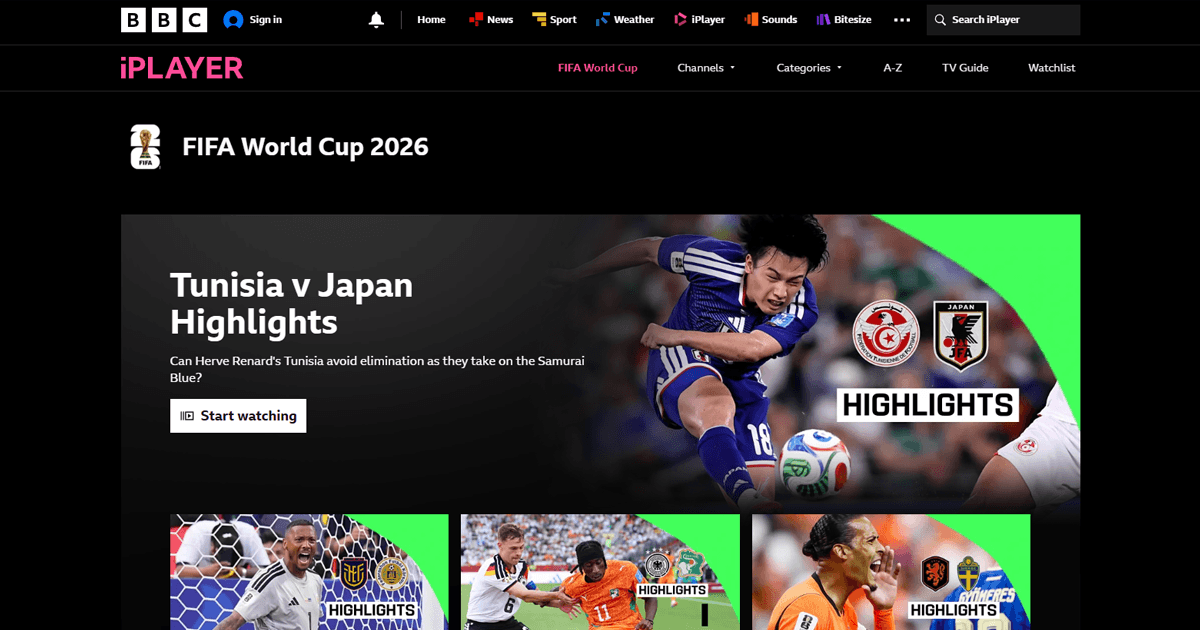
The 2026 World Cup is over, but that doesn't mean you've missed it. BBC and ITV both showed the tournament for free in the UK, and the full replays, extended highlights and match reports are still sitting on iPlayer and ITVX. Open either from abroad, though, and you'll get a location error instead of the football.
A VPN fixes it by making your connection look like it's coming from the UK. Both services think you're at home, and you can watch. The whole setup takes about ten minutes, and this guide walks you through it.
What you need
The good news is you don't need much. A VPN, a free BBC account, and a free ITVX account. That's it. All three are quick to set up, and two of them are completely free. Here's what each one involves:
- A VPN with UK servers. NordVPN and ExpressVPN are the two that consistently work with both iPlayer and ITVX. Their UK server pools are large and get refreshed regularly, which matters because both services are constantly updating their blocked IP lists. A good VPN keeps ahead of that. Both come with a 30-day money-back guarantee, so you can try one out just to catch up on the highlights and cancel afterwards if you don't need it beyond that.
- A free BBC account. BBC iPlayer requires you to be signed in every time. Creating an account is free and takes about two minutes: head to bbc.co.uk/register, enter your email, set a password, and enter a UK postcode. You don't need a real UK address; any valid postcode works. Once the account is set up, it stays active as long as you use it.
- A free ITVX account. ITVX also requires a registered account before you can watch anything. Sign up at itvx.com with your email address. You'll be asked for a UK postcode here too. The free tier gives you access to everything you need: no subscription or payment details required.
One thing that catches people out: the iPlayer and ITVX sign-up pages are also geo-restricted. If you try to create an account without the VPN already running, you'll hit the same location error you'd get trying to watch. Connect to a UK server first, then register.
Where to find the replays and highlights
BBC and ITV split the 104 matches between them, so neither has the full tournament on its own. Full match replays, extended highlights packages and the final itself are all still available on catch-up. The quickest way to find a specific game: BBC Sport (bbc.co.uk/sport/football/world-cup) and ITV Sport (itv.com/sport) both keep a full archive of coverage organised by team and round, with links through to iPlayer or ITVX.

Both services carry full replays and highlights on catch-up. On iPlayer, World Cup content sits under the Sport section of the homepage. On ITVX, look for the World Cup hub linked from the home screen. If you're looking for a specific game and can't find it, check both apps before assuming it's on the other one, as coverage is split unevenly between the two.
Getting a VPN set up
If you've never used a VPN before, the whole thing tends to look more complicated than it is. In practice it takes about ten minutes, and most of that is creating your account. Here's the full process:
- Sign up for a VPN. Go to NordVPN or ExpressVPN and create an account. Both have a 30-day money-back guarantee, so you're not locked in. If you decide you don't need it after the tournament, cancelling is straightforward through the account dashboard.
- Download and install the app. Once you've signed up, the download link will be in your account dashboard. Both have apps for Windows, Mac, iPhone, Android, and Amazon Fire TV. Install the one that matches your device, open it, and log in with the account you just created.
- Connect to a UK server. Inside the app you'll see a country list or a search box. Type or select United Kingdom and press connect. The connection takes a few seconds. You'll see a green status indicator when it's done.
- Check it's working. Open our IP address checker. If it shows a UK city, you're all set. If it still shows your real location, try a different UK server from the list in the app and check again. Some servers get flagged and a quick swap usually fixes it.
Watching on BBC iPlayer
With your VPN on a UK server, go to bbc.co.uk/iplayer and sign in. A few things that make iPlayer more cooperative:
- Connect the VPN before opening iPlayer, not after. If you open the site first, it can lock in your real location for that session.
- Use a private or incognito window. Cookies from earlier browsing can betray your real location even with the VPN running.
- If you get a location error, try a different UK server. London gets blocked most often. Manchester or Edinburgh usually have cleaner IPs.
iPlayer is the trickier of the two because it checks your IP address, DNS requests, and WebRTC all at once, which is why switching servers alone sometimes doesn't cut it. If you're still blocked after a couple of attempts, the full iPlayer guide goes through each layer.
Watching on ITVX
ITVX is more forgiving. It mainly checks your IP address rather than running multiple checks at once, so getting through is usually faster and less fiddly. Connect to a UK server, open a private window, go to itvx.com, and sign in before pressing play.
If it does block you despite a UK server, switch to a different one. Most blocks clear on the second or third attempt. Our ITVX guide has the full troubleshooting steps if you need them.
On hotel wi-fi
There's one extra step if you're watching from a hotel, and it catches a lot of people out. Hotels put a sign-in or terms page between you and the internet, and your VPN can't connect until you get through it first. Turn the VPN off, accept the hotel's page in your browser, then switch it back on and connect to a UK server. After that, everything works the same as anywhere else.
If the hotel network is actively blocking VPN traffic, try switching your protocol to OpenVPN TCP. Most hotel firewalls leave port 443 open because blocking it would break ordinary websites, and OpenVPN TCP runs over that port. Our hotel wi-fi guide has the full steps.
Watching on a TV
Most smart TVs don't run VPN apps directly, but you've got a few good options:
- Amazon Fire TV Stick: the easiest route if you have one. Both BBC iPlayer and ITVX have dedicated Fire TV apps, and so do NordVPN and ExpressVPN. Install the VPN app from the Fire TV app store, connect to a UK server, then open iPlayer or ITVX. Everything works through your normal TV and remote, with no phone or laptop involved once it's set up.
- Cast from your phone or laptop: connect your phone or laptop to a UK VPN server, open iPlayer or ITVX in a browser, and cast the stream to your TV via Chromecast or AirPlay. The VPN runs on the device you're casting from, not the TV itself, so there's nothing extra to install on the TV. Use the browser version of iPlayer and ITVX rather than the apps when casting, as the apps can block the cast function.
- Apple TV: NordVPN and ExpressVPN both have native Apple TV apps, so you can install the VPN directly on the device, connect to a UK server, and open iPlayer or ITVX as normal. If your provider doesn't have an Apple TV app, both also offer Smart DNS, set up through your Apple TV's DNS settings, or you can set up the VPN on your router (see below) to cover the Apple TV automatically.
- Router VPN: if you're somewhere with a configurable router (a holiday rental, for instance), installing the VPN at router level routes everything on the Wi-Fi network through a UK IP address, including the TV, games consoles, and any other connected device. Nothing to install on each device individually. Both NordVPN and ExpressVPN have step-by-step router setup guides on their websites.
If your connection is slow
Hotel wi-fi and mobile data don't always have the headroom for a full-quality live stream. Both iPlayer and ITVX let you drop the quality, and it makes a real difference on a patchy connection.
On iPlayer, press the settings icon during playback (the gear symbol in the bottom-right corner of the player) and select a lower quality. Standard definition uses roughly 1.5Mbps; HD jumps to around 5Mbps. Dropping to SD is often the difference between a watchable stream and one that stops to buffer every thirty seconds.
On ITVX the quality selector is in the same place. If it keeps buffering even on lower quality, try switching your VPN protocol to WireGuard. It's lighter and faster than older protocols, which really shows on a weak connection. On NordVPN it's called NordLynx; on ExpressVPN it's Lightway. You'll find the option under Settings or Connection in the app.
A rough guide: 3Mbps gets you through a match on standard definition without interruption. Run a quick speed test before kickoff so you know what you're working with.
Watching from outside the UK, US, and Canada
This guide focuses on catching the replays through BBC iPlayer and ITVX, since that's what most of our readers are after. If you're chasing full match footage rather than specifically the UK broadcasts, it's worth knowing that rights for the tournament were split by country rather than sold as one global deal. In the US, Fox and Telemundo held the English and Spanish-language rights respectively, and existing subscribers to their platforms, including a YouTube TV subscription (Fox is part of its channel lineup), can typically access replays with a VPN connected to a US server in much the same way as iPlayer or ITVX. Our guide on watching YouTube TV outside the US covers that setup in detail.
In Canada, TSN and CTV carried parts of the tournament, and their replay libraries generally work the same way: a VPN connected to a Canadian server plus an existing account with the broadcaster. We haven't tested every regional broadcaster's replay policy ourselves, so if you're outside the UK, US, or Canada, it's worth checking your local broadcaster's own catch-up terms before assuming a VPN alone will unlock the footage. Some regional deals only cover live broadcast rights rather than on-demand replays.
If football is a year-round habit rather than a once-every-four-years event, the same basic VPN setup carries over to domestic and European club football too. Our guides on watching the Premier League abroad and fixing TNT Sports cover the season-long version of exactly this problem.