FixYourVPN
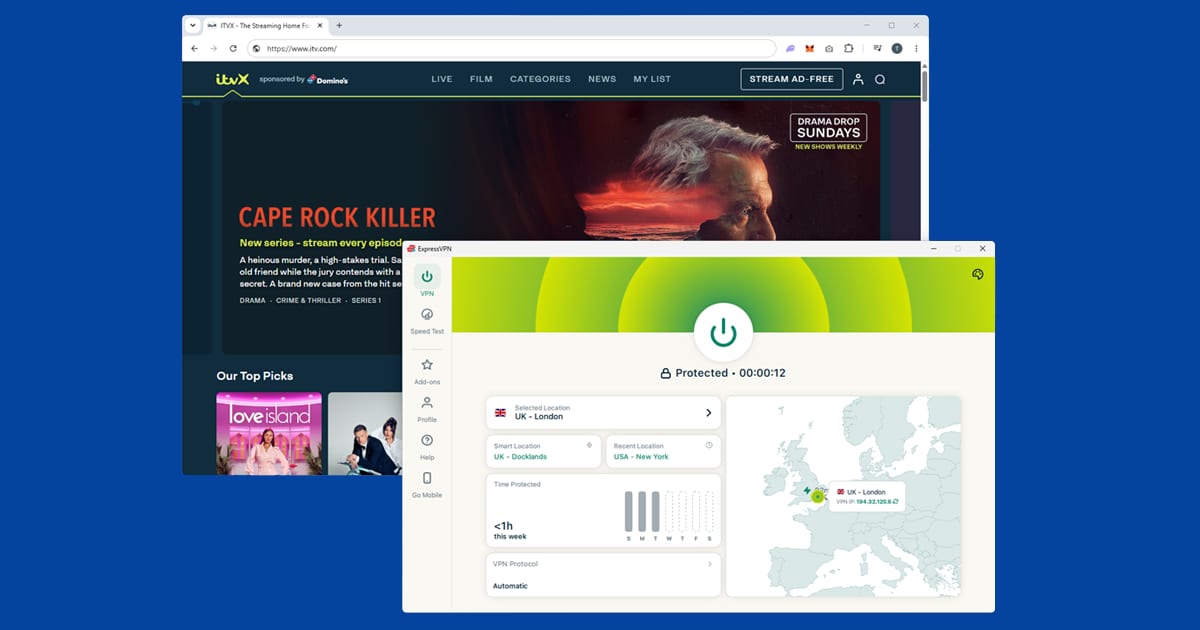
If ITVX is blocking you with a VPN switched on, it's almost always one of two things. Either ITVX has recognised your VPN server's IP address, or something on your device (a DNS leak, an old cookie, a cached app session) is still giving away your real location. The fix is usually to connect to a fresh UK server first, then open ITVX in a clean session or the app. It's usually a quick fix, and this guide walks you through every step in the order that's most likely to work.
ITVX checks your location more carefully than My5 or UKTV Play, but it's noticeably easier to get working than BBC iPlayer. So don't give up after one failed attempt: a blocked server isn't the same as a blocked VPN.
The ITVX error messages explained
ITVX doesn't always tell you plainly that it's spotted a VPN. You'll usually see one of these instead:
- "Outside the UK?" followed by a line saying that, because of broadcast and content licences, ITVX can only be watched in the UK. This is the most common screen. It means ITVX looked at your connection and decided you aren't in the UK.
- Error code ITV-101, or one of its variants such as ITV-1S-101, ITV-1X-101, ITV-1T-101, ITV-1M-101, ITV-1V-101 or ITV-1A-101. ITV's own help pages say these codes mean ITVX has detected that you're outside the UK, or that you're using a VPN while in the UK. The letter in the middle varies, but ITV treats them all as the same location problem.
- "This content is not available outside of the United Kingdom" or a general "not available in your region" message, which tends to appear when you press play on a specific programme.
- A spinning wheel that never ends, or adverts that load but a programme that won't start. This one's sneakier: the page loaded on one check, then playback failed on another.
All of these come from the same place. ITVX is licensed for UK viewers only, so it runs a location check every time you start a stream.
Why ITVX blocks your VPN
ITV sells its advertising to brands that want to reach UK viewers, and many of the programmes it shows are licensed for the UK only. That's why the service is locked to the UK, and why it puts real effort into spotting people who aren't.
The main check is your IP address, which is a bit like a return address on an envelope: every website you visit can see it, and it roughly shows where you're connecting from. When you use a VPN, websites see the VPN server's address instead of yours. The catch is that VPN servers live in data centres, and lots of people share each one. When ITVX notices hundreds of people streaming from the same address, it adds that address to a block list. Your VPN is still working perfectly; it's just that the particular server you picked has been rumbled.
There are a few secondary ways your real location can slip through:
- DNS leaks. DNS is the internet's phone book: every time you visit a site, your device looks up where to find it. If those lookups skip the VPN and go through your normal internet provider, ITVX can see you're really in Spain or Australia even though your IP says London.
- Cookies and cached app data. If you've opened ITVX before without the VPN, your browser or the app may still be holding on to information from that session.
- WebRTC. A browser feature used for video calls that can, in some setups, reveal your real IP address to a website.
- Your VPN dropping out. If the VPN disconnects for a moment mid-programme, ITVX sees your real address and stops the stream.
ITV's own help page also says some people in the UK get blocked because their internet provider routes traffic through servers abroad. If you're at home in the UK, with no VPN on, and still seeing the "Outside the UK?" message, skip down to the FAQ at the end where we cover that.
Before you start: what ITVX needs from you
A VPN only handles the location part. ITVX also needs a few things in place before it'll play anything:
- A free ITVX account. You can't watch without signing in, even on the free tier. Registration asks for your name, email, a password, your date of birth and a UK postcode.
- A correctly formatted UK postcode. ITV uses this to work out which ITV region you belong to, so you get the right regional news and adverts. It needs to look like a real postcode (for example SW1A 1AA or M1 1AE), with a space before the final three characters. If you lived in the UK, your old postcode is the natural one to use.
- A VPN app that covers your whole device, not just a browser extension. Extensions only cover traffic inside the browser, so the ITVX app on the same phone won't be protected at all.
Plenty of "VPN not working" problems turn out to be sign-in or postcode issues in disguise.
Step-by-step: how to fix ITVX not working with a VPN
Work through these in order. Each one takes a minute or two, and you can stop as soon as ITVX starts playing.
1. Close ITVX completely, then connect your VPN first
Order matters more than people expect. If you open ITVX before your VPN is connected, the app or website clocks your real location straight away and can hold on to it. Fully close ITVX (on a phone, swipe it away from your recent apps; in a browser, close the tab), connect your VPN to a UK server, then reopen ITVX. It sounds too simple to work, but it sorts a surprising number of cases on its own.
2. Switch to a different UK server
This is the fix that works most often. If the server you're on has been flagged, no amount of cookie-clearing will help. Disconnect, pick another UK location, and try again. London has the most servers, so start there, then try Manchester, Edinburgh or whichever other UK cities your VPN lists if London isn't getting you in. Try at least three before you decide it's something else. Our guide on how to switch VPN server shows exactly where the option lives in the main VPN apps.
A small tip: if your VPN has a "quick connect" button, it'll usually put you on the same busy server every time. Picking a specific city by hand gives you a better chance of landing on a fresh address.
3. Make sure you're signed in to your ITVX account
ITVX can throw a location error at people who aren't signed in, even when their IP address looks fine. Check you're logged in before pressing play. If you're creating a new account from abroad, do it with the VPN already connected to the UK, and double-check the postcode format, because a mistyped postcode is one of the most common reasons sign-up fails.
4. Clear ITVX's cookies, or use a private window
If you've visited ITVX before without the VPN on, your browser may still be holding data from that visit. The quickest test is to connect your VPN, then open ITVX in a private or incognito window, which starts with no stored data at all. If it works there but not in your normal window, old cookies were the problem.
To clear ITVX's data in your normal browser without logging out of everything else:
- Chrome: SettingsPrivacy and securityThird-party cookiesSee all site data and permissions, search for itv.com and remove.
- Firefox: hamburger menuSettingsPrivacy & SecurityManage Data, search for itv.com and remove.
- Safari: SafariSettingsPrivacyManage Website Data, search for itv.com and remove.
- Edge: three-dot menuSettingsCookies and site permissionsManage and delete cookies and site data, search for itv.com and remove.
Our full guide to clearing cache and cookies to fix VPN problems has screenshots for every major browser if you'd like a hand.
5. Clear the ITVX app's cache (or reinstall it)
Apps hang on to old data too. On Android phones and Android TV, go to Settings > Apps > ITVX > Storage > Clear Cache. On Fire TV it's Settings > Applications > Manage Installed Applications > ITVX > Clear cache. If that doesn't help, try Clear Data as well, which signs you out so the app starts afresh. On iPhone and iPad there's no separate cache button, so delete the app and reinstall it from the App Store, with the VPN already connected before you sign back in.
6. Check your IP address and run a DNS leak test
If you're still stuck, take thirty seconds to see what ITVX can actually see. With your VPN on, open our IP address and DNS leak checker. If it shows somewhere other than the UK, your VPN isn't connected the way you think it is, so reconnect and check again.
If the IP says UK but the DNS results show your real internet provider or your real country, you've got a DNS leak. Open your VPN app's settings, turn on DNS leak protection (sometimes called "use VPN DNS" or "private DNS"), reconnect, and try ITVX again. Our step-by-step guide to fixing a VPN DNS leak covers the settings in each major app.
7. Change your VPN protocol
A protocol is simply the method your VPN uses to build its secure connection. Different protocols can behave differently with streaming services, and the newer ones are faster too. If you're on an older option like OpenVPN, try switching to WireGuard. On NordVPN it's called NordLynx; on ExpressVPN, the equivalent fast option is Lightway. Reconnect to a UK server afterwards. Our guide to changing your VPN protocol shows where the setting is in each app.
8. Switch from the browser to the app (or the other way round)
The ITVX website and the ITVX app don't always behave the same way with a VPN. Browsers carry extra baggage such as cookies, extensions and WebRTC, which apps don't. If the website keeps failing, try the app on your phone, tablet or streaming stick. We explain why this often helps in our guide to using a streaming app instead of a browser.
If you'd rather stay in a browser, you can stop WebRTC giving you away. In Firefox, type about:config into the address bar and set media.peerconnection.enabled to false. In Chrome or Edge, a WebRTC-blocking extension from the browser's add-on store does the job, and many VPN extensions include this setting already.
9. Turn on your VPN's kill switch
If ITVX plays for a while and then suddenly shows the "Outside the UK?" screen, your VPN may be dropping out for a split second. That's enough for ITVX to see your real address. A kill switch pauses your internet whenever the VPN disconnects, so your real location never slips out. It's usually a single toggle in the VPN app's settings.
10. Try a different VPN provider
If you've tried five or six UK servers, cleared everything, and ITVX still won't play, your VPN provider probably doesn't have enough fresh UK addresses to keep ahead of ITVX's block list. Small and free VPNs struggle most here. Skip ahead to our recommendations below.
ITVX on smart TVs, Fire Stick and games consoles
Watching on a big screen adds a wrinkle, because most TVs can't run a VPN app themselves. Here's how it breaks down by device.
Amazon Fire TV Stick and Android TV
These are the easiest big-screen option. The ITVX app is available on both, and so are the apps for NordVPN, ExpressVPN and PureVPN. Install the VPN, connect to a UK server, then open ITVX. If the ITVX app is stubborn, clear its cache as described in step 5. Our Fire Stick VPN guide covers the Fire TV side in more detail, including what to do if the VPN app itself won't connect.
Samsung, LG and other smart TVs
Most smart TVs don't support VPN apps. You've got three workarounds:
- Set up the VPN on your router. Everything in the house, the TV included, then goes through a UK connection. It takes a little setup but is the most hands-off once it's done.
- Share a VPN connection from your laptop. Connect the laptop to a UK server, turn on its wi-fi hotspot feature, then connect the TV to that hotspot.
- Cast from a phone or laptop. Play ITVX on a device that's running the VPN and cast it to a Chromecast or AirPlay-compatible TV.
Signing in on a TV
ITVX on a TV or stick usually shows a short code and a web address (or a QR code) when you sign in. You type that code into the ITVX site on your phone or laptop to link the TV to your account. If your phone is on a VPN and your TV isn't, the linking step can work but playback will still fail, because it's the TV's connection that ITVX checks when you press play. Make sure the TV's own traffic is going through the UK too.
PlayStation and Xbox
Consoles can't run VPN apps, so the router method above is the cleanest option. Once your router is connected to a UK server, the console picks up the UK address automatically.
ITVX Premium, BritBox and downloads
ITVX has two tiers. The free tier is ad-supported and only needs an account. ITVX Premium is the paid upgrade: according to ITV's own help pages, it costs £5.99 a month or £59.99 a year, and it adds hundreds more films and shows, the whole BritBox catalogue, ad-free on-demand viewing, and downloads on mobile.
Three things are worth knowing if you're abroad:
- Premium doesn't change the location check. Paying for Premium won't make ITVX any more forgiving about VPNs. The same block applies to both tiers, and the same fixes work for both.
- Live TV still has adverts on Premium. ITV says the ad-free part only covers on-demand programmes. If you're watching ITV1 live and seeing adverts, nothing's gone wrong with your subscription.
- Downloads are your official way to watch abroad. ITV's help pages say Premium subscribers can download shows before leaving the UK and watch them overseas. Downloads only work in the mobile apps, and not every programme can be downloaded because of licensing. If you're going on a short trip, this is the simplest route of all, no VPN needed.
Because BritBox's library now sits inside ITVX Premium in the UK, people often confuse the two. If you're actually trying to use the international BritBox service, that's a separate product with its own rules, which we cover in our guide to watching BritBox outside the UK.
What you can watch on ITVX
ITVX carries live streams of ITV1, ITV2, ITV3 and ITV4, plus a big on-demand library. That covers the soaps (see our guides to watching Coronation Street abroad and watching Emmerdale abroad), big reality shows like Love Island and I'm a Celebrity, drama series, and live football when ITV holds the rights, such as England internationals.
Live football is where people tend to notice VPN problems most, because the stream has to hold up for the full match. If you're planning to watch a big game, test your setup an hour before kick-off, not five minutes before. For more shows that work the same way, our guide to watching UK TV shows abroad brings all our programme guides together.
A VPN that reliably works with ITVX
The biggest single factor in whether ITVX works isn't a setting; it's how many fresh UK IP addresses your VPN provider has, and how quickly it replaces the ones that get blocked. Here's what we'd recommend:
- NordVPN is our first choice. It has a large spread of UK servers you can pick by hand, NordLynx for fast streaming, and apps for Fire TV and Android TV as well as phones and computers.
- ExpressVPN is a strong second. Its Lightway protocol is quick to connect and holds up well for long streams such as live football, and its apps are very easy to use if you're not technical.
- PureVPN is a solid third option with UK servers to choose from and apps for all the main devices, and it's worth a look if the other two don't suit you.
Free VPNs are a poor fit. Their small pools of shared UK addresses are usually the first ones ITVX blocks, and even when one gets through, it's often too slow for HD streaming. Our guide to whether free VPNs are safe explains the privacy trade-offs too.
If your VPN won't connect at all
Everything above assumes your VPN connects fine and ITVX is the thing blocking you. If the VPN itself won't connect, the problem is usually the network you're on. Hotel wi-fi, workplace networks and internet connections in some countries block VPN traffic before it gets anywhere.
Try switching your VPN's protocol to OpenVPN TCP, which uses the same port as normal secure web traffic and is harder for networks to block, or use ExpressVPN's Lightway. If you're stuck on a hotel network, our guide to VPNs not working on hotel wi-fi covers the common culprits. For more UK services that use the same kind of location checks, have a look at our UK streaming hub, which includes guides for Channel 4 and BBC iPlayer.