FixYourVPN
Getting a "not available in your region" error on Crunchyroll with your VPN already running is frustrating, and the fix is a bit different from most streaming services. Crunchyroll licences anime title by title, country by country, so connecting to just any server isn't always enough. Sometimes you need the right country for that specific show.
What the error usually looks like
When Crunchyroll blocks you, it's usually one of two messages: "Sorry, this video is not available in your current location" or a notice that the title isn't available for your region. Sometimes the show appears in search results but the video player refuses to play it.
Occasionally Crunchyroll detects the VPN connection itself and shows an error about an unsupported connection. Less common, but the fix is the same: switch to a different server.
Why Crunchyroll's regional restrictions are different
Crunchyroll is one of the world's biggest anime streaming platforms, but anime licensing is negotiated territory by territory. A studio in Japan agrees separate distribution deals for each country, so one show might be on Crunchyroll for UK audiences and a different service entirely for US viewers. Simulcasts, which are episodes released at the same time as Japan, are the most watched content on Crunchyroll, and even those aren't always available in every market.
So Crunchyroll's library varies quite a bit by country. Some simulcasts are available everywhere. Others are licensed only for specific regions. If you're trying to watch something that isn't licensed in the country your VPN server is in, the fix is switching to a server where it is licensed, not just switching to any other server. This kind of per-title, per-territory licensing isn't unique to anime, either: Mubi licenses arthouse and world cinema in a similarly fragmented way, so if you use both services the troubleshooting logic will feel familiar.
Dubs and subs aren't always licensed the same way
It's worth knowing that a show's subtitled version and its English dub can be licensed to different territories independently. You might find the Japanese-language version of a series available on a server where the dub is blocked, or the other way round.
If a title is playing but the audio track you want is missing or greyed out, try a different VPN server country before assuming the whole show is unavailable. The subtitled and dubbed rights sometimes sit with entirely different regions.
Finding the right server country
The US Crunchyroll library is the broadest and covers most simulcasts, so a US server is the right starting point. If a specific title is still blocked, it may be licensed for another territory.
A Japan server isn't a reliable fix here: Crunchyroll has historically restricted access for viewers physically in Japan rather than offering a bonus catalogue there, since Japan has its own domestic anime distribution and Crunchyroll's international service isn't meant to compete with it. If you're chasing a show before its Crunchyroll simulcast even lands, some anime airs on Japanese TV first and shows up on domestic catch-up services like TVer, which is a separate service from Crunchyroll entirely.
The UK and Australia sometimes hold exclusive simulcast rights for certain shows, so these are worth trying if the US doesn't work.
If you're not sure which region has the rights to a specific show, searching for the title alongside "Crunchyroll region" usually turns up an answer from fan communities who track this.
Step-by-step fix
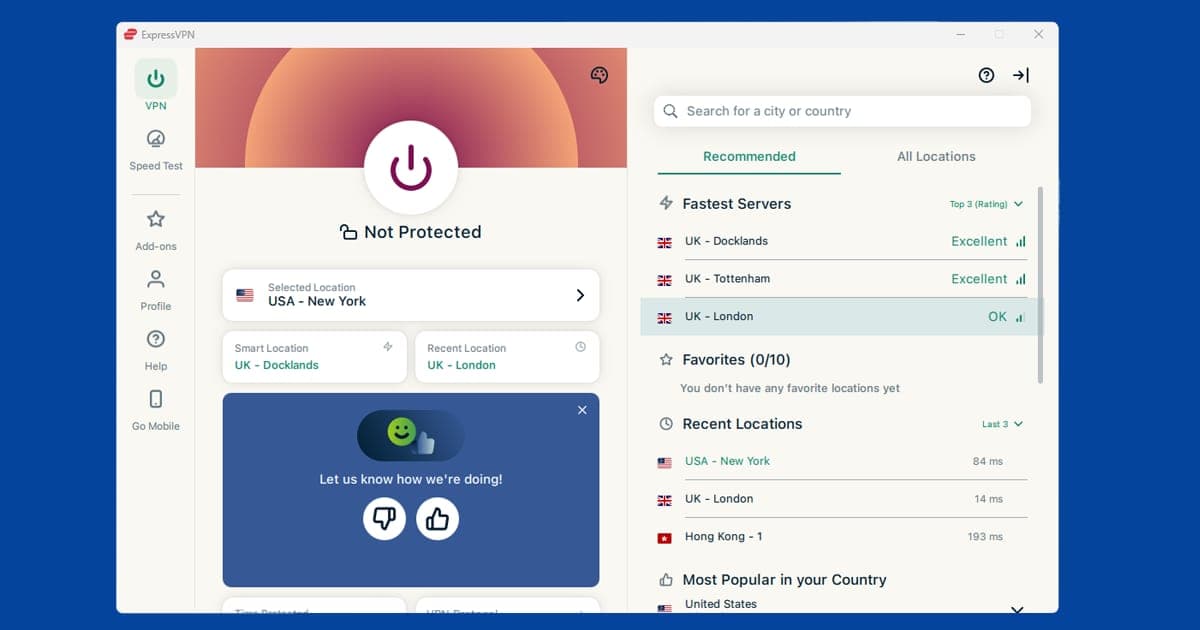
- Connect to a US server. In NordVPN, use the search bar or tap United States on the map. In ExpressVPN, tap Choose Location and select United States. Check your IP at our IP checker to confirm you have a US address before loading Crunchyroll.
- Open Crunchyroll in a private or incognito window. Cookies from a previous session without the VPN active can reveal your real location even after your IP has changed. Starting in a private window avoids this.
- Try to play the title. If it works, you're done. If you get a region error, the show isn't licensed for the US, so move to step 4.
- Try a UK server, then Australia. Some simulcasts are licensed exclusively for these regions. A Japan server isn't worth trying here: Crunchyroll has historically restricted access for viewers physically in Japan rather than unlocking extra content there.
- If Crunchyroll is blocking the VPN connection itself rather than the content, switch to a different server in the same country. Crunchyroll identifies and blocks known VPN IP addresses, and this list changes over time. A different server in the same country will often have an address that isn't flagged yet. Our guide to switching VPN servers covers the steps for every major app.
Free account vs premium account
Crunchyroll's free tier has stricter regional limitations than the premium tier. Some content is available to premium subscribers in more countries but restricted to specific regions for free users. If you're on a free account and hitting blocks even with a working VPN, upgrading to Crunchyroll Premium can lift that extra layer of restriction.
The app vs the browser
Crunchyroll in a browser can sometimes expose your real location through WebRTC, a browser feature that may reveal your device's IP address even when your connection is going through a VPN. The Crunchyroll app doesn't rely on WebRTC in the same way, which can make it harder for Crunchyroll to detect your real location.
If you're using Chrome or Firefox and hitting blocks, try the Crunchyroll app on your phone or tablet with your VPN running at the system level (the full VPN app, not a browser extension). The Crunchyroll app is available on iOS, Android, PS4, PS5, Xbox, Amazon Fire TV, and Apple TV.
If the app itself is showing old location data even after you've connected the VPN, clearing its cache can help. On Android: Settings > Apps > Crunchyroll > Storage > Clear Cache. On iOS, delete and reinstall the app, since iOS doesn't offer a separate cache-clearing option.
Watching on a smart TV
The Crunchyroll app isn't available directly on most smart TVs from Samsung, LG, or Sony, but it does run natively on PS4, PS5, Xbox, Amazon Fire TV, and Apple TV. If your setup includes one of those, install your VPN there, connect to the right country, then open Crunchyroll as normal.
If your TV doesn't support Crunchyroll natively, casting from a VPN-connected phone or laptop, or setting up the VPN on your router, both work. Either approach means the TV inherits the VPN's location without needing its own app.
Buffering and speed on Crunchyroll
Anime often streams at a high bitrate, especially newer simulcasts in 1080p, so a slow VPN connection shows up quickly as buffering or a dropped resolution. If you're on a UK or US server and getting through fine but playback keeps stuttering, that's a speed problem rather than a blocking one, and worth treating separately.
Switch to WireGuard if you haven't already (NordLynx in NordVPN, Lightway in ExpressVPN), since it's noticeably faster than older protocols like OpenVPN for video. Picking a server that's geographically closer to you, even within the right country, helps too: a US server on the east coast will usually be faster for someone in Europe than one on the west coast, purely because of the extra distance the data has to travel.
Do free VPNs work for Crunchyroll?
Not reliably. Free VPNs typically share a small pool of IP addresses between huge numbers of users, and Crunchyroll blocks these fast once they're spotted, the same way it does with most major streaming platforms. Even where a free server isn't blocked yet, the connection is often too slow to stream anime cleanly, which rather defeats the purpose. If Crunchyroll is a service you use regularly, a paid VPN with a large server network will save you a lot of frustration; see our Are Free VPNs Safe? guide for the wider reasons free VPNs tend to be a false economy.
No more free Crunchyroll
One part of this guide needs an update. Crunchyroll ended its free, ad-supported tier at the end of 2025, so watching now needs a paid membership. If you were relying on a free account, the free versus premium advice above no longer applies: there's only premium.
Prices have gone up too. In the US, every tier rose by $2 a month, taking Fan to $9.99, Mega Fan to $13.99 and Ultimate Fan to $17.99. New members paid the higher prices from 2 February 2026, and existing members from 4 March. Crunchyroll says the money goes towards things like offline viewing, its Game Vault of mobile games and better access to digital manga. Prices in other countries are set separately, so check what you'd pay where you live.
Now that everyone pays, the payment step matters more for VPN users. If your VPN says you're in one country and your card was issued in another, a payment can be flagged by your bank as suspicious. The simplest approach:
- Sign up and pay with your VPN off, or set to your home country.
- Once your membership is active, switch to the server you need for the library you want.
If you watch on more than one anime service, our guide to HIDIVE VPN problems uses the same approach. More services are covered in our US and global streaming hub.
HIDIVE
HIDIVE is the other big anime service, and plenty of Crunchyroll fans end up running both. AMC Networks acquired it from Sentai Holdings in early 2022, and its library is built around Sentai Filmworks' licensing catalogue, so it carries titles Crunchyroll doesn't: Made in Abyss season two, the 2020 Higurashi: When They Cry remake and its follow-up Higurashi: Sotsu, Bloom Into You, and a large back catalogue of older series. Some shows are only dubbed in English on HIDIVE and nowhere else, too.
The good news for VPN users is that HIDIVE's check is much simpler than Crunchyroll's. There's no hunting for the country that holds a particular show. HIDIVE has confirmed it uses your IP address to work out your country, with no extra checks on top, so one US server is the whole fix for the direct service.
Where HIDIVE is available
In December 2023, HIDIVE told subscribers in affected regions that "the service will no longer be available in certain areas outside of North America, as of 12/14/2023." Since then, hidive.com and its apps only accept US and Canadian IP addresses. The service itself kept running and adding content.
In March 2025 it expanded again through Amazon. If you're in the UK, Canada, Australia or New Zealand, you can add HIDIVE as an Amazon Prime Video Channel: open Prime Video, search for HIDIVE in the channels section and sign up as an add-on. You'll need an active Prime subscription, and Amazon sets the channel price, which varies by country. You watch the same HIDIVE library through the Prime Video interface rather than the HIDIVE app, and you don't need a VPN at all. Everywhere else, connect to a US server (a Canadian one works too) before you open hidive.com.
The HIDIVE error and how to clear it
When HIDIVE blocks you, you'll see a message along the lines of "We're sorry, HIDIVE is not available in your country". The fixes are the ones in the steps above: connect to a US server before the page loads, confirm it with our IP address checker, then open hidive.com in a private window so an old session cookie can't give away your real location. If the error still appears, that server's IP has been blocked. HIDIVE blocks individual IP addresses rather than whole VPN providers, so a different US city usually gets straight through. New York and Los Angeles have the most servers to pick from. If your IP looks right and you're still stuck, our DNS leak guide covers the next thing to check.
Signing up and paying
HIDIVE is subscription-only with no permanent free tier, though new accounts get a 7-day free trial before any charge applies. After that it's $6.99/month, or $69.99/year if you pay upfront, which works out at just under $6 a month. Pricing is in USD and has changed before, so confirm it on the HIDIVE website.
Creating an account just needs an email address and a password, you can register from anywhere, and international payment cards work at checkout. Do have your VPN on a US server while you sign up, though. HIDIVE's registration flow is tied to your apparent location, and you may run into friction if your IP isn't showing as North American. That's different from Crunchyroll, where paying with the VPN off is the safer bet.
Apps and devices
HIDIVE has apps for iOS, Android and Amazon Fire TV. Connect your VPN before opening the app. You'll need the full VPN app on the device, because a browser extension doesn't cover the HIDIVE app.
- iPhone and iPad: if HIDIVE isn't in your local App Store, switch your Apple ID region to the US for a moment. Go to Settings > your name > Media & Purchases > View Account > Country/Region, choose United States, download HIDIVE, then switch back. The app stays on your phone.
- Android: with a US server active, HIDIVE should show up in the Play Store. If it doesn't, hidive.com works fine in Chrome.
- Fire TV: install your VPN on the Fire TV Stick, connect to a US server and open HIDIVE. Our Fire Stick guide helps if the VPN app misbehaves there.
- Other smart TVs: use the router or casting options from the smart TV section above.
Autumn 2026 simulcasts
HIDIVE's autumn 2026 season is under way. Reincarnated as a Sword season two started on 30 September, and October brings Nia Liston: The Merciless Maiden, the uncensored version of I'm Dating a Dark Summoner, and Tetsuriyo! Meet With Tetsudou Musume. HIDIVE adds English dubs of new and returning shows regularly, so check whether one's on the way for the series you're after.
Premiere nights are when US servers get busiest, because new episodes land at the same moment for everyone. That's when buffering or a sudden location error is most likely. Connect a few minutes before the episode is due, and if one server stutters, switch to a different US city rather than reconnecting to the same one. If you watch through Prime Video Channels, check the episode's listing inside Prime Video, since that's what your subscription follows, not HIDIVE's own US schedule. More services in the same boat are in our US and global streaming hub.