FixYourVPN
Most free VPNs aren't safe. Running a VPN costs real money, and an app that charges you nothing usually pays its way by collecting your data, showing you ads or using your connection in ways you never agreed to. There are a few honest exceptions, Proton VPN's free plan being the best known, but they're rare, and the documented track record of free VPN apps is worrying.
This guide is all about free VPNs specifically: how they make money, what's actually gone wrong with them, how to vet one before you install it, and the safer ways to get a VPN without paying. If your question is about VPNs in general, including whether paid ones are trustworthy and whether they're legal, our main guide on whether VPNs are safe covers that side.
The key points at a glance:
- Free VPNs still have to pay for servers and staff, so ask how they make money
- Researchers have found malware, tracking code and leaked logs in popular free VPN apps
- Some free VPNs have resold their users' internet connections to strangers
- Proton VPN's free plan is a rare, audited exception, with clear limits
- A paid VPN's money-back guarantee is a safer way to try a VPN for free
Why "free" is the problem
A VPN company has big ongoing costs: servers in lots of countries, the bandwidth to run them, engineers to keep the apps working and security people to keep them safe. None of that is cheap. When you don't pay with money, the company needs another way to cover those bills, and that's where the trouble starts.
Free VPNs generally make money in one or more of these ways:
- Selling data. Your browsing habits, app usage, location and device details are valuable to advertisers and data brokers.
- Showing ads. Ads in the app itself are fairly harmless. Ads injected into the web pages you visit aren't, because it means the VPN is tampering with your traffic.
- Reselling your connection. Some free apps turn your device into an exit point that other people's internet traffic passes through, then charge those people for it.
- Upselling you. A free plan that exists to persuade you to upgrade is the one honest model. The company makes its money from paying customers, and free users are a shop window.
Only the last one lines up with what you wanted a VPN for. And from the outside, it isn't always obvious which model you're looking at, which is why the checks later in this guide matter.
What's actually gone wrong with free VPNs
This isn't a hypothetical worry. Researchers, journalists and law enforcement have documented real problems with free VPN apps for years. Here are the incidents that come up most often.
Malware and tracking in hundreds of Android apps (2017). Researchers from CSIRO, Australia's national science agency, studied 283 Android VPN apps on Google Play. Thirty-eight percent were flagged as containing some kind of malware when checked with the VirusTotal scanning service. Three quarters used third-party tracking libraries, which are bits of code that report on what you do. A few were even caught injecting code into users' traffic to serve ads and track them.
Hola sold its users' bandwidth (2015). Hola was a hugely popular free VPN that worked by routing traffic through its own users' devices. In 2015 it emerged that its sister business, Luminati, was selling access to that network of users' connections, and someone used it to flood the 8chan website with traffic. Hola's founder confirmed the attack had come through the network. Its users had effectively become part of an attack without knowing it.
Facebook's Onavo watched what people did (2018). Onavo Protect was a free VPN owned by Facebook. It sent Facebook details of which apps people used, how much and which sites they visited, and Facebook used that to study how popular other apps were. Apple decided it broke the App Store's data collection rules, and Facebook pulled it from the App Store in August 2018.
"No logs" VPNs leaked their logs (2020). Researchers found an unprotected database shared by seven free VPN apps, including UFO VPN, FAST VPN and Free VPN, all claiming not to keep logs. It held around 1.2 terabytes of data on potentially millions of users, including email addresses, passwords stored in plain text, IP addresses and records of internet activity.
SuperVPN exposed 360 million records (2023). Security researcher Jeremiah Fowler found an open database linked to SuperVPN, a free app with more than 100 million downloads. It contained over 360 million records, including users' real IP addresses, email addresses, locations and websites they'd visited, despite the app's no-logs claims.
Free VPN apps built a criminal botnet (2024). In May 2024, the US Justice Department announced it had taken down the 911 S5 botnet. This was a network of hijacked devices across roughly 19 million IP addresses, which criminals rented to commit fraud and other crimes. The software that hijacked people's machines was spread largely through free VPN apps, including MaskVPN and DewVPN, and the FBI published instructions for removing them.
Hidden ownership in the app stores (2025). The Tech Transparency Project, a US watchdog, reported that roughly one in five of the top 100 free VPN apps in Apple's US App Store during 2024 were secretly owned by Chinese companies, often hidden behind offshore firms. Chinese law can require companies to hand data to the state, and none of the apps clearly disclosed who owned them.
A free VPN extension recorded AI chats (2025). In late 2025, the security firm Koi reported that Urban VPN Proxy, a free Chrome extension with millions of users and a "Featured" badge, had been capturing users' conversations with AI chatbots such as ChatGPT and Gemini and sending them to the company's servers, whether or not the VPN was switched on.
The pattern across all of these is the same. The app is free, the business model is hidden, and the "privacy" tool ends up being the thing that exposes you.
Running a VPN costs real money: servers, bandwidth and staff all have to be paid for. If you're not paying, someone else is, and it's worth finding out who before you send all your traffic through them.

The quieter risks of free VPNs
Even a free VPN that isn't actively up to no good tends to cut corners in ways that leave you less protected than you think.
Leaks. Cheaply built apps often don't protect against DNS leaks, which quietly tell your internet provider which sites you're visiting even while the VPN is on. Our guide to fixing a VPN DNS leak explains how to test for this and stop it.
No kill switch. When a free VPN drops, which they do often on busy servers, your device usually carries on over your normal connection without telling you. A kill switch prevents that, and our kill switch guide explains why it matters.
Outdated protocols. Some free apps still use older connection methods with known weaknesses rather than modern ones like WireGuard.
Greedy permissions. A VPN needs permission to create a VPN connection. Free apps sometimes ask for your contacts, location, storage or text messages too. There's no good reason for that.
Slow, crowded servers. Free users share a small number of servers, so speeds suffer at busy times. Our guide on why your VPN is slow explains what's going on.
Blocked by streaming services. Because so many people share a few addresses, services like Netflix and BBC iPlayer spot and block free VPN servers quickly. Switching server rarely helps when the whole pool is already flagged.
How to check a free VPN before you install it
If you're set on trying a free VPN, run through these checks first. They take about ten minutes and will rule out most of the risky ones.
- Work out how it makes money. Look for a paid plan. If there's a paid version and the free one is clearly a cut-down taster, that's a reasonable sign. If there's no paid plan and no explanation, assume you're the product.
- Find the company behind it. In the app store listing, tap the developer name and look at their website. Search the company name. If you can't find a real company with a real address, walk away.
- Look for an independent no-logs audit. A trustworthy provider publishes audit reports from named firms that you can actually read. A "no-logs" line in the app description isn't evidence; the UFO VPN and SuperVPN leaks both involved apps that claimed exactly that.
- Read the logging section of the privacy policy. Search the page for "share", "third parties", "partners" and "advertising". If the policy says it can share your usage data with partners, it probably does.
- Check the permissions it wants. On Android, check the permissions list in the Play Store listing before installing; on iPhone, the "App Privacy" section shows what data it collects. Anything beyond the VPN connection itself is a warning sign.
- Look for the Google Play security badge. On Google Play, look in the Data safety section for an "Independent security review" badge, which shows the app has passed an outside security check. It isn't a guarantee of privacy, but its absence on a big-name free app is worth noticing.
- Search its name with "breach", "malware" or "botnet". Thirty seconds of searching now turns up most of the apps in the incidents above.
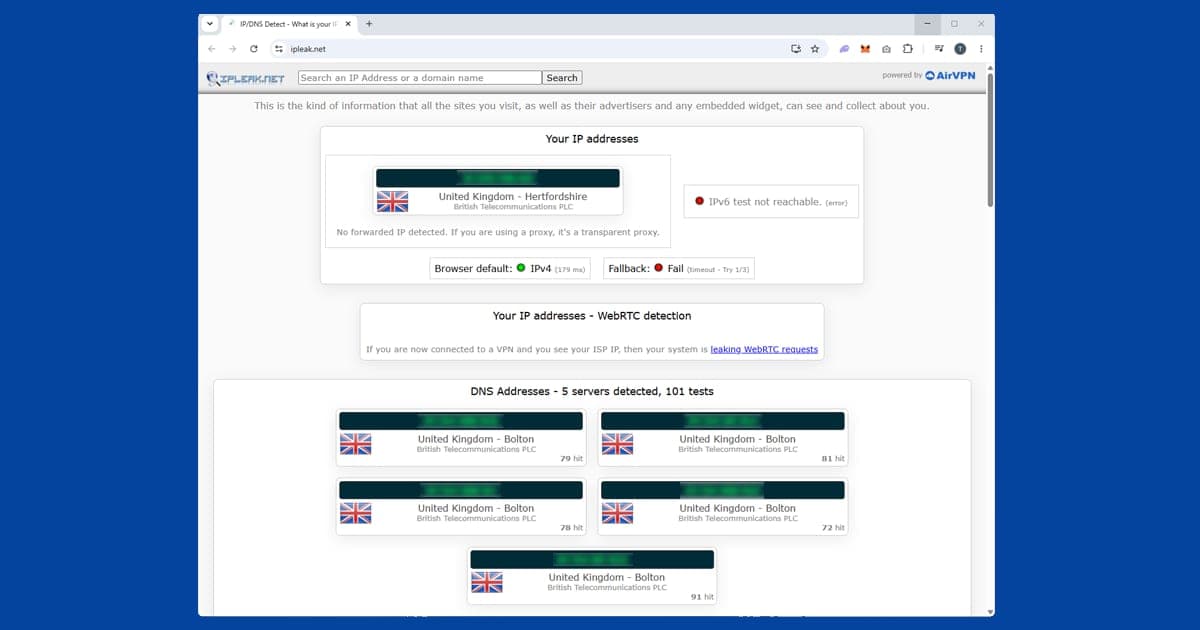
- Test it for leaks once installed. Connect, then open our IP address and DNS leak checker. If it shows your home location or your internet provider's DNS servers, the VPN isn't protecting you. Our guide on checking your VPN is working explains the results.
Be wary of browser extensions in particular. They can read every page you open, so a free one from an unknown developer is a much bigger leap of trust than it looks.
Free VPNs that are genuinely safe
The clearest exception is Proton VPN's free plan. Proton is the Swiss company behind Proton Mail, and its free tier is funded by people who pay for the full version rather than by your data. Its no-logs policy has been independently audited by the security firm Securitum more than once, and the free plan follows the same no-logs policy as the paid one.
The free plan has no data cap and no ads, which is unusual. The trade-offs are practical rather than privacy-related: it covers one device at a time, you can't pick a specific country (the app chooses a server for you), speeds are slower at busy times, and it doesn't include streaming support. For checking email on hotel wi-fi, it's perfectly sound. For watching BBC iPlayer abroad, it won't help.
Some other reputable paid providers offer limited free plans too, usually with a monthly data allowance. Apply the same checks: a named company, published audits and a paid product that clearly funds the free one.
Free trials and money-back guarantees
There's a difference between a "free VPN" and trying a paid VPN for free. NordVPN, ExpressVPN and PureVPN all offer money-back guarantees, so you can sign up, use the full service and ask for a refund within the guarantee window if it isn't for you.
That's a much safer way to use a VPN for a holiday or a one-off trip than downloading a free-forever app from a developer you've never heard of. You get the same audited service, encryption and kill switch that paying customers get, with no data-selling model behind it. Just set a reminder before the refund window closes, and check the current terms on the provider's site, as they can change.
If you've already used a dodgy free VPN
Don't panic. Most people who've used a poor free VPN haven't suffered any obvious harm. It's still worth tidying up:
- Uninstall the app or remove the browser extension, and check your browser's extensions list for anything else you don't recognise.
- Run a scan with reputable antivirus software. The FBI's guidance for the 911 S5 botnet recommended exactly this for anyone who'd installed the affected free VPNs.
- Change passwords for important accounts, especially email and banking, and switch on two-factor login wherever it's offered.
- Keep an eye on your accounts and bank statements for anything unusual over the following weeks.
What we recommend instead
If you need a VPN you can trust for streaming, travel and public wi-fi, we recommend NordVPN first, with ExpressVPN and PureVPN close behind. All three have had their no-logs claims independently checked, and our main guide explains why we trust them. You can read how we compare providers in how we choose VPNs.
New to VPNs altogether? Our explainer on what a VPN is and our guide to whether you need one are good next reads, and our VPN basics hub collects every beginner guide in one place.