FixYourVPN

Using a VPN will always make your connection a little bit slower. That's just physics: your traffic travels further, makes an extra stop, and gets encrypted on the way. But "a little bit slower" shouldn't mean buffering or dropped quality. A good VPN on a decent connection should still leave you with plenty of speed for HD or 4K. If yours feels noticeably sluggish, something's off, and it's usually one of a small handful of things that are pretty easy to fix.
Our free VPN troubleshooter will walk you through them in order if you'd prefer a guided approach.
How to tell if your VPN is actually causing the slowdown
First, let's make sure the VPN is actually the culprit. Disconnect it, head to fast.com or speedtest.net, and take note of your speed. Then reconnect and run the same test again. That gap between the two numbers is what your VPN is costing you.
Under about 20%? Honestly, that's pretty normal and the slowness is probably coming from somewhere else. More than half your speed gone with the VPN on? That's worth fixing. For context: Netflix needs around 5 Mbps for HD and 25 Mbps for 4K, and BBC iPlayer uses somewhere between 3 and 5 Mbps for HD. Not exactly sky-high bars. The thing is, VPN slowdowns don't always show up as a low average speed. More often, it's a connection that dips every minute or so that causes buffering, even if the overall numbers look okay.
Switching VPN protocol: the quickest speed fix
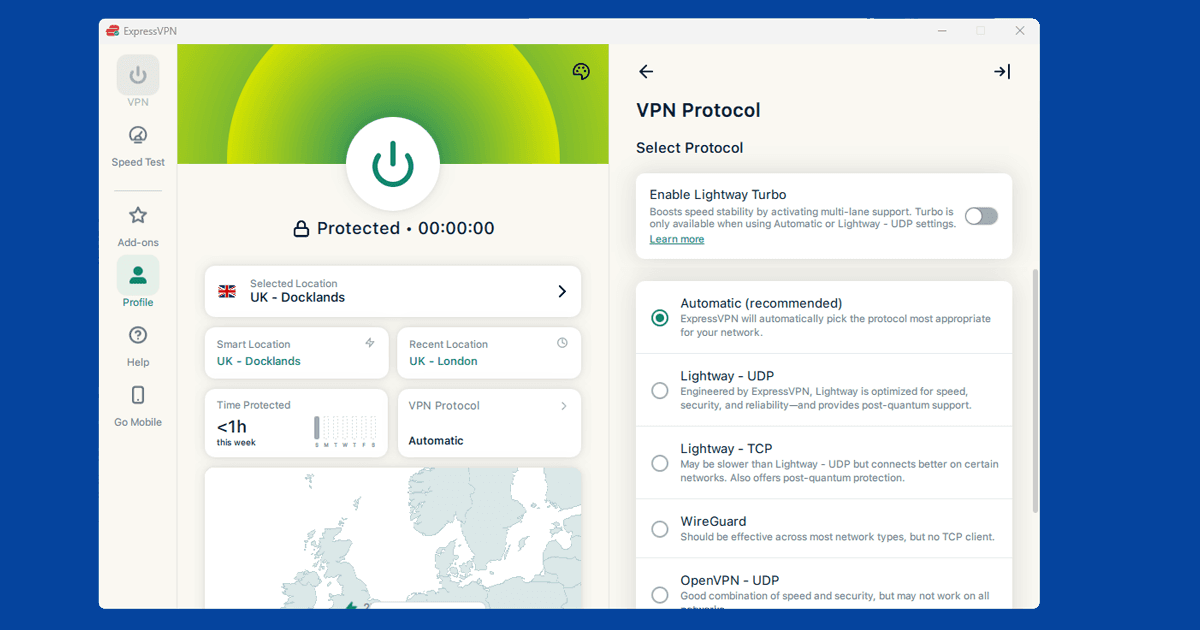
If you're on OpenVPN, this is the first thing to change. OpenVPN is perfectly reliable but it was built at a time when processing power was more of a constraint. WireGuard is newer and leaner, and in practice it's noticeably faster on most connections. It's not a guarantee, but it's the single quickest thing to try.
In NordVPN: Settings > Connection > VPN Protocol > NordLynx. In ExpressVPN: Preferences > Protocol > Lightway. In PureVPN: Settings > Protocol > WireGuard. Our protocol guide has the steps for every major app. Switch, reconnect, and run that speed test again to see whether it's helped.
Connect to a closer VPN server
The further your data has to travel, the longer it takes. Every extra kilometre between you and the VPN server adds a little delay, and those add up. A server nearby will almost always be faster than one on the other side of the world, for no reason other than proximity.
If you need a specific country for streaming, you still have options within that country. If you're in Europe and connecting to a US service, New York or Miami will generally be faster than Los Angeles just because they're closer to you geographically. For UK services, you're already nearby, so any UK city should do the job well.
Try a different server in the same country
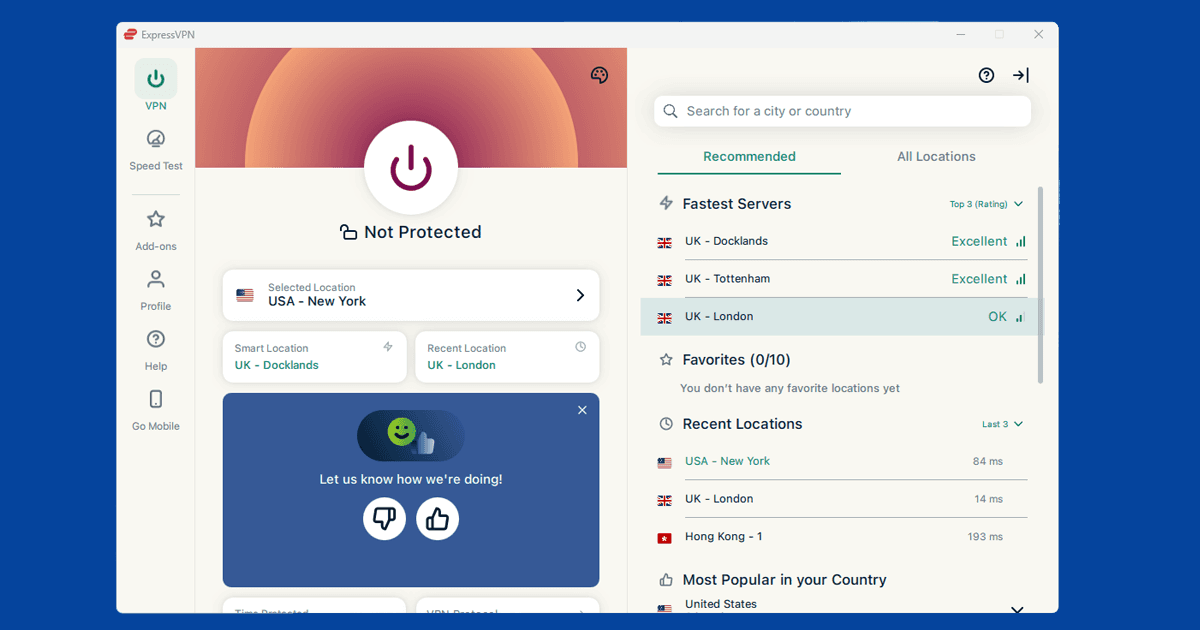
Not all servers in a city are created equal. One might be handling tens of thousands of connections right now while another nearby is barely being used. Swapping to a different server in the same city is one of those things that sounds too simple, but it genuinely works more often than you'd expect.
In NordVPN, pick a specific city from the list instead of letting the app choose for you, then try a couple of options with a speed test in between. ExpressVPN is the same. Our server switching guide walks you through it for each app.
How wi-fi affects VPN speed
Your VPN can only work with what your broadband connection actually gives you. If your internet is already slow or patchy without the VPN running, adding one on top isn't going to improve things.
Wi-fi is a bigger factor than most people realise. A 500 Mbps line can easily deliver just 30 Mbps at your device if the wi-fi signal is weak, and then VPN overhead eats into that further. Moving closer to the router, switching to the 5GHz band, or just plugging in an ethernet cable can solve what feels like a VPN speed problem. Easy test: if things are fine on ethernet but slow on wi-fi, the VPN isn't what you need to fix.
Why VPNs run slow at peak hours
VPN servers get busy in the evenings, just like the internet generally does. Somewhere around 7pm to 10pm tends to be when things slow down the most. If your VPN is noticeably worse in the evening but fine in the morning or afternoon, congestion is almost certainly why, and it's nothing to do with your settings.
Servers in smaller cities tend to be quieter even at peak times, so moving away from a big hub like London or New York can make a real difference. It's a good idea to try at a different time of day to confirm that's actually the pattern before you go any further.
When your VPN provider is the bottleneck
If you've worked through the protocol, the server, and the wi-fi and speeds are still reliably poor, it might genuinely be the VPN provider. Free VPNs almost always throttle speeds and their server networks are small enough that congestion is basically baked in. But even some paid providers struggle in certain regions.
NordVPN and ExpressVPN both hold up well across different locations and times in our testing, and neither tends to have server congestion as a limiting issue. If you're on something smaller or cheaper and speeds are just never good, that's the kind of thing that changing your protocol and server won't fix, and a better provider will.
What "encryption overhead" actually means
Every byte your VPN sends has to be encrypted before it leaves your device and decrypted again at the other end. That processing takes a small amount of time and computing power, and it's the main reason a VPN is never quite as fast as a direct connection. Modern protocols like WireGuard are built to keep this overhead as small as possible, which is a big part of why they consistently test faster than older options like OpenVPN.
On a modern device and a decent broadband connection, this overhead is barely noticeable. It becomes more obvious as your underlying connection speed increases, since the percentage lost tends to stay roughly similar while the raw numbers get bigger. In practice, the gap matters less at typical UK broadband speeds than it does on a full gigabit line.
Older or lower-powered devices
Encryption and decryption use CPU power, and older phones, laptops, and especially budget streaming sticks or smart TVs sometimes struggle to keep up, particularly with more processor-heavy protocols like OpenVPN. If your VPN feels slower on one specific device but fine on everything else, an underpowered processor is a realistic explanation. Switching that device to WireGuard or your provider's equivalent lightweight protocol is worth trying before you assume the VPN itself is at fault.