FixYourVPN
If you've heard people mention VPNs but aren't quite sure what one does, you're not alone. The short version: a VPN hides your internet address and encrypts your connection so nobody else can see what you're doing online. This guide explains how it all works, without the jargon. If you hit an unfamiliar word anywhere else on this site, our VPN glossary explains it in plain English too.
The simple version
A VPN (Virtual Private Network) is software that does two things: it hides your real IP address by routing your internet traffic through one of its own servers, and it encrypts that traffic so nobody in between can see what you're doing online.
Think of it as a private tunnel. When you switch a VPN on, all your internet activity goes into that tunnel and comes out at a server the VPN company controls. Websites and streaming services see the VPN server's IP address, not yours. If the server is in the UK, you appear to be in the UK. If it's in the US, you appear to be in the US. That's really the whole idea.
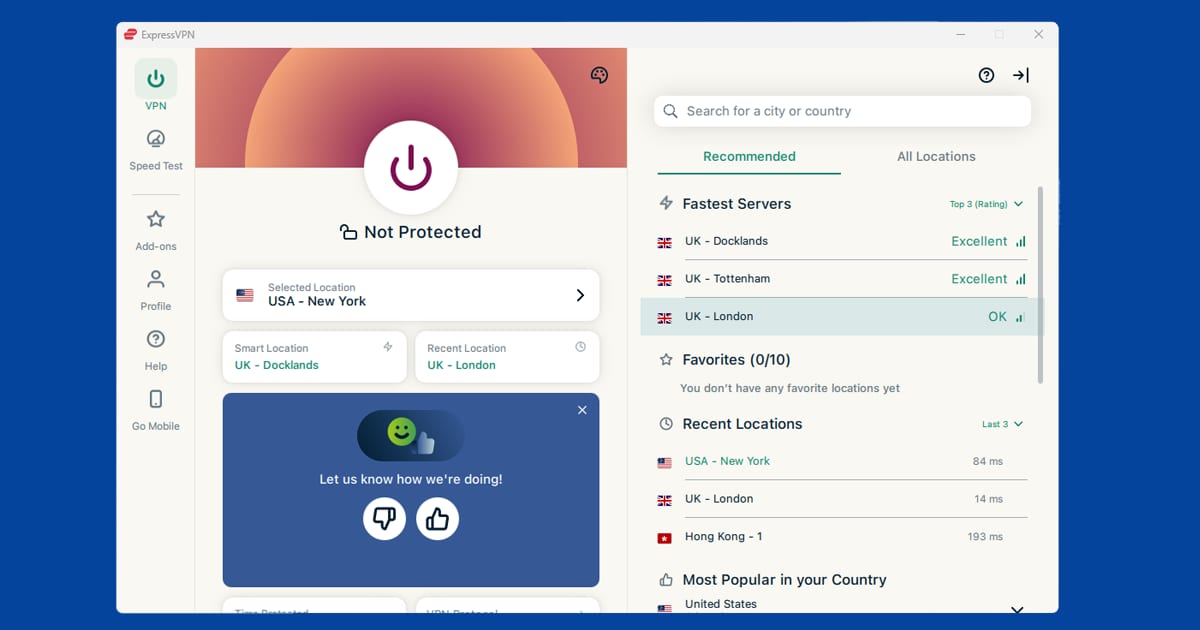
You don't need to be technical to use one. Modern VPN apps have a single button: connect. Pick a country, press it, and the rest happens automatically.
What's an IP address?
An IP address is a number your internet provider assigns to your connection. Every device that goes online gets one, and websites can use it to work out roughly where you are in the world, sometimes down to city level. Think of it like a return address on an envelope: the website you visit can see where the request came from.
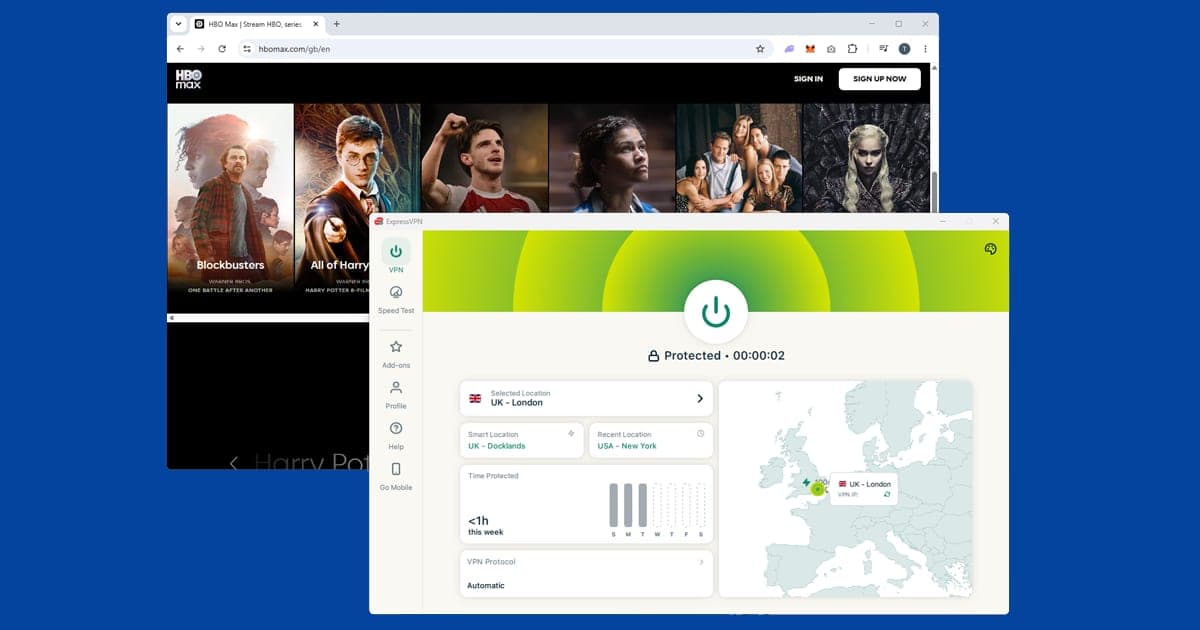
When a streaming service like BBC iPlayer says it's only available in the UK, what it's actually checking is your IP address. If it looks like a UK address, you're in. If not, you're blocked. A VPN gives you an IP address from wherever its server is, which is why it's the standard fix for that kind of geo-block.
What a VPN actually does to your connection
Three things happen the moment you connect to a VPN:
- Your IP address changes. Websites see the VPN server's address instead of your own. This is what lets you access geo-restricted content, since streaming services use your IP address to work out where you are in the world.
- Your traffic is encrypted. Everything you send and receive is scrambled before it leaves your device. Your internet provider can no longer see which sites you visit, and anyone else on the same public wi-fi network can't read your data either.
- Your apparent location changes. Pick a UK server and UK streaming services think you're at home. Pick a US server and US services see you as stateside. That's the geo-restriction fix in practice.
Your internet provider, whether that's BT, Sky, Virgin Media, or anyone else, can see you're connected to a VPN. What they can't see is what you're actually doing through it.
How does a VPN actually encrypt my data?
Encryption is the process of scrambling data so that only someone with the right key can read it. When you connect to a VPN, your device and the VPN server agree on a shared key, and from that point on, every bit of data leaving your device is scrambled using that key before it travels anywhere. Anyone intercepting it along the way, whether that's someone on the same public wi-fi or your internet provider, sees only meaningless scrambled data.
Most reputable VPNs use AES-256 encryption, the same standard used by banks and governments. Breaking it by brute force with current technology isn't realistic. It would take far longer than the current age of the universe. The part that actually varies between VPNs is the protocol, which is the set of rules that manages how your device and the VPN server set up that encrypted connection in the first place. WireGuard is the modern standard, and it's both faster and simpler than older protocols like OpenVPN, which is still around but slower.
VPN vs proxy vs Tor: what's the difference?
These three all change your apparent location in some way, but they work very differently underneath, and mixing them up leads to using the wrong tool for the job.
- A VPN encrypts all your device's traffic and routes it through a server run by the VPN company. It covers every app on your device, not just your browser, and it's the only one of the three built with everyday privacy and streaming in mind.
- A proxy changes the IP address a specific app or browser shows to websites, but it typically doesn't encrypt your traffic. It's faster because there's less overhead, but anyone monitoring the connection, including your internet provider, can still see what you're doing. Proxies are generally used for narrow tasks like accessing a single website, not for genuine privacy.
- Tor (The Onion Router) routes your traffic through several volunteer-run servers, encrypting it in layers along the way. It's the strongest option for anonymity, but it's also considerably slower, which makes it impractical for streaming, and some websites block traffic from Tor exit nodes outright.
For the situations most people reach for a VPN, streaming from abroad, using public wi-fi safely, and keeping your browsing private from your internet provider, a VPN is the right tool. A proxy is a lighter-weight option for a single task, and Tor is for situations where anonymity matters more than speed or convenience.
Types of VPN
Most guides, including this one, are written about personal VPNs: consumer apps you install on your own devices to change your apparent location and encrypt your traffic. That's what the rest of this guide covers.
There are two other types you might come across, mostly in a work context:
- Remote-access VPNs let an individual device connect securely into a company's private network from outside the office. If your employer has ever asked you to "connect to the VPN" to reach internal systems from home, this is what they meant.
- Site-to-site VPNs connect two entire networks together, for example linking a company's office network to its data centre. This one is set up and managed entirely by IT teams, and individual employees don't interact with it directly.
A personal VPN and a work VPN can run on the same device at the same time without conflicting, since they're typically handling different traffic.
What people use VPNs for
Streaming from abroad. This is the most common reason people in the UK get a VPN. Services like BBC iPlayer, ITVX, and Sky Go are only available with a UK IP address. If you're on holiday and want to keep watching them, a VPN connected to a UK server is the fix. It works the other way too: US Netflix has a much larger catalogue than the UK version, and a US server lets you see the American library.
Privacy on public wi-fi. Coffee shops, airports, and hotel lobbies often have open wi-fi with no encryption, which makes it possible for others on the same network to read your traffic. A VPN encrypts everything before it leaves your device, so your data is unreadable to anyone else on that connection. See our guide on VPNs on public wi-fi for more.
Privacy from your internet provider. Without a VPN, your broadband provider can see every website you visit, even if they can't read the content of encrypted pages. A VPN means all they see is an encrypted connection to a VPN server. For a full look at what makes a VPN provider trustworthy, see Are VPNs safe?
Travelling internationally. Some countries block websites and apps that you probably use every day. Google, WhatsApp, Instagram, and major news sites are unavailable in places like China without a VPN. If you're heading somewhere with restricted internet, set up your VPN and test it before you leave. Some VPN apps are blocked in those same countries, so get everything installed and working at home first.
Remote work. Many companies require employees to connect via VPN to reach internal tools and systems. That's a slightly different setup, one that routes you into the company's private network rather than simply changing your apparent location. If your employer has issued you one, you've already used a VPN.
What a VPN won't do
A VPN does a lot, but it doesn't do everything. Here's what it can't help with:
- It won't make you anonymous. If you're signed into Google, Facebook, or any other account, that service still knows who you are. A VPN hides your IP address, not your identity. Staying logged into accounts means those services can still identify you regardless.
- It won't protect you from malware. A VPN encrypts your connection in transit. It doesn't scan downloads, block malicious links, or stop you from accidentally installing something harmful.
- It won't guarantee access to every streaming service. Services like BBC iPlayer actively try to detect and block VPN connections. A good paid VPN keeps its server list updated to stay ahead of those blocks, but no VPN can guarantee access to every service at all times. Switching to a different server usually sorts it out when one gets blocked.
- It can slow your connection slightly. Your traffic takes a longer route, which adds a small amount of delay. With a good paid VPN and a decent broadband connection, this is usually unnoticeable for everyday streaming and browsing. Free VPNs tend to be much slower.
- Free VPNs often come with real trade-offs. Many free VPN services make money by collecting and selling your browsing data, which defeats the whole point. See exactly what free VPNs do instead.
If you're weighing up whether you actually need a VPN, our guide walks through it honestly: Do I need a VPN?
Common VPN myths
"A VPN makes you completely anonymous online." It hides your IP address, but browser cookies, accounts you're signed into, and your browser's own fingerprint (the combination of settings and installed fonts that can identify a device) can all still be used to track you. A VPN is one layer of privacy, not a cloak of invisibility.
"VPNs are only for tech experts or people with something to hide." Modern VPN apps are a single connect button, and most people who use one are doing something completely ordinary: watching a UK show while on holiday, or keeping their laptop safe on hotel wi-fi.
"Free and paid VPNs are basically the same, just with fewer servers." The gap is bigger than server count. Running a VPN costs real money in servers and bandwidth, and free providers commonly cover that cost by logging and selling user data, which is the opposite of what a VPN is meant to do. See Are Free VPNs Safe? for the details.
"Using a VPN is illegal." Not in the UK, the US, or the large majority of countries. A small number of countries restrict or ban VPN use. See Are VPNs Safe? for the full picture on legality.
"A VPN will ruin your internet speed." There's a small slowdown, since your traffic takes a longer route, but with a good paid VPN on a decent broadband connection it's rarely noticeable for streaming or browsing.
Is it hard to set up?
Not at all. VPNs used to be complicated, but modern apps are genuinely simple. You download the app, create an account, pick a server location, and press connect. Most people are up and running within a few minutes.
The apps look and work the same on Windows, Mac, iPhone, and Android. One subscription covers multiple devices, so you can protect your phone, laptop, and tablet without separate accounts. If anything goes wrong, our troubleshooting guides cover every common problem by service and device.
Which VPN should you get?
Most people care about three things: whether it unblocks streaming services reliably, how fast it is, and what it costs. Our top picks are NordVPN (consistently unblocks iPlayer, Netflix, and Disney+), ExpressVPN (consistently among the fastest in independent speed tests, especially reliable in countries with internet restrictions), and PureVPN (the most affordable of the three without cutting corners on the essentials).
All three come with a money-back guarantee of at least 30 days, so you can test before committing. Our VPN recommendations below cover each one. If you're not sure whether you need one at all, Do I Need a VPN? breaks down every real-world use case.
Are VPNs still legal in the UK?
Yes. Using a VPN is legal in the UK, and nothing has changed that for adults. The question has come up a lot since July 2025, when Online Safety Act age checks arrived for sites with adult content and VPN sign-ups jumped as people connected to servers in other countries.
In 2026 the debate moved on to children. In January, the House of Lords voted for an amendment that would have banned VPNs for under-18s, but the Commons rejected it. Instead, the Children's Wellbeing and Schools Act 2026, which became law on 29 April 2026, gave ministers a broader power to restrict children's access to specified online services in future. A government consultation earlier in the year also asked whether buying or switching on a VPN should need an age check. At the time of writing, no rules restricting VPN use are in force, and ministers have said they have no plans to ban VPNs for adults.
What does that mean for you? Very little day to day. A VPN changes how your traffic travels, not what's legal: anything that's against the law without a VPN is still against the law with one. Travel is where you need to think a bit harder, because some countries have their own VPN rules. Our guide to VPNs in India is a good example of how different things can be abroad. For more of the basics, head to our VPN basics hub.