FixYourVPN
Yes, VPNs are safe, as long as you choose a trustworthy provider. The technology itself is well tested and very hard to break; the real risk is the company running it, because whoever operates your VPN can see the traffic that passes through its servers. A reputable paid VPN with independently audited privacy claims is safe for everyday use, while an unknown app with no track record can do more harm than good.
If you're brand new to all this, our plain-English explainer on what a VPN is and how it works is a good place to start, and our VPN glossary translates every bit of jargon you'll meet along the way.
What a VPN does and who you're trusting
A VPN (virtual private network) wraps your internet traffic in encryption and sends it through a server run by the VPN company. Websites see the VPN server's address instead of yours, and your broadband provider or the person running the café wi-fi can't read what you're doing. That's a genuine privacy improvement.
The catch is that you're not making your traffic invisible. You're moving your trust from your internet provider to your VPN provider. A good provider keeps no record of what you do and has been checked by outside auditors to prove it. A bad one might log everything and sell it, leak it, or hand it over.
| Signs of a safe VPN | Warning signs |
|---|---|
| Published no-logs audits from named firms | A no-logs promise with no outside checks |
| A clear company name, address and owner | Hidden or vague ownership behind shell companies |
| Modern protocols such as WireGuard or OpenVPN | Old protocols like PPTP still offered as the default |
| A kill switch and DNS leak protection built in | No leak protection and no kill switch |
| You pay for it, so you're the customer | Free forever with no explanation of how it makes money |
What a VPN protects you from (and what it doesn't)
It helps to be clear about what a VPN is actually for, because a lot of disappointment comes from expecting it to do things it was never designed to do.
A VPN does protect you from:
- Your internet provider seeing which websites you visit
- Other people on shared or public wi-fi snooping on your connection
- Websites and online services seeing your real IP address (the number that roughly identifies your connection and location)
- Some types of tracking that rely on your IP address
A VPN doesn't protect you from:
- Phishing emails, scam texts and fake login pages
- Viruses and malware you download yourself
- Tracking by accounts you're signed into, such as Google, Facebook or Amazon
- Cookies and browser fingerprinting (identifying you from your browser's settings and quirks)
- Weak or reused passwords
So a VPN is one useful layer of protection, not a complete security kit. It sits alongside good passwords, two-factor login, software updates and common sense. If you're still deciding whether you need one at all, our guide on whether you actually need a VPN walks through the everyday situations where it helps and the ones where it makes little difference.
How secure is the technology itself?
Very. Modern VPN apps use protocols (the rules that set up the encrypted tunnel) such as WireGuard and OpenVPN, along with ExpressVPN's own Lightway. These have been examined by security researchers for years, and the encryption they use isn't something anyone can realistically crack by guessing. Nobody is going to "break" a properly set up WireGuard connection over your shoulder in a coffee shop.
Where things get shakier is older protocols. PPTP, one of the earliest VPN protocols, has known weaknesses and shouldn't be used for anything you care about. Reputable apps either don't offer it or bury it deep in the settings. If you want to understand the options in your own app, our guide to changing your VPN protocol explains each one in plain English and which to pick.
In practice, then, the maths isn't the weak point. The weak points are the people, policies and software around the tunnel.
What can go wrong with a VPN
Most VPN safety problems fall into a handful of patterns. Knowing them makes it much easier to spot a provider you shouldn't trust.
The provider logs what you do. Plenty of VPNs promise "no logs" on their homepage. Not all of them mean it. In 2020, researchers found a database shared by seven VPN apps, including UFO VPN, sitting open on the internet. It held over a terabyte of user records, including activity logs, from services that claimed to keep none. A promise only counts when someone independent has checked it.
The company behind it isn't who you think. In 2025, the Tech Transparency Project, a US watchdog, reported that around one in five of the most popular free VPN apps on Apple's US App Store had hidden Chinese ownership, often behind layers of offshore companies. Where a company is based matters, because local law decides whether it can be forced to hand over data.
The app itself is dodgy. Fake and low-quality VPN apps turn up regularly, and researchers have found malware and hidden tracking code in a worrying number of them. That's the opposite of what you install a VPN for.
Your real details leak around the tunnel. Even a well-meaning VPN can let some traffic slip out unprotected. The most common culprit is a DNS leak, where the lookups your device makes to find websites go to your internet provider instead of through the VPN. Another is WebRTC, a browser feature for video calls that can reveal your real IP address. Our guide to fixing a VPN DNS leak shows you how to test for and close both.
The connection drops and nobody tells you. VPN connections occasionally drop, especially on patchy wi-fi. Without a kill switch, your device quietly carries on using your normal, unprotected connection. A kill switch blocks the internet until the VPN reconnects. Our VPN kill switch guide explains how to turn it on in each of the main apps.
You get a false sense of security. This one's easy to overlook. Some people assume a VPN makes them anonymous or immune to scams, and take risks they wouldn't otherwise take. It does neither.
The best evidence that a VPN keeps no logs isn't on its homepage. It's what happened when someone came asking. A provider whose servers have been seized or inspected and turned up nothing has proved its promise in a way no advert or badge ever can.

How to check a VPN is safe before you trust it
You don't need to be technical to vet a VPN. Work through these checks before you sign up, and run the last two once it's installed. They're the same things we look at when we assess a provider, which you can read about in how we choose the VPNs we recommend.
- Look for an independent no-logs audit. Search the provider's site for "audit". A real one names the firm that did it (accountancy or security firms such as Deloitte, KPMG or Securitum), says when it happened and what was checked, and lets you read the findings. NordVPN has had its no-logs policy checked by Deloitte several times, and ExpressVPN by KPMG. If all you can find is a promise, treat it as marketing.
- Find out who owns it. Scroll to the bottom of the website and look for a company name and registered address. Then search that company's name. If you can't work out who's behind the app, that's your answer.
- Check where it's based. The country a VPN is registered in decides which laws apply to it. Some countries can force companies to log users or hand data over quietly. NordVPN is registered in Panama and ExpressVPN in the British Virgin Islands, neither of which requires VPN providers to keep activity logs.
- Read the privacy policy, just the logging part. You're looking for plain statements about what isn't stored: browsing history, the sites you visit, your real IP address and connection timestamps. Vague phrases like "we may share information with trusted partners" are a red flag in a VPN policy.
- Check its track record. Search the provider's name with words like "breach", "leak" or "logs". Every big company has some history; what matters is whether they were honest about it and fixed it.
- Download only from official sources. Get the app from the provider's own website, the Apple App Store or Google Play. On Google Play, VPN apps that have passed an independent app security review can show an "Independent security review" badge in their Data safety section, which is a helpful extra signal.
- Check the app's permissions. A VPN needs permission to create a VPN connection. It doesn't need access to your contacts, text messages or photos. If it asks for those, uninstall it.
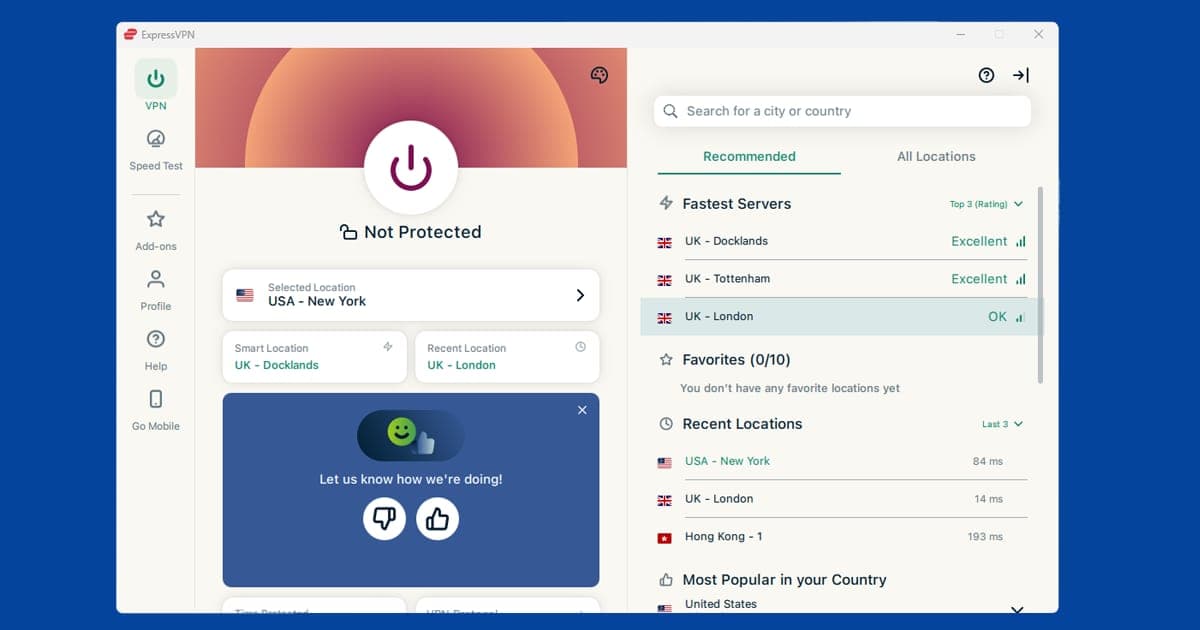
- Turn on the kill switch and leak protection. Look in the app's settings for "kill switch" (sometimes called "network lock") and DNS leak protection, and make sure both are switched on.
- Run a leak test. Connect to a server in another country, then open our IP address and DNS leak checker. It should show the VPN server's location and DNS servers, not your home ones. Our guide on how to check your VPN is working explains how to read the results.
If a VPN passes all nine, you can use it with real confidence. If it fails any of the first three, don't install it.
Proof that no-logs policies can hold up
Audits are reassuring, but nothing beats a real-world test. Two incidents are often cited, and both are useful because nobody planned them.
After the Russian ambassador to Turkey, Andrei Karlov, was assassinated in December 2016, Turkish investigators seized an ExpressVPN server in Turkey. They were trying to trace who had deleted information from the gunman's online accounts. The server held nothing that helped them, because ExpressVPN doesn't store activity or connection logs.
In 2018, a server used by NordVPN at a Finnish data centre was accessed without permission through a remote management tool the data centre had installed. When it was investigated, no user activity data was found on it, because none had been logged. NordVPN didn't come out of that looking perfect, and it tightened its server security afterwards, but the core promise held.
Neither story proves a provider can never make a mistake. What they show is that a genuine no-logs setup protects you even when something goes wrong, which is the whole point.
Are VPNs legal in the UK?
Yes. Using a VPN is completely legal in the UK, and millions of people use them every day for work, travel and privacy. There's no law banning adults from using one, and you don't have to register or show ID to do so.
You might have seen headlines about VPNs after the Online Safety Act's age-check rules came into force in July 2025, when VPN sign-ups in the UK jumped. The government has said people use VPNs for perfectly legitimate reasons and that it isn't banning them. The rules are aimed at websites and platforms, which mustn't encourage children to use VPNs to get around age checks, rather than at ordinary adult users.
Two things to keep in mind. First, anything that's illegal without a VPN is still illegal with one. Second, using a VPN to watch a streaming service from another country usually breaks that service's terms of use rather than the law; the likely consequence is a block or a "you seem to be using a VPN" message, not a knock at the door.
The picture is different abroad. North Korea and Turkmenistan ban VPNs outright, and Belarus has banned them too. China, Russia and Iran heavily restrict them, generally allowing only government-approved services and blocking the rest. If you're travelling somewhere with strict internet rules, check the local situation before you go. Our guide on using a VPN in India is a good example of how local rules can affect what works.
Are free VPNs safe too?
This is where most of the real-world problems come from. Running a VPN costs serious money, and a service that charges you nothing has to pay its bills somehow, which too often means selling your data, showing you ads or worse. There are honest exceptions, but they're rare. We've pulled together the documented incidents, the safe free options and a checklist for vetting any free app in our dedicated guide: Are free VPNs safe? What the evidence actually shows.
Is a VPN safe for banking, public wi-fi and work?
Online banking. Yes, though on your own home connection it adds little. Your bank's website and app already encrypt your connection with HTTPS, so a reputable VPN won't weaken anything, but it won't add much either. On public wi-fi it's a sensible extra layer. The only snag is that some banks get suspicious if you log in from a server in another country and may ask for extra verification. If that happens, connect to a UK server or pause the VPN while you bank.
Public wi-fi. This is where a VPN earns its keep. Most sites use HTTPS now, so the risk is lower than it was a decade ago, but on an open network other people can still see which sites you're connecting to, and fake hotspots with convincing names do exist. A VPN encrypts everything leaving your device. If your VPN struggles to connect in cafés, hotels or airports, our guide to VPNs on public wi-fi covers the usual fixes.
Work. If you're on a work laptop using your employer's VPN, assume your employer can see what you do on it. Your own VPN on your own device is a different matter: your employer can't see your activity through it, though on the office network they can usually tell a VPN is in use. Check your company's IT policy before installing anything on a work device.
Which VPNs we'd trust
If you want a VPN that ticks every box in the checklist above, these are the three we recommend, in this order.
NordVPN is our first choice. Its no-logs policy has been audited by Deloitte several times, it's registered in Panama, and its apps include a kill switch, leak protection and optional Threat Protection, which blocks some malicious sites and trackers.
ExpressVPN is a close second. KPMG has audited its no-logs claims, its servers run from memory rather than hard drives, and the Turkish server seizure gave it a real-world test that it passed.
PureVPN is a solid, lower-cost option that has also had its no-logs policy assessed by KPMG.
All three offer a money-back guarantee, so you can test them against the checklist yourself before committing. For more background reading, our VPN basics hub gathers every beginner guide in one place.