FixYourVPN

HIDIVE is an anime streaming service that AMC Networks acquired from Sentai Holdings in early 2022, and it sits in a genuinely different corner of the anime world to Crunchyroll. Its library is built around Sentai Filmworks' licensing catalogue, which means it's home to titles that aren't on Crunchyroll: Made in Abyss season two, the 2020 Higurashi: When They Cry remake, Bloom Into You, and a large back catalogue of older series that Sentai licenced over the years.
The situation for international viewers is a little complicated right now. In December 2023, HIDIVE pulled back from most countries and restricted the direct service (hidive.com and its apps) to North America. But in March 2025, the company expanded again by partnering with Amazon: HIDIVE is now available as an Amazon Prime Video Channel add-on in the UK, Canada, Australia, and New Zealand. If you're in one of those four countries, you have a legitimate route in without needing a VPN. If you're anywhere else, a US VPN server is still the fix for the direct service.
If you're in the UK, Australia, Canada, or New Zealand
HIDIVE launched as an Amazon Prime Video Channel in these four countries in March 2025. You subscribe through Amazon's platform and watch through the Prime Video interface rather than the HIDIVE app. The content is the same HIDIVE library; you're just accessing it via a different front door.
To subscribe, open Amazon Prime Video, search for HIDIVE in the channels section, and sign up as an add-on. You'll need an active Prime subscription. The HIDIVE channel pricing is set by Amazon and varies by country. This is the simplest route for viewers in these markets, and it doesn't require a VPN at all.
What happened in December 2023
HIDIVE sent a message to subscribers in affected regions explaining the situation: "the service will no longer be available in certain areas outside of North America, as of 12/14/2023." The company didn't go into specifics beyond describing a review of its "area of operation," but the upshot was straightforward: from mid-December 2023, HIDIVE only accepts direct connections from US and Canadian IP addresses. The service itself kept running and kept adding new content; it was just locked to North America at the IP level.
HIDIVE has confirmed it uses your IP address to determine your country, with no additional checks on top of that. That makes a VPN a complete fix for the direct service. Connect to a US server and HIDIVE sees a US address. That's the whole solution for anyone in a country not covered by the Amazon Prime arrangement.
Connect to a US server
Open your VPN app and connect to a US server before going to hidive.com. HIDIVE runs its location check when the page loads, so the VPN needs to be running before you open the site.
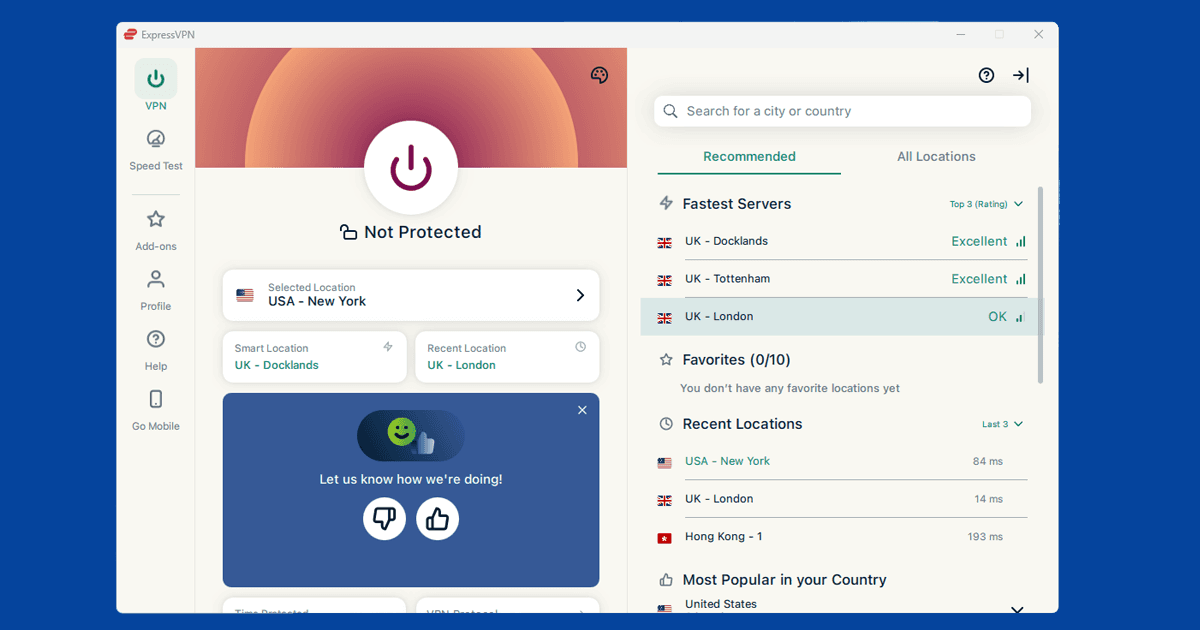
In NordVPN, search for United States and pick any city. New York and Los Angeles both have a good range of servers to choose from. In ExpressVPN, select United States from the location list and connect. Once you're connected, check your IP with our IP address checker to confirm it's showing as US, then open hidive.com in a private window.
If HIDIVE shows an error after connecting, that server's IP has been blocked. Switch to a different US city and try again. HIDIVE blocks at the IP level, not the provider level, so a different server usually gets through without any fuss. A Canadian server works too if you have one handy. Our guide to switching VPN servers covers the steps in each app.
Open HIDIVE in a private window
If you've visited hidive.com without a VPN before, your browser may have stored your location as a session cookie. HIDIVE can use that to block you even after you've connected a VPN, because the session was started with your real location. Opening a private window clears all of that and lets HIDIVE see only your VPN IP from the start.
- Chrome / Edge: Ctrl+Shift+N (Windows) or Cmd+Shift+N (Mac)
- Firefox: Ctrl+Shift+P (Windows) or Cmd+Shift+P (Mac)
- Safari: File New Private Window
Get the VPN connected first, then open the private window, then go to hidive.com.
Troubleshooting: VPN connected but HIDIVE still blocked
HIDIVE shows a message along the lines of "We're sorry, HIDIVE is not available in your country" when it blocks a connection. If you're seeing that with your VPN running, try these steps.
Check your IP: Our IP address checker will show you exactly what country your connection is currently reporting. If it's showing your real location rather than the US, the VPN isn't routing your traffic correctly through that server. Switch to a different US city and check again before anything else.
DNS leak: Your device can send DNS lookup requests through your regular internet provider instead of through the VPN, which can expose your real location even when your IP looks right. Our DNS leak guide explains how to check and fix this. Most VPN apps have a DNS leak protection setting in their preferences.
Buffering or drops: If HIDIVE opens fine but the stream keeps cutting out, switch your VPN protocol to WireGuard in the app settings. It's faster than OpenVPN and tends to hold a streaming connection more cleanly when you're watching from far away.
HIDIVE and Crunchyroll: how they differ
These two services don't really compete in the way you might expect. Crunchyroll has the bigger library by a considerable margin and handles the bulk of new simulcasts each season. Most anime fans go there first, and for good reason.
HIDIVE fills a different gap. Its catalogue is built around titles that Crunchyroll doesn't carry, largely because of how the licensing history of Sentai Filmworks shakes out. Series like Made in Abyss, Bloom Into You, and the Higurashi remakes are on HIDIVE because Sentai holds the rights, and Sentai's titles don't tend to land on Crunchyroll. HIDIVE also has English dubs for a number of shows that are only dubbed there and nowhere else. If you've exhausted what's on Crunchyroll and want more, HIDIVE is the obvious next stop.
HIDIVE subscriptions
HIDIVE is a subscription-only service with no permanent free tier, though new accounts get a 7-day free trial before any charge applies. After that it's $6.99/month, or $69.99/year if you want to pay upfront, which works out to just under $6 a month. Pricing is in USD and worth confirming on the HIDIVE website, as it has changed before.
Creating an account just needs an email address and a password. You can register from anywhere regardless of where you're located, and international payment cards work at checkout. One practical tip: make sure your VPN is connected to a US server before you sign up, since the registration flow is tied to your apparent location and you may run into friction if your IP isn't showing as North American when you create the account.
Watching on your phone and TV
HIDIVE has iOS and Android apps. Connect your VPN before opening the app: the location check fires when content loads rather than at app startup, but having the VPN already running means you won't have to think about it.
iOS: If the HIDIVE app isn't showing in your local App Store, switch your Apple ID region to the US temporarily. Go to Settings your name Media & Purchases View Account Country/Region and select United States. Download HIDIVE, then switch your region back. The app stays on your phone.
Android: With a US VPN server active, HIDIVE should show up in the Play Store. If it doesn't, hidive.com works fine in Chrome for Android.
Browser extensions don't cover the HIDIVE app: A browser extension only protects traffic inside the browser itself. If you're using the HIDIVE mobile or TV app, you need a full system VPN installed on your device. Both NordVPN and ExpressVPN have proper apps for iOS and Android.
Amazon Fire TV: HIDIVE has a Fire TV app. Install your VPN on the Fire TV Stick, connect to a US server, and open HIDIVE. It's a straightforward setup and works well on a TV screen.
Other smart TVs: For TVs that don't support VPN apps directly, set up the VPN on your router so every device on the network gets a US IP automatically, or share your laptop's VPN connection as a wi-fi hotspot and connect the TV to that.