FixYourVPN

Pluto TV is free to watch, but the US version is far bigger than the UK one: more live channels, more sport, more film. A VPN connected to a US server gets you in. The most common reason it doesn't work isn't the VPN itself: it's old cookies left over from a visit before the VPN was on. Clear those first and you'll usually be sorted.
What Pluto TV is and why the US version is worth it
Pluto TV is a free, ad-supported streaming service owned by Paramount. You don't need an account or a subscription: just open it and watch. It runs hundreds of live channels you tune into mid-programme, like old-fashioned TV, alongside a large on-demand library. It's Paramount's free tier; Paramount+ is their paid service.
If you're in the UK, you can already access Pluto TV at pluto.tv without a VPN. The UK version has 150+ channels including Sky News, British comedy, and genre film channels. The reason UK viewers use a VPN is to switch to the much larger US version: more news channels, the NFL Channel (highlights and archive), MSNBC, Fox Sports, and a much deeper film and entertainment catalogue. If the UK library is enough for you, no VPN is needed.
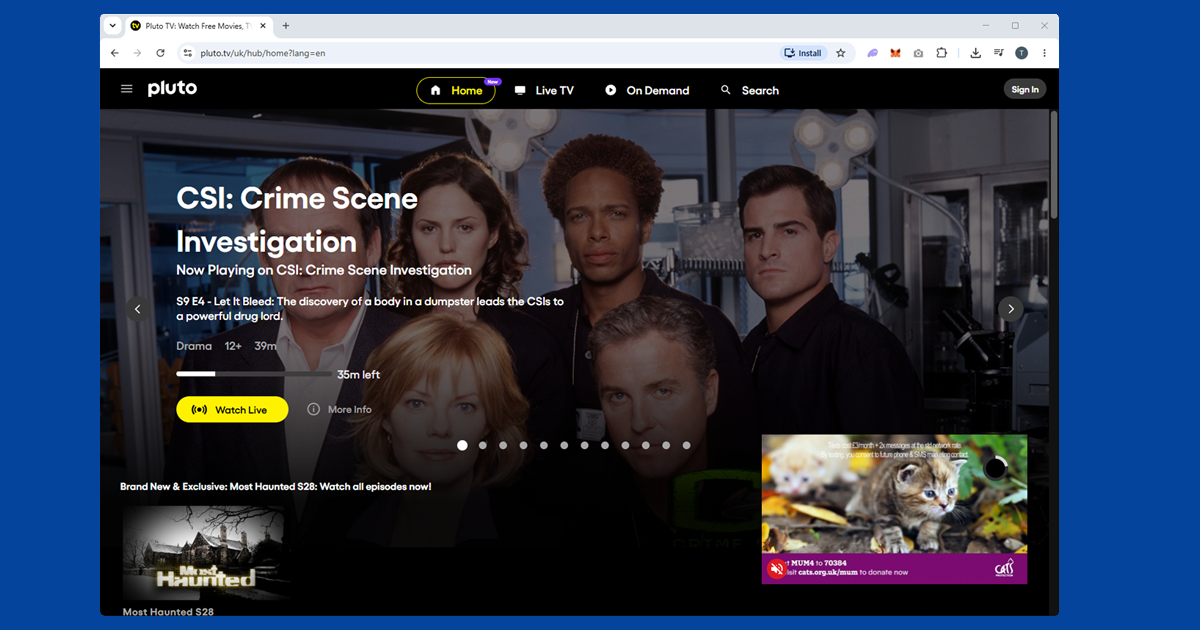
Connect to a US server and open a private window
For most people, these two steps are all it takes:
- Connect your VPN to a US server. New York, Los Angeles, and Chicago all work well. In NordVPN, open the server list and search for a US city. In ExpressVPN, tap the location picker and choose a US city from the list.
- Open a private or incognito window before going to pluto.tv. This clears any cookies your browser stored from a previous visit, which is the most common reason Pluto TV shows the wrong region even with a VPN on. Private windows start completely fresh.
- Go to pluto.tv. The US library should load straight away.
- If it's still showing the wrong region, switch to a different US server. The specific IP you're on may have been flagged. Try two or three different US cities before moving on to the other fixes below.
Clear Pluto TV cookies properly
If a private window fixed it but you want a permanent fix in your regular browser, clear your Pluto TV cookies. Connect your VPN to a US server first, then:
- Chrome: three-dot menu SettingsPrivacy and securityClear browsing data, tick Cookies, set range to All time, click Clear data.
- Firefox: hamburger menu SettingsPrivacy & SecurityManage Data, search "pluto.tv" and remove those entries.
- Safari: SafariSettingsPrivacyManage Website Data, search "pluto" and click Remove.
- Edge: three-dot menu SettingsCookies and site permissionsManage and delete cookies and site dataSee all cookies, search "pluto" and delete.
After clearing, open pluto.tv in a fresh tab with your VPN connected. Pluto TV doesn't require an account to watch, but signing up for a free one (just an email address) is worth it: your watchlist and channel preferences are then saved across devices.
Check your VPN is actually showing a US location
If you've tried multiple servers and cleared cookies and it's still not working, use our IP address checker with your VPN connected. If it shows a US location, your VPN is working and something else is causing the block. If it shows your real location, switch to a different US server and try again.
Try the Pluto TV app instead of the browser
Pluto TV has apps for iPhone, Android, Fire TV Stick, Apple TV, Roku, and most smart TV platforms. If the browser version keeps blocking you, the app is worth trying. Make sure you're using the full VPN app on your device rather than a browser extension: extensions only cover traffic inside the browser and won't protect the app.
If the Pluto TV app doesn't appear in your regional App Store or Play Store, you'll need to switch your store region to the US to find it. On iPhone, go to Settings > your name > Media & Purchases > View Account > Country/Region and select United States.
For smart TVs and Roku, which don't support VPN apps directly, the options are: set up the VPN on your router so all devices on your network go through a US connection, or share your laptop's VPN connection as a wi-fi hotspot and connect the TV to that. A Fire TV Stick is simpler: you can install VPN apps directly from the Amazon app store.
Change your VPN protocol if servers keep getting blocked
If you've tried several US servers and they're all getting blocked, changing your VPN protocol can help. WireGuard tends to work better for streaming than older options like OpenVPN.
- NordVPN: Settings > VPN protocol > NordLynx (NordVPN's WireGuard-based option).
- ExpressVPN: Settings > Protocol > Lightway UDP.
Switch protocol, reconnect to a US server, and try Pluto TV again. Our VPN protocol guide covers the steps for all the major apps.
Accessing other regional versions of Pluto TV
Pluto TV has separate versions in Germany, Spain, France, Austria, Switzerland, Italy, and the UK, each with its own content library. If you want content from a specific European market rather than the US, connect your VPN to a server in that country instead. The same cookie-clearing and private window steps apply regardless of which region you're after.
What's on Pluto TV in the US
The US version carries over 250 live channels and a huge on-demand library, all free with adverts:
- Live news: CNN Headlines, MSNBC, NBC News Now, Bloomberg Television
- Entertainment: MTV, Comedy Central, BET, and Paramount Network channels
- Sport: NFL Channel (highlights and archive), Fox Sports, Stadium (college sport and highlights), NASCAR
- Film: dozens of genre-specific movie channels running 24 hours: horror, thriller, romance, action, classic cinema
- Classic TV: full series running back-to-back, from CSI to Star Trek
- Kids: Nickelodeon-branded channels and animation
The UK version has a much smaller selection, mostly film and entertainment without the news and sport lineup. That's why UK viewers use a VPN for it.
Pluto TV versus Tubi: which free service should you use?
Pluto TV and Tubi are both free, ad-supported, and owned by different corners of the same industry: Pluto TV by Paramount, Tubi by Fox. If you've already got a VPN set up for one, the same approach works for the other with a US server. Pluto TV leans toward its live, channel-surfing format with a strong news and sport lineup; Tubi leans more toward a browsable on-demand library of films and full TV box sets. Plenty of people run both rather than picking one, since neither costs anything beyond the VPN subscription itself.