FixYourVPN
Vudu became Fandango at Home in March 2024, but it still works the same way: a US-only digital shop where you rent, buy, and stream films and TV shows. Open it from outside the US and you'll hit a location block before anything plays. This guide covers how to get past it, including if you've got a library of purchased films you can't currently reach.
Connect first, then open Vudu
The order matters here. Connect your VPN to a US server before you open Vudu or navigate to the site. If Vudu loads first, it reads your real location, and that result can stick for the rest of the session even after the VPN connects.
With NordVPN, search for United States in the server list and pick a city. New York, Chicago, or Los Angeles are all good starting points. Once connected, open vudu.com in a private window. A location cookie stored from a previous session without the VPN can override your US IP even when the VPN is now running. A fresh private window clears that out.
With ExpressVPN, connect to United States and follow the same approach. If the error shows up anyway, switch to a different US city before troubleshooting anything else. Vudu flags specific server IPs, not entire VPN providers, so a different city usually clears it on the first or second try. Our server-switching guide has the steps for each app.
Still getting a location error
Vudu checks incoming IPs against databases of known VPN and data centre addresses. If your current server's IP is on those lists, you'll see a location error regardless of whether the VPN is working properly. Work through these:
- Switch US city. Try Dallas, Seattle, or Atlanta if New York and Los Angeles aren't working. Close the Vudu tab or app fully between each attempt so the location check runs fresh.
- Start with a private window. Open a fresh incognito tab after connecting, then navigate to vudu.com from scratch. Cached location data from earlier visits can persist otherwise.
- Check what Vudu sees. Visit our IP address checker with the VPN running. If it shows your real country instead of the US, the VPN isn't routing correctly on that server. Reconnect and recheck before going further.
- Check for a DNS leak. DNS requests leaking outside the VPN can reveal your real location even when your IP looks American. Our DNS leak guide explains how to test and fix this.
Accessing your existing library abroad
Films you've bought on Vudu are tied to your account, not your location. The geo-block stops you logging in and playing them, but the purchases themselves don't go anywhere. Connect to a US server first and your library is there exactly as you left it.
Vudu is a Movies Anywhere partner. If you've linked your account, your Vudu purchases are also accessible through any connected platform: Amazon, Apple TV, Google Play, and others. If the VPN isn't cooperating on one device, another Movies Anywhere platform may work without one.
Renting or buying while you're abroad
Connect to a US server first, then go to vudu.com and browse as normal. Most international credit cards work fine for payment. A US PayPal account is a useful backup if a card gets declined.
Fandango at Home also has a free, ad-supported tier with a reasonable catalogue of films and TV. It's geo-blocked the same as the paid side, so the same VPN setup applies. It sits in similar territory to other free ad-supported services like Tubi or Pluto TV, though Fandango at Home's main draw is still the purchased library rather than the free catalogue.
Apps and devices
The Fandango at Home app is on iOS and Android. Some platforms still list it as "Vudu" in their app stores. Connect your VPN at system level before opening it. A browser extension won't cover it: extensions only handle traffic inside the browser.
Fire TV Stick is the most flexible option for TV. NordVPN and ExpressVPN both have Fire TV apps in the store. Install one, connect to a US server, then open Fandango at Home. Roku and most smart TV operating systems don't support VPN apps natively, so a router-level VPN is the cleanest fix for those: every device on your network picks up the US connection automatically.
Samsung's Tizen and LG's webOS don't allow VPN apps to be installed on the TV itself either, even though Fandango at Home runs natively on both. A router-level VPN is genuinely the simplest answer here too: configure it once and every device on your home network, TV included, is treated as a US connection without any further setup. Casting from a phone or laptop that already has the VPN running is a fine one-off alternative if you don't want to touch your router settings.
What the error messages actually mean
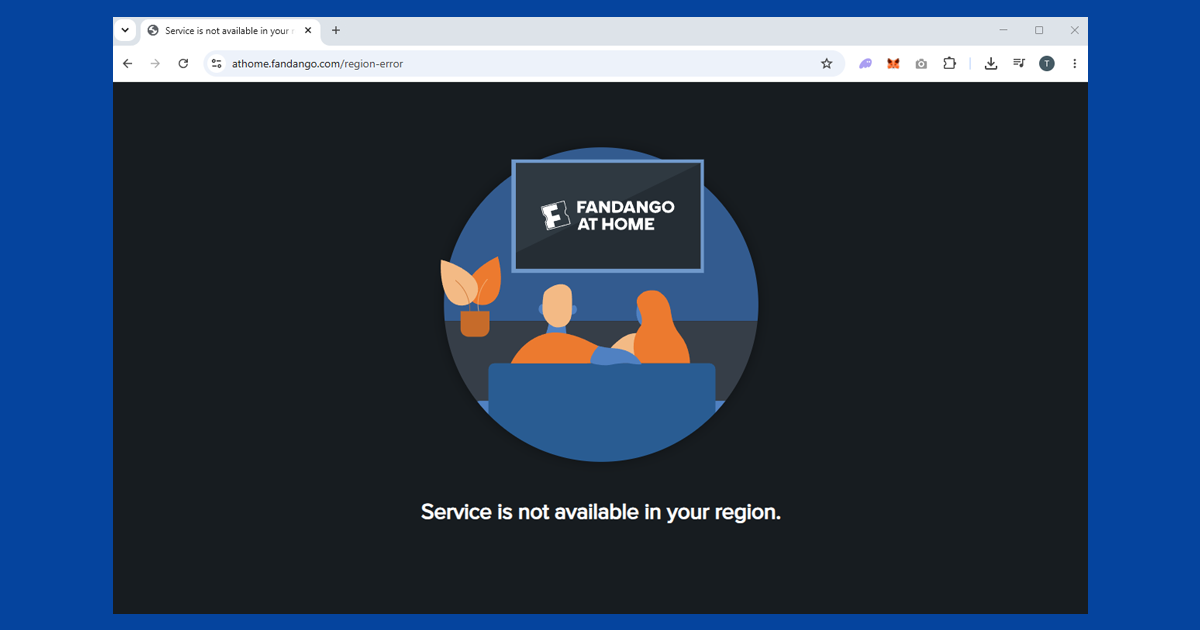
Fandango at Home doesn't always show the same wording when it blocks you. "This content is not available in your area" or "Vudu is not available in your country" is a straightforward geo-block: your IP isn't reading as American. An error that mentions a proxy or VPN directly means that specific server IP has already been identified and blacklisted, and switching to a different city is the fix rather than troubleshooting your VPN setup from scratch.
Occasionally the site browses fine and the block only appears the moment you press play on a specific title; that's usually a second location check that fires at playback rather than page load, and the same city-switching approach clears it.
Keeping your connection stable while you watch
Rentals on Vudu run on a 24 or 48-hour playback window once you start them, so a dropped VPN connection partway through a film is more than a minor annoyance. If your VPN disconnects and reconnects automatically, even for a second or two, Fandango at Home can catch that gap and interrupt playback.
Turning on your VPN's kill switch stops this from happening: rather than quietly falling back to your real IP address while it reconnects, the kill switch cuts your internet entirely until the VPN is back up, so Fandango at Home never sees anything but a clean US connection. If your VPN has been dropping out more than once, our guide on why VPNs keep cutting out works through the usual causes, from wi-fi interference to an overloaded server.
For streaming quality, switching to WireGuard is worth doing if you notice buffering on HD or 4K rentals. It's the fastest protocol most VPN apps offer, and the overhead is small enough that most people can't tell the difference from their normal connection speed, as long as the server isn't overloaded or unusually far away. A server on the US east coast will generally perform better than one on the west coast if you're connecting from Europe, purely because the physical distance is shorter.