FixYourVPN
If you're a Starz subscriber who's left the US for a bit, your account is fine and nothing has gone wrong with it. Starz runs a location check every time the app opens, and a non-US IP address gets you a "This content is not available in your region" message, or sometimes just a blank screen. Connect a VPN to a US server before opening Starz and it reads a US address instead of your real one. Most of the time, that's the whole fix.
Before we get into it: this guide is for existing Starz subscribers watching from outside the US. If you want to sign up from abroad, a VPN won't get you over the line. Starz requires a US payment method at checkout, and there's no way around that part. If you're actually after Lionsgate+, the international service formerly known as STARZPLAY, that's a separate product with its own guide, not Starz.
If you subscribe through Amazon, Apple TV+, or Hulu
A large number of Starz subscribers don't use the Starz app at all. Starz is available as a paid channel add-on through Amazon Prime Video, Apple TV+, and Hulu, and plenty of people sign up that way rather than going directly to Starz. If that's how you watch, the fix still works the same way, but there's one thing to get right: the VPN needs to be running before you open whichever platform you use, not just before you click into the Starz content.
Amazon, Apple TV+, and Hulu each run their own location check on top of Starz's. A US VPN server will usually clear all of them in one go, but it needs to be connected before you open anything. The fixes below all apply in the same way, just through the platform app rather than the Starz app itself.
Switch to a different US server
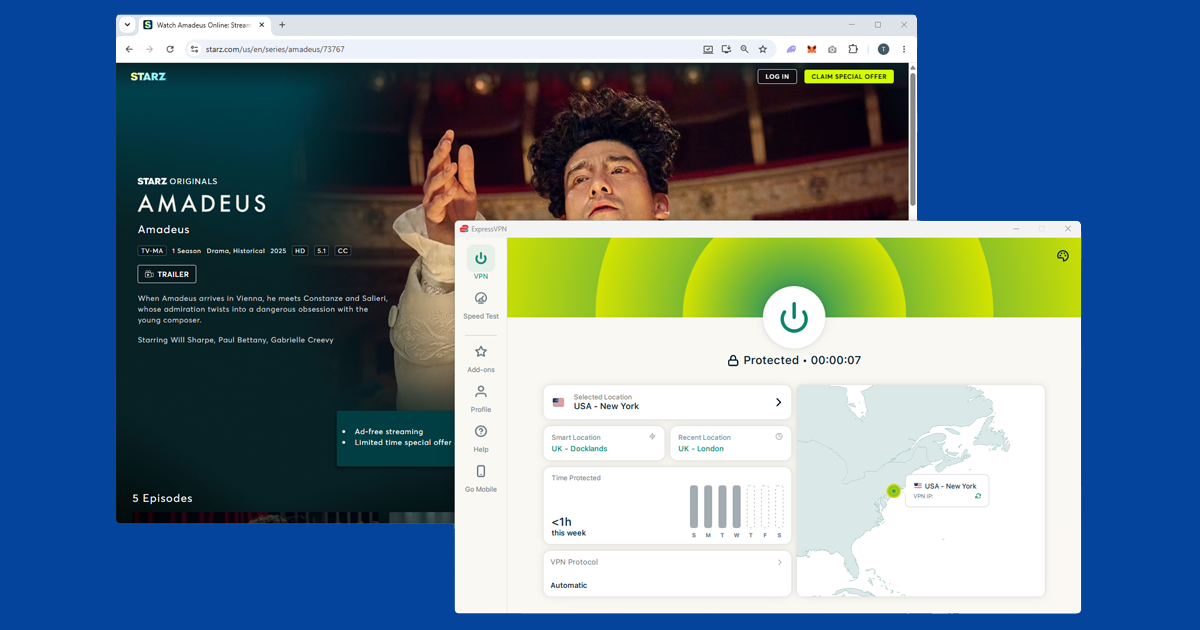
Open your VPN before you open Starz, not the other way round. Connect to a US server, wait for the connection to confirm, and then launch Starz. The order matters because Starz checks your location the moment the app loads.
In NordVPN, search for United States and pick a city. New York, Los Angeles, and Chicago are solid starting points. NordVPN has a feature called SmartPlay that's built for streaming; check it's switched on in your settings under General or Connection.
In ExpressVPN, choose United States from the server list. New York, Los Angeles, and Chicago tend to work well. If the first city doesn't get you in, try another. Starz blocks specific IP addresses rather than blocking VPNs wholesale, so landing on a different server in a different city usually clears it.
Still getting a location error after connecting? The server you landed on may have been flagged. Try a different US city. Our guide on how to switch VPN servers has the steps for each app.
Clear your cookies
If you've opened Starz in a browser before without a VPN running, there may be a location cookie saved from that session. Connecting a VPN doesn't wipe that out, so the old cookie can keep triggering the block even with a US server running. Clear it, then open Starz in a private window so there's nothing left over from previous visits.
Connect your VPN first, clear the cookies, then open the private window.
- Chrome: three-dot menu Settings Privacy and security Clear browsing data. Tick Cookies and cached images, set the range to All time.
- Firefox: hamburger menu Settings Privacy & Security Clear Data.
- Safari (Mac): Safari Settings Privacy Manage Website Data Remove All.
- Safari (iPhone): Settings app Apps Safari Clear History and Website Data.
- Edge: three-dot menu Settings Privacy, search, and services Clear browsing data. Tick Cookies and cached images, set the range to All time.
Try the Starz app instead of a browser
Browsers have a built-in feature called WebRTC, originally designed for in-browser video calls, that can sometimes let websites see your real IP address even when a VPN is running. The Starz app doesn't have this issue, which makes it a useful switch when the browser keeps blocking you.
The Starz app is available on iOS, Android, Fire TV, Apple TV, Roku, and most smart TVs. Before you open it, make sure your VPN is installed and running as a full app on the device rather than just as a browser extension. Extensions only protect browser traffic, so the Starz app won't go through one.
Still not getting in?
If you've tried a few different US cities and it's still not working, the first thing to check is whether your VPN is actually routing your traffic correctly. Visit our IP address checker with the VPN connected. If it shows your real country rather than the US, the VPN isn't working properly on that server. Switch to a different US city, reconnect, and check again before trying anything else.
If the checker shows a US location but Starz is still blocking you, the server is probably flagged. At that point, try switching your VPN protocol. In your app's settings, look for Protocol or Connection. In NordVPN, WireGuard is listed as NordLynx and works well for streaming. In ExpressVPN, try Lightway. Reconnect after switching, then try Starz again. Our VPN protocol guide has the steps for each app.
Starz on TVs and streaming devices
Getting a VPN running alongside Starz on a TV or streaming device is slightly different depending on what you're using.
- Fire TV and Fire TV Stick: NordVPN and ExpressVPN both have dedicated Fire TV apps. Install the VPN, connect to a US server, then open Starz.
- Roku: Roku doesn't support VPN apps directly. The most practical route is setting up the VPN on your router so every device on your network picks up the US IP automatically. You can also share a VPN connection from a laptop as a wi-fi hotspot and connect your Roku to that.
- Apple TV: NordVPN and ExpressVPN both have native tvOS apps. Connect to a US server and open Starz.
- Samsung, LG, and Sony TVs: the built-in operating systems don't support VPN apps. A router-level setup covers everything on the network without any extra steps on the TV itself.
- PlayStation and Xbox: consoles can't run VPN apps. The router method works here too, or you can cast Starz from a phone or laptop that already has a VPN running.
- Android TV and Google TV: NordVPN and ExpressVPN both have Android TV versions in the Play Store.
What's on Starz
Starz started out as a premium cable channel and has since built up a streaming service around its original programming. The biggest draw is probably the Power universe: the original Power series and its three spin-offs, Power Book II: Ghost, Power Book III: Raising Kanan, and Power Book IV: Force. Outlander is another long-running Starz original, alongside its prequel series Outlander: Blood of My Blood, which premiered in 2025. P-Valley and Heels round out the originals alongside a film library and licensed content from other studios.
In the US, Starz costs around $9.99 a month as a standalone subscription, or cheaper as a channel add-on through Amazon Prime Video, Apple TV+, and Hulu. Outside the US, the picture varies by country. In the UK, Starz content is available as a Prime Video channel add-on, but the library is a trimmed version of the US catalogue and some originals aren't included. In several other markets, some Starz content is distributed through a separate service called Lionsgate+, though availability and catalogue size vary. For US subscribers travelling, a US VPN server gets you back into the full library you're paying for rather than whatever regional version is available where you are.