FixYourVPN
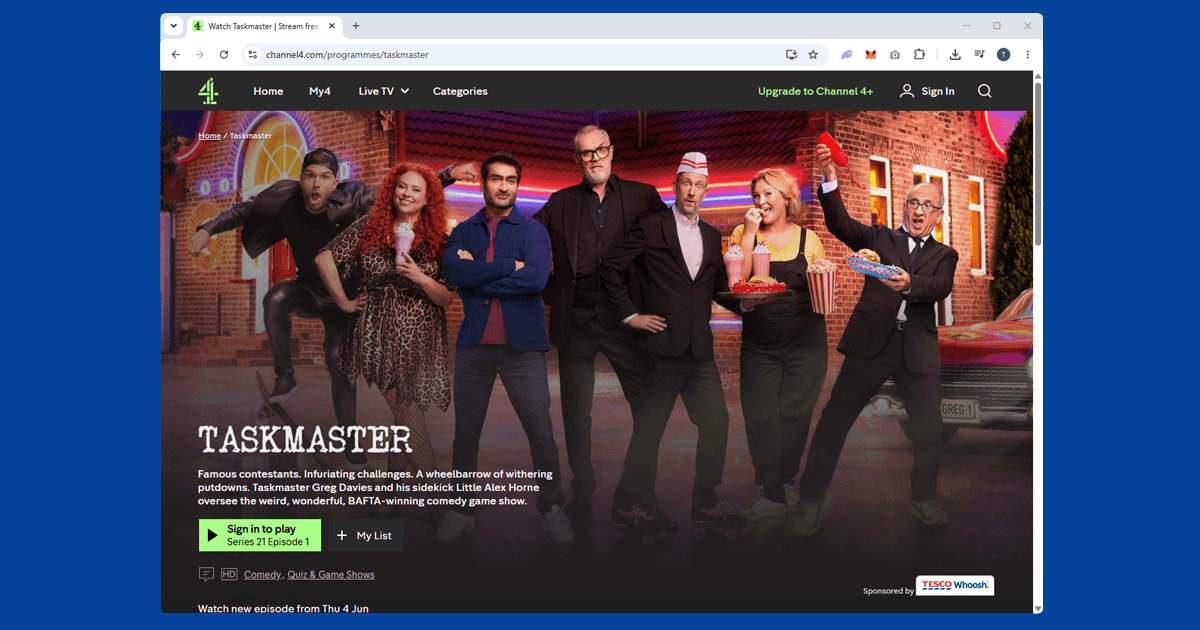
Taskmaster has moved between channels a couple of times over the years, which means the full archive lives in one place while some older episodes turn up elsewhere in a different format. If you know where to look, you can watch everything from Series 1 onwards, from anywhere in the world with a VPN.
Where to find the full Taskmaster archive
Taskmaster started on UKTV's Dave channel, where it ran for its first nine series. It moved to Channel 4 from Series 10 onwards, and that's where it has been ever since. The full archive, including all the original Dave series, is on Channel 4's streaming platform (channel4.com), free to watch with a Channel 4 account.
There's one thing worth knowing before you start searching: Series 1 to 5 also appear on BBC iPlayer, but in a different edited format called "Taskmaster: The Definitive Tapes" rather than the original full episodes. If you want every series uncut, Channel 4's platform is the right place.
In our experience, Channel 4 is easier to unblock than BBC iPlayer, and a reliable VPN with UK servers is usually all you need.
What you need
- A free Channel 4 account. Sign up with your email address, a password, and your date of birth. No payment details, no TV licence required. You'll be asked for a UK postcode during sign-up; any valid one works (SW1A 1AA is fine if you don't have one to hand). The full Taskmaster archive is included on the free tier with adverts.
- A VPN with UK servers that work with Channel 4. ExpressVPN is our top pick for Channel 4: it keeps its UK server IPs refreshed, which means fewer blocked connections. NordVPN is an equally solid choice. Free VPNs are almost always blocked.
How to watch Taskmaster from abroad: step by step
- Connect your VPN to a UK server before opening Channel 4. If you load the site first, Channel 4 may record your real location before the VPN is active.
- Open channel4.com in a private or incognito window. Cookies from earlier visits can carry location data even when your IP now shows a UK location. A private window clears all of that.
- Sign in to your Channel 4 account. You need to be logged in before Channel 4 will play anything.
- Search for Taskmaster and pick your series. The archive runs from Series 1 all the way to the current series. If you're starting from the beginning, Series 1 is a great entry point: Frank Skinner, Romesh Ranganathan, Josh Widdicombe, Roisin Conaty, and Tim Key.
- If it blocks you, switch to a different UK server. Channel 4 maintains a list of known VPN addresses. A different server in the same country usually has an IP that hasn't been flagged yet.
Watching the full archive
Every series from 1 onwards is on Channel 4, uncut. Newer series are added as they air, with episodes typically going up the same evening they broadcast, sometimes a little earlier.
If you're working through the back catalogue, Channel 4 streams reliably for longer sessions. One thing worth knowing: if your VPN drops and reconnects mid-episode, it may land on a different server and Channel 4 can pause playback. Keeping your VPN stable matters more during a binge than a single episode.
Using the Channel 4 app
Channel 4 has apps for iPhone, Android, Amazon Fire TV, Apple TV, Roku, PlayStation, Xbox, and most smart TV platforms. On a phone or tablet, your VPN needs to be the full system-level app, not a browser extension. Extensions only cover traffic inside the browser. Open the VPN first, then the Channel 4 app.
On smart TVs and consoles without a native VPN app, the two practical options are setting up the VPN on your router (covering all devices on the network) or sharing your laptop's VPN connection as a wi-fi hotspot and connecting the device to that.
Do free VPNs work for Channel 4?
Not reliably. Channel 4 keeps a list of IP addresses it recognises as belonging to VPN providers and blocks them, and free VPNs typically operate a small, heavily shared pool of addresses that gets caught quickly. You might get through once and then find yourself blocked on the next episode.
A paid VPN with a larger UK server network, like ExpressVPN or NordVPN, refreshes its IP addresses often enough to stay ahead of the blocklist, which matters if you're working through several series in one sitting rather than watching a single episode.
If Taskmaster buffers or the stream keeps dropping
Buffering through a VPN is usually a sign that the server you're on is either busy or geographically distant from you, both of which add delay to the connection. Switching to a different UK server, away from London if that's what you started with, often clears it up straight away.
It's also worth checking your VPN's protocol setting: WireGuard tends to be noticeably more stable for video streaming than older protocols like OpenVPN, and switching takes a couple of taps in most VPN apps. If you're also trying to keep up with EastEnders or Strictly Come Dancing on iPlayer, the same server and protocol advice carries over, even though iPlayer's detection is a notch stricter than Channel 4's.