FixYourVPN

Whether you've moved to Spain permanently, you're out there for the winter, or you're just on a two-week holiday and don't want to miss the football, getting Sky Go working on Spanish wi-fi is a genuinely common problem for British expats and holidaymakers.
The good news is that it's one of the more solvable ones. Spain has no restrictions on VPN use, the distance between Spain and the UK is short enough that speeds are rarely an issue, and the fix itself takes a few minutes once you know what you're doing.
This guide covers the parts that are specific to being in Spain: the EU roaming rules that sometimes catch people out, the kind of wi-fi you're likely to be dealing with on a Spanish holiday let or in an expat community, and a few things that trip up first-timers. For the complete step-by-step troubleshooting process, including what to do if a UK server gets blocked or Sky Go still won't load, our full Sky Go VPN guide covers every fix in detail. Think of this page as the Spain-specific version and that one as the reference manual.
Why Sky Go doesn't just work when you land in Spain
Sky Go and Sky Sports are licensed for the UK and Ireland only. The moment your connection looks like it's coming from anywhere else, including Spain, Sky's systems block playback and show a location error. This isn't a fault or a bug.
It's how the service is designed to work, tied to broadcast rights that are sold country by country. A VPN gets around this by making your connection appear to be coming from the UK again, which is exactly what Sky Go is looking for.
What Sky's EU roaming actually covers (and why it's usually not enough)
Sky does have a limited built-in roaming allowance that lets UK subscribers access some content while temporarily in the EU, Spain included, without needing a VPN at all. It's worth checking whether this covers what you need before setting anything else up, since if it does, you can skip the VPN step entirely.
In practice, though, this roaming support tends to be inconsistent and often excludes exactly the content people are most likely to want: live Sky Sports fixtures, in particular, are frequently excluded from roaming access even when other channels come through fine.
If you try opening Sky Go on Spanish wi-fi and get a message about roaming or an incomplete channel line-up rather than a straightforward location block, that's the roaming allowance falling short rather than a VPN problem, and a VPN connected to a UK server is the reliable way to get full access regardless.
Setting it up: the actual steps
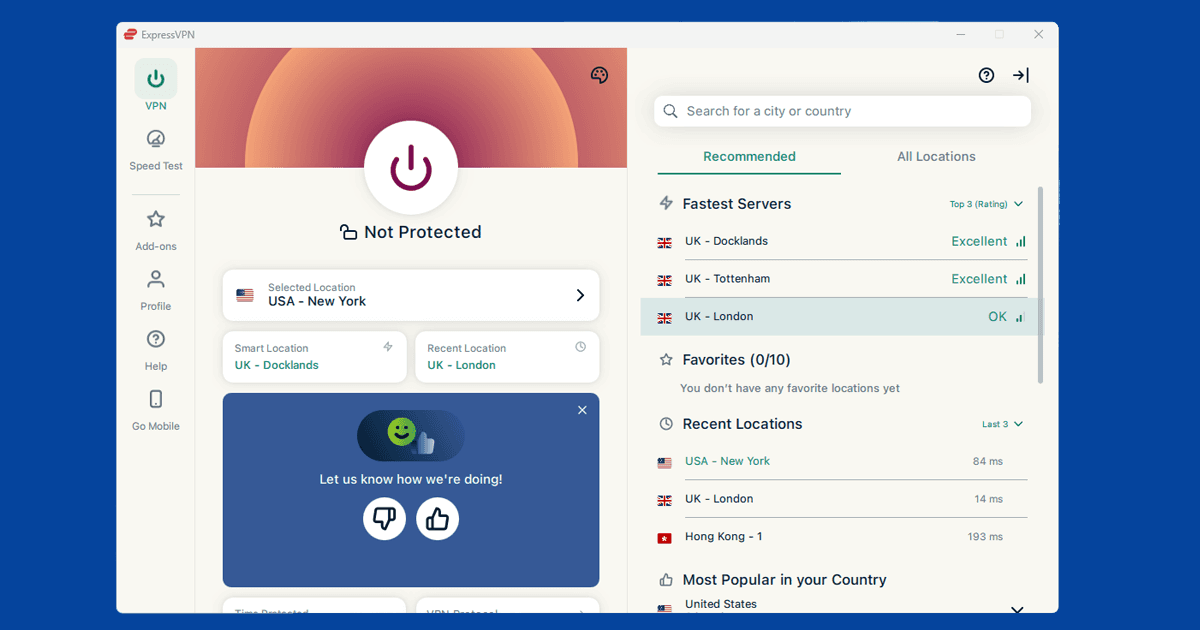
Once you've got a VPN installed, the process in Spain is the same as anywhere else outside the UK, but here's the short version:
- Open your VPN app and connect to a UK server before doing anything else. London is the most common starting point, though if it's ever blocked, Manchester or Edinburgh are good alternatives.
- Wait until the app confirms you're connected. This matters more than it sounds: opening Sky Go before the VPN has actually finished connecting can cause it to see your real Spanish IP address for a moment, which is enough to trigger a block for that session.
- Open the Sky Go app, not a browser. Sky Go stopped working in web browsers a while back, so if you've been trying to load it on a laptop through Chrome or Safari, that's why nothing's happening regardless of the VPN.
- Sign in with your usual Sky details. If you're already signed in from a previous session, you may need to sign out and back in for Sky Go to properly recheck your location with the VPN now active.
If a UK server gets you a location error rather than getting you straight in, switching to a different UK server almost always clears it. Sky updates its list of blocked VPN server addresses regularly, so the specific server that failed for you might simply be one that's been flagged recently. Our guide on switching VPN servers covers exactly how to do this in the main apps.
Spanish wi-fi and what actually varies
If you're staying in a holiday rental, a hotel, or an urbanización with shared community wi-fi, the network itself is worth a moment's thought before you assume your VPN is broken. Some older router setups on the Costa del Sol and similar holiday areas use firmware that can interfere with certain VPN protocols, particularly if the property's internet plan is a basic one shared across several units.
If your VPN won't even connect, rather than connecting but getting blocked by Sky Go, try switching your VPN's protocol to something that runs over port 443, the same port used for ordinary secure web traffic, since this is much less likely to be filtered by a restrictive router. Our guide to switching VPN protocol has the steps for the main apps.
If you're on a mobile network rather than fixed broadband, most major Spanish carriers (Movistar, Vodafone España, Orange, and the various MVNOs that run on their networks) don't interfere with VPN traffic, since EU net neutrality rules generally prevent providers from blocking or throttling it. A VPN on Spanish mobile data should behave much the same as it would on any decent UK mobile connection.
Distance, speed, and why buffering usually isn't a Spain-specific problem
Spain sits close enough to the UK that the extra distance your traffic travels through a UK VPN server barely registers. This is genuinely good news if you've read horror stories about VPN speeds falling apart the further away you are: Spain to a London or Manchester server is a short hop by internet standards, nothing like the distance involved in, say, watching UK content from Australia.
If Sky Go is buffering once you're past the location block, it's far more likely to be your Spanish wi-fi itself (particularly if you're on an older or heavily shared connection) than the VPN adding meaningful delay. Testing your speed with the VPN switched off, using any standard speed test site, quickly tells you whether the connection underneath is the actual bottleneck.
If you've genuinely relocated rather than just visiting
There's a real difference between using Sky Go on a two-week holiday and running it indefinitely after moving to Spain permanently, and it's worth being honest with yourself about which one applies. Sky's service is built around UK-based subscribers who are temporarily outside the UK, not around people who've settled abroad long-term while keeping a UK Sky account going.
A VPN gets you past the technical block either way, and plenty of British expats in Spain do keep a Sky subscription running for years without any issue. But it sits further outside what the service is actually designed for than a short trip, and that's worth knowing rather than assuming it's treated identically.
Watching on a Spanish TV, tablet, or streaming stick
If you've brought a UK smart TV, Fire TV Stick, or similar device with you, the setup works the same way it would at home: connect the VPN app directly on the device (Fire TV Stick and Android TV both support this) or run the VPN on your accommodation's router so every device connected to it gets a UK IP address automatically.
If you've bought or are using a Spanish-market smart TV instead, be aware that the Sky Go app often isn't available through a Spanish app store at all, since app availability is itself region-locked separately from the streaming content. In that situation, casting from a phone or laptop that's already running the VPN, using Chromecast or AirPlay, is usually the simplest workaround.