FixYourVPN

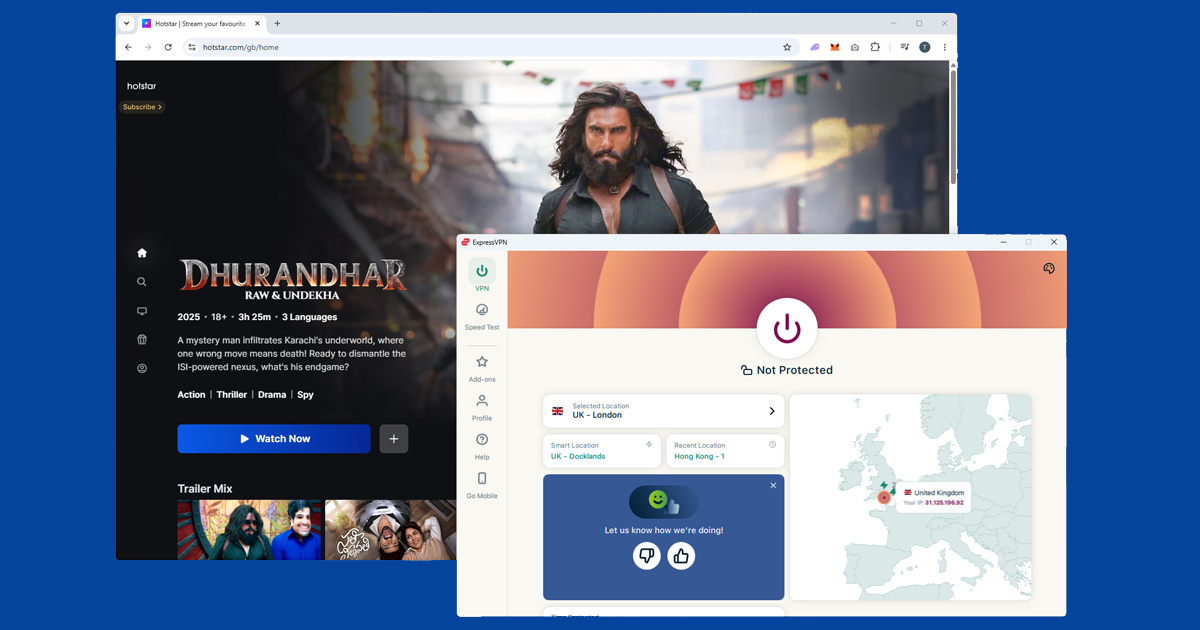
If you're in the UK and searched for "Hotstar," try hotstar.com/gb first: it's a separate service that works without a VPN. JioHotstar (jiohotstar.com) is India's platform with IPL cricket, Bollywood, and Disney+ content, and needs an Indian VPN server to work from outside India. If you're outside the UK and want the UK Hotstar instead, you'd need a UK server rather than an Indian one.
Live sports like IPL cricket are geo-checked more tightly than films or TV shows. If a server works for on-demand content but struggles during a live match, switching to a different Indian server usually fixes it.
What's on JioHotstar
JioHotstar launched in February 2025 when Reliance Jio merged with Disney's Indian operations, combining JioCinema and Disney+ Hotstar into one platform. It's now India's biggest streaming service, with IPL cricket, the full Disney+ catalogue (Marvel, Pixar, Star Wars, National Geographic), HBO shows, Bollywood films, and Hindi TV. For Indian expats and cricket fans watching from abroad, it's one of the most in-demand services to get working with a VPN. If you're chasing other Indian sport beyond IPL, SonyLIV holds the rights to ICC tournaments and several bilateral series, so it's worth having both set up if cricket is the main reason you're doing any of this.
To watch from outside India, you'll need a VPN that offers virtual India servers. These are servers physically located in another country (usually Singapore) that give your device an Indian IP address. Both NordVPN and ExpressVPN offer them. The reason they're virtual rather than physically in India comes down to local data laws, but for streaming purposes they work just as well.
Connect to an Indian VPN server
Open your VPN app, choose India as your server location, and connect before you open JioHotstar. You can double-check it's working by visiting our IP checker: if it shows an Indian location, you're good to go. Then open JioHotstar, sign in, and you should be watching.
Try a different Indian server if you're blocked
If JioHotstar shows a location error or a video won't play, the most likely cause is that the particular server you're on has been blocked by JioHotstar. This happens to all VPN providers from time to time, and it's more common around big live events when lots of people are trying to connect from abroad at once. The fix is simple: switch to a different Indian server in your VPN app and try again. Our guide on switching VPN servers shows you how.
If you've tried a few different servers and nothing is working, run a quick check to see if your real location is leaking through. Open our IP checker with your VPN connected: if your actual internet provider appears in the results rather than a VPN location, your location is leaking. Our guide to fixing a DNS leak walks you through the fix.
Clear cookies and use a private window
If you've visited JioHotstar before without a VPN, your browser may have stored your real location from that session. Even with a VPN now active, that old data can confuse the site. Clearing your cookies and then opening a fresh private window after connecting your VPN gives JioHotstar a clean look at your current connection, with no old location data getting in the way.
- Chrome: three-dot menu Settings Privacy and security Clear browsing data, tick Cookies and set range to All time
- Firefox: hamburger menu Settings Privacy & Security Clear Data
- Safari: Safari Settings Privacy Manage Website Data Remove All
- Edge: three-dot menu Settings Privacy, search, and services Clear browsing data, tick Cookies
Change your VPN protocol
The "protocol" is the method your VPN uses to send data. Most VPNs pick one automatically, but some networks (hotel Wi-Fi, university networks) block certain protocols. If your VPN keeps dropping or JioHotstar won't load even though your VPN shows as connected, switching the protocol can help. In NordVPN, go to Settings Connection VPN Protocol and try OpenVPN (TCP). It's a bit slower than the default but much better at getting through restrictive networks. Our guide on changing your VPN protocol covers all the main apps.
Creating a JioHotstar account from outside India
Good news: you don't need an Indian phone number or an Indian payment card to sign up. Head to jiohotstar.com with your VPN connected to an Indian server and register with your email address. The free ad-supported tier includes a large library and live cricket. If you want the full experience without ads, JioHotstar Premium accepts international payment cards.
JioHotstar on smart TVs and streaming devices
JioHotstar has apps for Android TV, Fire TV Stick, Apple TV, and Samsung and LG smart TVs. On Android TV and Fire TV devices, you can install your VPN app directly onto the device and connect to an Indian server before opening JioHotstar. On Apple TV, check whether your VPN provider has a tvOS app. If your TV doesn't support VPN apps directly, you can set the VPN up on your router instead, which routes all your TV's traffic through the Indian IP automatically.
We haven't been able to confirm current JioHotstar availability on PlayStation or Xbox consoles, and console app support changes fairly often, so check the relevant store directly if that's how you'd want to watch. Casting from a phone or laptop with the VPN already connected is a reliable fallback either way.
Buffering during live matches
Live cricket is the single biggest reason people reach for a VPN with JioHotstar, and it's also where buffering shows up the most. A VPN adds a bit of distance to your connection, and during a packed IPL match with millions of people streaming at once, that extra hop can be the difference between smooth playback and constant stalling.
A few things help: pick a virtual India server that's physically closer to you if your VPN offers more than one location, use WireGuard rather than an older protocol since it copes better with high-bandwidth video, and close anything else on your network that's eating bandwidth during the match. Our guide to VPN speed covers the reasons a VPN slows things down in more detail.
Does a free VPN work for JioHotstar?
Rarely, and almost never for live cricket specifically. Free VPNs share a small number of servers between huge numbers of users, and Indian server slots get particularly heavy demand from expats and cricket fans all trying to watch the same match at the same time. That means slow streams, disconnections mid-over, and IP addresses that get blocked quickly because they're so heavily used.
There are privacy considerations too, since some free VPNs fund themselves by logging and selling user data; our guide to free VPN safety covers what to look for. If JioHotstar is something you'll want regularly rather than just once, a paid VPN with dedicated India servers is the more dependable route.
If your VPN won't connect at all
If the VPN itself isn't connecting before you've even opened JioHotstar, the problem is with the VPN rather than the streaming service. Work through these steps:
- Make sure your VPN app actually shows as connected, not just open
- Disconnect, wait 10 seconds, and try reconnecting
- Switch to a different Indian server
- Change your VPN protocol to OpenVPN (TCP) in the protocol settings
- Close the VPN app completely, reopen it, and try again
Still not connecting? Our free VPN troubleshooter covers this exact scenario and a few others besides.