FixYourVPN

TVNZ+ and Neon only play for viewers with a New Zealand connection, so the moment you leave the country you'll hit a location error, and a VPN on the wrong server won't help. The fix is to connect to a New Zealand server (not an Australian one) before you open the app, load it in a clean private window, and switch servers if the first one has been flagged. If the error still won't budge, a DNS leak or an old cached location is almost always the reason.
The shared steps below work for both services. After that, TVNZ+ and Neon each get their own section covering the things that only apply to them, from the April 2026 TVNZ+ update to where Neon's HBO shows went.
Why New Zealand TV apps block VPNs
Both services license their shows for the New Zealand market only. To stick to those deals, they check where you're connecting from, and if it isn't New Zealand, playback stops. That's called geo-blocking, and it applies to Kiwis abroad just as much as anyone else.
The checks work in a few layers:
- Your IP address. This is the number your connection shows to every website, and it gives away your rough location. TVNZ+ and Neon both check it as soon as the page loads. A VPN replaces it with a New Zealand one.
- Flagged servers. Services keep lists of IP addresses they've seen VPNs using. When one gets added, everyone on that server is blocked, which is why switching to a different server so often fixes things.
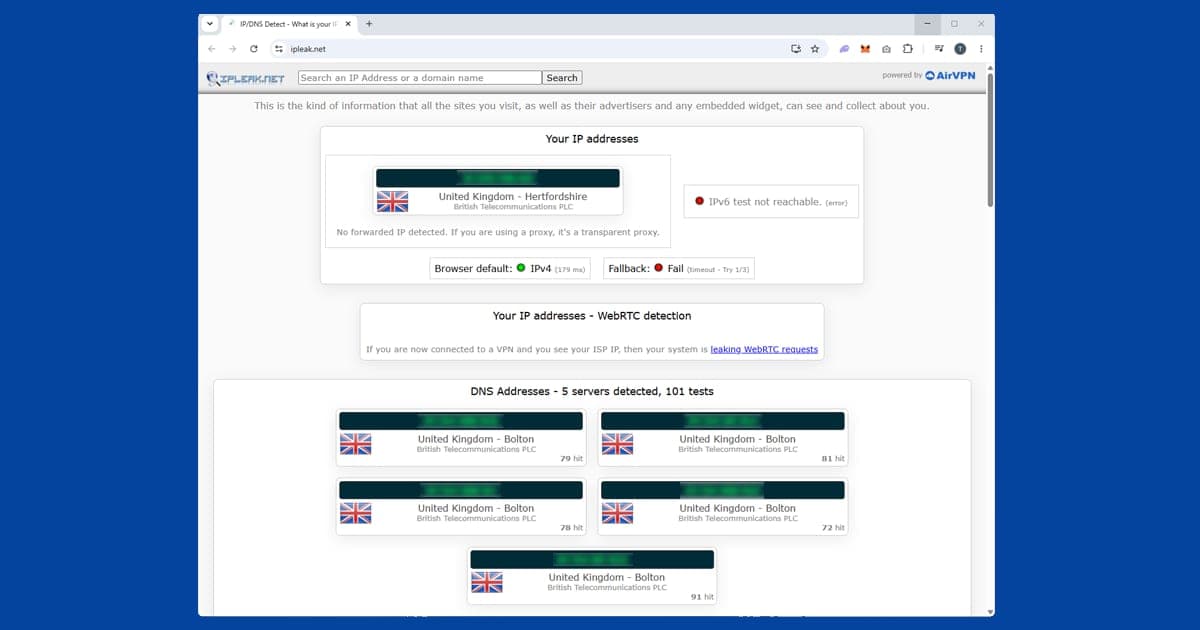
- Your DNS. DNS is the address book your device uses to find websites. If those lookups still go through your real internet provider, your actual location can slip out even though your IP looks like New Zealand. That's a DNS leak.
- Cookies and cached data. If you've opened the site or app before without a VPN, it may have stored your real location and will trust that over your new IP.
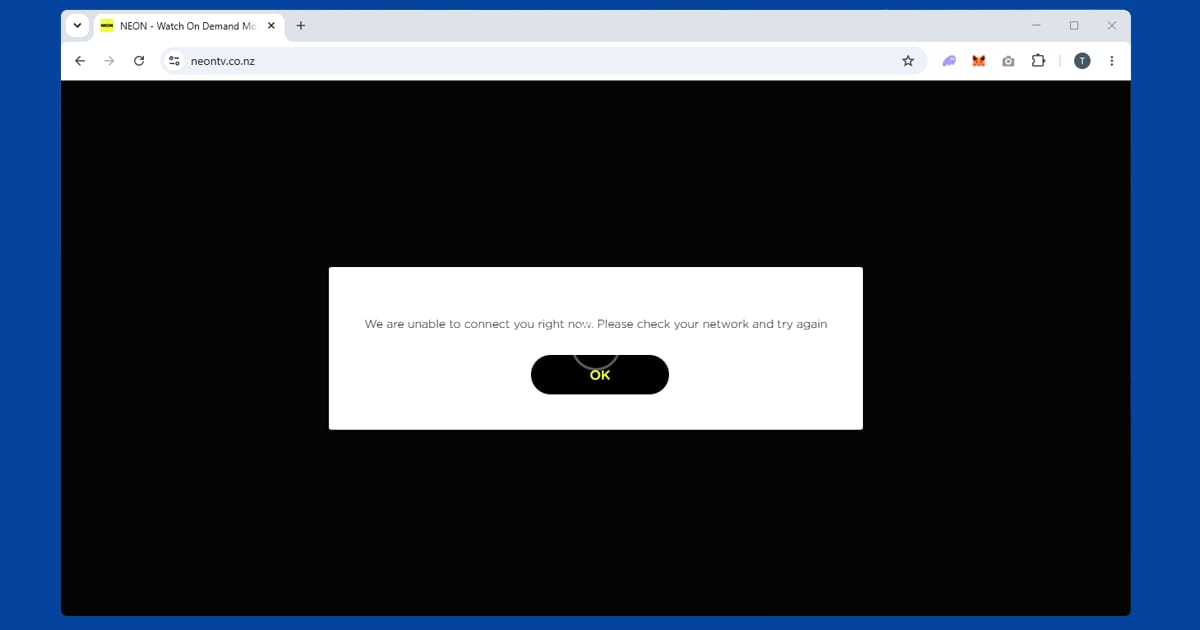
The good news is that neither service runs especially heavy detection. Neon's checks are mostly IP-based rather than a stack of overlapping tests like you'd find on BBC iPlayer, and TVNZ+ is fairly direct about it too. Sign-up and payment are the other hurdles. TVNZ+ is free and only needs an email address, plus any NZ postcode if it asks: 1010 for Auckland, 6011 for Wellington or 8011 for Christchurch. Neon is paid, and payment processors sometimes flag a card issued in a different country from the one your VPN is showing, so new sign-ups from abroad can be fiddlier than getting an existing account working.
New Zealand, not Australia
This trips up a surprising number of people. The two countries get lumped together in conversation, but for streaming they're completely separate. An Australian IP that works perfectly for the services in our Australian TV guide gets exactly the same error on TVNZ+ and Neon as any other non-NZ address. Check your VPN app actually shows a New Zealand location, not "Oceania", a nearby region or an Australian city.
How to fix it, step by step
Work through these in order. They apply to TVNZ+ and Neon alike.
- Turn on DNS leak protection. In NordVPN, open Settings > Connection and switch it on. In ExpressVPN, it's handled automatically when you connect. In PureVPN, look under Settings > Internet Security. Our DNS leak guide shows how to spot and fix a leak in each app.
- Connect to a New Zealand server before you open anything. Auckland is the most reliable city on most providers. In NordVPN, search for New Zealand in the server list and pick Auckland. In ExpressVPN, select New Zealand and connect. If TVNZ+ or Neon is already open, close it completely first.
- Check your location. Open our IP address checker with the VPN running. If it shows your real country or your real internet provider, reconnect or try another server before going further.
- Open the site in a private or incognito window. A private window has no stored cookies, so the site only sees where you are right now, not where you were last time. On apps, close the app fully and reopen it with the VPN already connected.
- Sign in, or create your account while connected. Signing up from a non-NZ address can cause problems, so register with the VPN on.
- If you're still blocked, switch server. Try a different NZ server, and if Auckland keeps failing, try Wellington. Our guide to switching VPN servers shows where the option lives in each app.
- Change your VPN protocol. The protocol is the method your VPN uses to connect. Switch to NordLynx in NordVPN (its version of WireGuard) or Lightway in ExpressVPN, then reconnect. Our protocol guide has the exact steps.
Phones, tablets and TVs
On a phone or tablet, use the full VPN app, not a browser extension; an extension only covers the browser and does nothing for a standalone app. If an app isn't in your App Store or Google Play, your store is showing the catalogue for the country you're in. The website in a mobile browser works just as well for most content and needs no store changes.
Apple TV can run NordVPN and ExpressVPN apps directly, and Android TV devices have VPN apps in their store too, so you can run everything on the TV itself. Samsung and LG smart TVs can't run a VPN app, so either set the VPN up on your router, so every device at home gets the NZ connection, or cast from a phone or laptop that already has the VPN on.
Buffering and free VPNs
If the stream plays but stutters, that's speed rather than a block. Use WireGuard (NordLynx or Lightway), stick with Auckland, and use a wired connection if wi-fi is adding lag, particularly on live channels. Free VPNs are a poor fit: their New Zealand coverage is thin, often a single shared server, and once that server gets flagged everyone on it loses access together. They're also slower, which matters for high-quality video. Our guide on whether free VPNs are safe covers the wider risks.
TVNZ+
TVNZ+ is New Zealand's free streaming service from TVNZ. It carries two live channels, TVNZ 1 and TVNZ 2, both on New Zealand time, plus a full catch-up library of everything they've broadcast. It's free with ads: no subscription and no payment method, just a free account registered with your email address.
What's on TVNZ+
Shortland Street is the big reason most Kiwis use TVNZ+ from abroad. It's been on TVNZ 2 since 1992, has clocked up well over 8,000 episodes and goes out three nights a week. It isn't on any international streaming platform, so TVNZ+ with a New Zealand server is the only real way to keep up with the current episodes from overseas, both live and on catch-up.
TVNZ+ also carries 1 News (the main evening bulletin), Sunday (the long-running current affairs show), Fair Go, and a good range of New Zealand drama and factual programmes. There's a catalogue of international shows too, licensed for the NZ market, covering US and UK drama, reality TV and documentaries.
What the block looks like
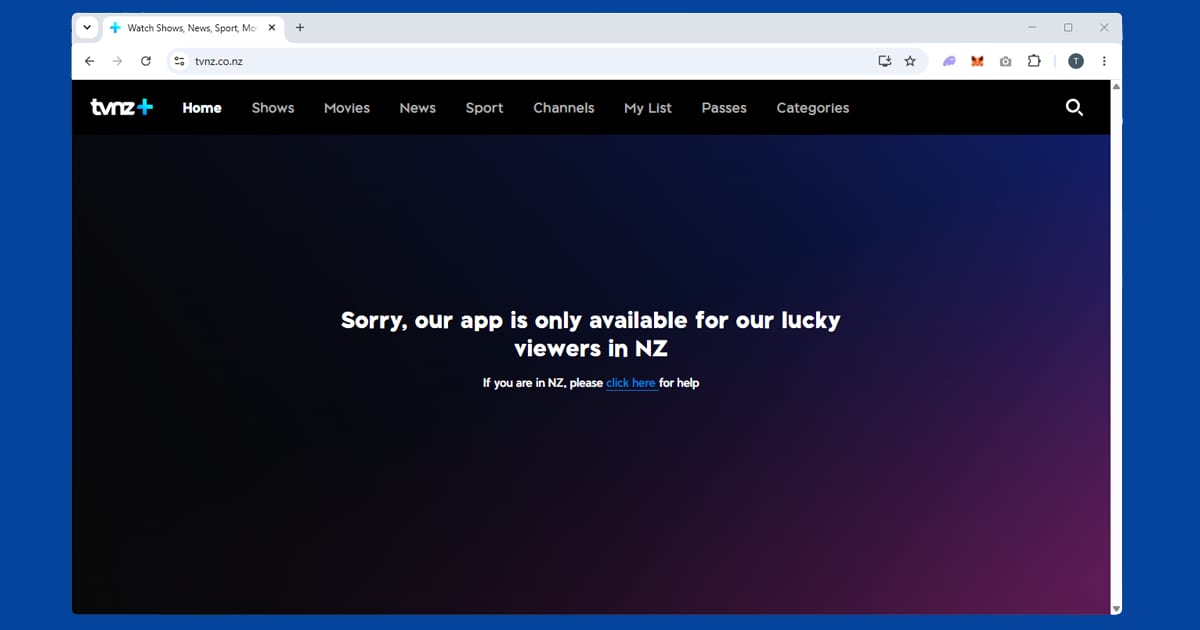
TVNZ+ is fairly direct. You'll usually see a message saying the content is only available in New Zealand; from the UK, it says it's "only available for lucky viewers in NZ". If you see that with a VPN connected, the most common cause by far is a leftover browser cookie from a visit before you had the VPN running, which is why the private window step matters so much here. The second most common cause is a flagged server, which a quick switch to another NZ server usually fixes.
The April 2026 update and older TVs
In April 2026, TVNZ moved TVNZ+ onto a new platform. The upgrade brought a paid sports subscription, more personalised recommendations and a phone-friendly vertical format for short clips. Most people didn't need to do anything, but the switch wasn't smooth for everyone.
The big catch was older Samsung TVs. TVNZ said its 2015 and 2016 Samsung models could no longer be supported safely and reliably, so the app stopped working on them. If you're abroad with an older Samsung and TVNZ+ has vanished or won't open, it isn't your VPN. The simplest fix is a plug-in streaming stick: install TVNZ+ on that, set up your VPN on the stick or your router, and connect to a New Zealand server.
The new sports subscription is worth knowing about too. Free shows and paid sport now sit side by side, so if a match asks you to pay, that's a subscription prompt rather than a geo-block. If you're paying from overseas, read the sign-up terms first, as paid services sometimes ask for a local payment method.
Devices and Three Now
TVNZ+ has apps for iOS, Android, Apple TV, Samsung and LG smart TVs, and Android TV. If the app won't show up in your store, tvnz.co.nz in a mobile browser does the job without any store region fiddling.
Three Now is New Zealand's other major free streaming service, run by Three. Like TVNZ+, it's free with an account and blocked outside the country, and the content doesn't overlap much: Three Now carries Three's own local shows and US programmes. Since neither costs anything and your VPN is already on a New Zealand server, it's worth signing up for both.
Neon
Neon is Sky Network Television's standalone streaming service. It's separate from Sky's satellite pay-TV package, so you only need a Neon subscription to use it, not a Sky one. Neon focuses on Neon originals, recent international series and a film library covering new releases and older titles, while Sky's traditional service covers a broader mix including sport.
Where the HBO shows went
For years Neon was the place Kiwis watched HBO, and that's the main reason it became so popular with New Zealanders overseas. That changed in 2026. HBO Max launched as its own service in New Zealand on 16 June 2026, and HBO titles such as The White Lotus, Euphoria, Succession and The Pitt stayed on Neon and Sky only until mid-June before moving across. Sky had already confirmed it was ending that partnership.
So if you're looking for an HBO show on Neon and can't find it, that isn't your VPN. For HBO series, the place to look in New Zealand is now HBO Max. Neon itself carries on, and Sky has said there's no doubt over its future, so it's still worth having if you watch more than HBO. The catalogue shifts as licensing deals change, so neon.co.nz is the best place to check what's on now. Subscription prices and plan tiers have changed several times as well, so check the pricing page there rather than relying on old figures.
If you subscribe to HBO Max in New Zealand and travel, the same rule applies: connect to a New Zealand server before opening the app, because what you can watch follows the country you appear to be in. HBO Max now runs in lots of countries, so if you land somewhere it's available, you may see that country's library instead of New Zealand's unless your VPN is on. Our Max VPN guide covers its own error messages.
Clearing Neon's cached location on mobile
Neon's apps catch people out in one particular way: if you've opened the app before without a VPN, it may have cached your real location. On Android, go to Settings, find Neon under Apps, tap Storage and clear the cache before reconnecting. On iOS there's no direct cache-clearing option, so if you're still blocked after connecting to a New Zealand server, delete and reinstall the app. Either way, connect the VPN first, then open Neon fresh. In a browser, close it entirely and load neon.co.nz in a brand new private window.
Signing up and paying from abroad
If you already have a Neon account from living in or visiting New Zealand, connecting to a NZ server should be all you need. A brand new account is trickier, because payment processors sometimes flag a card issued in a different country from the one your VPN shows. A NZ-issued card or a NZ-registered app store account tends to make it smoother, though Neon's exact sign-up checks can change. Your plan sets how many devices can stream at once, and a VPN doesn't change that.
Devices and the "worked yesterday" problem
Neon has iOS and Android apps, plus apps on Apple TV and Android TV, which covers most Chromecast with Google TV devices. If Neon worked yesterday but not today, the server you used has most likely been added to its list of flagged addresses. VPN providers rotate their server IPs for exactly this reason, so switching to a different New Zealand server, ideally in a different city such as Wellington, usually fixes it straight away.
Which VPN to use
For New Zealand TV, the thing that matters most is a proper choice of New Zealand servers, because thin coverage means fewer options when one gets flagged. You also want DNS leak protection and a fast protocol. NordVPN is our first pick, with New Zealand servers including Auckland, DNS protection in its connection settings and NordLynx for smooth playback. ExpressVPN is a close second, with a New Zealand location, automatic DNS protection and Lightway. Both are solid choices for TVNZ+ and Neon. PureVPN is a sensible budget option if you make sure its DNS setting is switched on.
One subscription covers both services, and the same VPN also covers Australian services if you split your time across the Tasman; our Australian TV guide has those. For services from other countries, see our international streaming hub.