FixYourVPN
RaiPlay and NPO Start are free public broadcaster services, but they only stream to people connecting from home: RaiPlay to Italian IP addresses, NPO to Dutch ones. To watch from abroad, connect your VPN to a server in the right country (Italy for RaiPlay, the Netherlands for NPO) before you open the site or app, then load it in a private window. Both need a free account, and both let you sign up with nothing more than an email address.
The fixes are almost identical for the two services, so they're written once below. After that, each service gets its own section with what's on, how to sign up, the exact error messages and the quirks of each app.
Why European broadcasters block VPNs
RAI and NPO are national public broadcasters. They're funded at home, and many of the films, series and sporting events they show are licensed only for viewers in their own country. So RaiPlay is geo-restricted to Italian IP addresses (your IP address is the number that tells a website roughly where you are), and NPO Start is only licensed to stream within the Netherlands.
A VPN gets round this by giving you an IP address in the right country. The services check in a few ways, and each one explains a step in the fix list:
- A check when the page loads. Both read your location as soon as the site opens. NPO goes further and marks the whole session: if you browsed npo.nl even briefly without a VPN, that session stays non-Dutch even after you connect.
- Leftover cookies and cached location data from earlier visits, which can override your new IP.
- DNS leaks. DNS is the address book your device uses to find websites. If those lookups go through your normal internet provider instead of the VPN, your real location shows through. NPO cross-references your IP against your DNS requests, and a DNS leak is often the real culprit with RaiPlay too.
- Blocked servers. VPN server addresses used by lots of people get flagged now and then.
The good news is that both services are relatively relaxed. RaiPlay's geo-blocking is generally less aggressive than paid services like Netflix, and most Italian servers get through without fuss.
What about EU travel rules? You might have heard that EU rules let some paid subscriptions travel with you inside the EU. We haven't been able to confirm that RaiPlay or NPO offer any such travel option, and both are built around home audiences: RaiPlay is restricted to Italian IP addresses, and NPO says both of its tiers are meant for viewers in the Netherlands. So this guide doesn't rely on it. A VPN server in the right country is the method that works.
How to fix it, step by step
- Use the full VPN app. Browser extensions only cover traffic inside the browser, so they won't help the RaiPlay or NPO apps.
- Connect before you open anything. For RaiPlay, connect to Italy and start with Milan, with Rome as a backup. For NPO, connect to any Netherlands server. In NordVPN, search for the country; in ExpressVPN, select it from the location list.
- Close the site or app if it was already open, then reopen it once the VPN shows the right country.
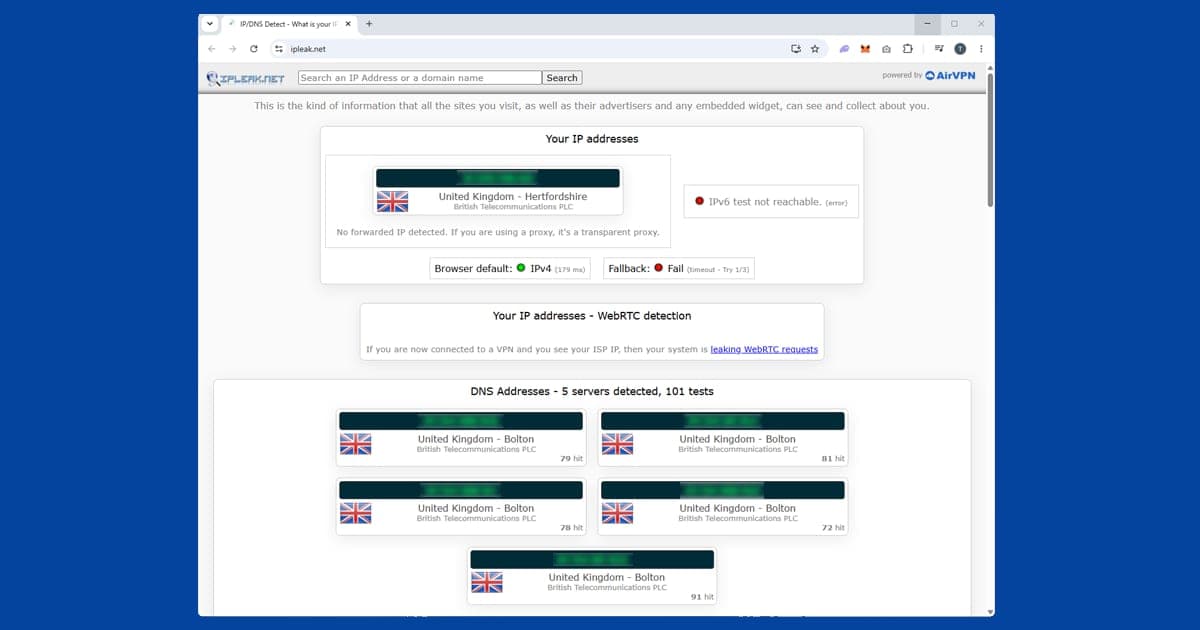
- Check your location. Open our IP address checker with the VPN on. If it shows your real country, the VPN isn't routing properly, so reconnect before anything else.
- Use a private window. VPN on, then a private window, then the site. This clears old sessions and cookies so the service only sees your current connection. If it still misbehaves in your normal browser, clear cookies and site data for that service.
- Switch server if you're blocked. Try a different server in the same country, or another Italian city for RaiPlay. Our guide to switching VPN servers covers each app.
- Fix any DNS leak. If the IP looks right but you're still blocked, check for a leak. Our DNS leak guide explains how to spot and fix it. In NordVPN, DNS leak protection is under Settings Connection.
- Switch to WireGuard. It's faster than older options like OpenVPN or IKEv2 on most connections and copes better with live streams over long distances. Our protocol guide shows where to find the setting.
- Turn on the kill switch. It stops your connection quietly falling back to your real IP if the VPN drops, which is a common reason a working setup suddenly throws a location error. See our kill switch guide.
- For TVs, use your router or cast. Smart TVs generally can't run VPN apps, so set up the VPN on your router, share a VPN-connected laptop's connection as a Wi-Fi hotspot, or cast from a connected phone or laptop.
If playback stutters even when everything's connected, check your own broadband with the VPN off to rule it out. Our guide to VPN speed has more general fixes.
RaiPlay
RaiPlay is run by RAI, Italy's national public broadcaster, and it's completely free: no subscription fee and nothing to pay at any point. The on-demand library pulls together most of RAI's output across RAI 1, RAI 2 and RAI 3, going back several years, with Italian films, drama series, cultural programmes and documentaries from RAI Storia and RAI Scuola, plus RAI 4 and RAI 5 content.
For Italians abroad, the live TV is arguably the most useful part. You can watch RAI 1, RAI 2, RAI 3 and RAI News 24 as they broadcast, not just as catch-up, which makes RaiPlay hard to beat for Italian news and big national events as they happen.
Creating an account from outside Italy. You need a free account to watch most content, and registration is tied to an Italian IP address as well. So connect to an Italian server first, then go to raiplay.it to sign up. All you need is an email address: no Italian phone number, no payment details and no proof of address. If you try to register without the VPN running, you'll get a location error before the form even appears.
When it's still blocked. If our IP checker shows Italy but RaiPlay still refuses, open a fresh private window first, then check for a DNS leak. If Milan and Rome are both giving you trouble, look at your DNS settings before blaming the server, because a leak is often the real issue. If that's all fine, switch city; Italian server addresses do occasionally get flagged, and a different city usually does the job.
Apps and devices. RaiPlay has iOS and Android apps; connect the VPN before opening them. If the app isn't in your local app store, raiplay.it in a mobile browser works just as well. On TV, there are apps for Android TV and Samsung smart TVs. Android TV devices can run a VPN app directly, while for other TVs a router VPN covers everything without extra setup on the TV. For TVs without a RaiPlay app, screen mirroring from a phone or laptop is a decent workaround. We haven't been able to confirm current RaiPlay availability on games consoles or Amazon Fire TV, so check the relevant store; casting from a VPN-connected device is a reliable fallback.
Buffering. RaiPlay streams at a lower bitrate than some subscription services to begin with, so any extra lag from the VPN can be more noticeable than it would be on, say, Netflix. WireGuard usually helps, and the live channels in particular can be unforgiving of a patchy home connection.
Sport. RAI has historically held free-to-air rights to a range of Italian and international sporting events, but exactly what's covered shifts as deals are renewed, and rights can move to a paid broadcaster like Sky Italia or DAZN instead. Check RAI's own schedule closer to the date rather than assuming from previous years. When RAI does hold the rights, the live channels are the way to watch, with the same Italian server setup.
New this season. RaiPlay keeps adding its own shows that you won't find on Rai's TV channels. The coming-of-age docu-series FOMO arrived in September 2026, the third season of Scuola di Danza, set at Rome's opera house, lands in October, and a tenth season of the hugely popular Il Collegio is expected in December. Most RaiPlay originals arrive as boxsets, with several episodes at once. That's handy from abroad, but it means longer sessions on one server, so pick a big-city server like Milan, keep the kill switch on, and if the picture stutters, try a different server before you drop the quality. Il Collegio is a big family favourite, so sign in and test a stream before the first episode drops.
NPO
NPO Start is the streaming platform of the Dutch public broadcaster NPO (Nederlandse Publieke Omroep). It covers NPO 1, NPO 2 and NPO 3 plus specialist channels: NPO Zapp and NPO Zappelin for children, and NPO Politiek en Nieuws for politics and news. For Dutch people abroad, it's where you go for Wie is de Mol?, Nieuwsuur, BOOS, Op1 and the Dutch dramas and soaps that aren't on any other international platform. It's a Dutch-language service for Dutch audiences: some programmes have Dutch subtitles for the hard of hearing, but there's nothing in English.
Creating an account. NPO Start is free, but you need an account to watch anything. Go to npo.nl, click Inloggen at the top right, then Account aanmaken. An email address and a password are all it takes: no Dutch address, no phone number and no TV licence, since the Netherlands abolished the licence fee (kijk- en luistergeld) back in 2000. Once it's set up, sign in with the VPN on a Netherlands server.
NPO Start and NPO Plus. In March 2026 NPO raised the price of its paid tier for the first time since NPO Start launched in 2017, from €2.95 to €3.49 a month, and the tier is now called NPO Plus. Both sit inside the same orange NPO app. NPO Start is the free side, with live TV and catch-up with adverts. NPO Plus is the ad-free side, with complete series to binge, some episodes ahead of broadcast and a longer archive. International payment cards work at checkout. The rename doesn't change the location check: both tiers are meant for viewers in the Netherlands, so you still need a Dutch server. If you pay for Plus, sign in fresh after connecting, because an app last opened without the VPN can hang on to your real location for a while. For most expats, the free tier covers the news, the big shows and the live channels.
The error message. NPO's block message is in Dutch, along the lines of "Deze video is helaas niet beschikbaar buiten Nederland" (this video is unfortunately not available outside the Netherlands). If you see it with the VPN running, check your IP, then switch server; newer Netherlands servers in NordVPN and ExpressVPN tend to be less likely to be blocked than older, high-traffic ones. Then rule out a DNS leak, and finally clear cookies and site data for npo.nl, reconnect, and open a fresh private window, since a session opened before the VPN can persist.
Live TV and time zones. Click Live in the top navigation on npo.nl to watch NPO 1, 2 or 3. The Netherlands runs on CET (UTC+1 in winter, UTC+2 in summer), so from Australia or Southeast Asia Dutch prime time lands in the early hours and catch-up is more practical. From the US East Coast, prime time at 8 or 9pm CET is early to mid afternoon. If a live stream keeps cutting out, try a quieter Netherlands server first, then switch to WireGuard.
Phones and TVs. The NPO app checks your network IP rather than your phone's GPS, so a VPN is enough. On iPhone, the app won't show in App Stores outside the Netherlands; npo.nl in Safari works well, or you can temporarily switch your Apple ID region to the Netherlands under Settings your name Media & Purchases View Account Country/Region, download it, then switch back. On Android, search the Play Store with the VPN on, or use npo.nl in Chrome. There's a native Apple TV app, and NordVPN and ExpressVPN both have Apple TV apps. Samsung and LG TVs have NPO apps but can't run a VPN, so use a router VPN or a hotspot. As far as we've found, NPO doesn't offer dedicated Chromecast support, so cast a browser tab from a VPN-connected device instead.
Catch-up and family sharing. Most programmes stay for at least a few weeks after broadcast; news like Nieuwsuur has shorter windows, and some older archive content sits behind NPO Plus. NPO doesn't appear to publish a strict device limit, so most families share one login across countries, and a second free account only takes an email address if you need one.
Which VPN works best for European streaming
NordVPN is our first pick, with Italian servers including Milan and servers in the Netherlands. ExpressVPN is a close second, with a choice of Italian cities and solid Dutch servers. PureVPN is our third choice. Whichever you choose, use WireGuard or the fastest protocol your app offers, which matters for live TV over long distances.
Free VPNs often get into RaiPlay at first, because its blocking is relatively gentle, but they're slow and their shared servers get congested and blocked quickly. With NPO they fare worse: many use shared address ranges NPO has already blocked, and many don't have Dutch servers at all. Some also fund themselves by selling your data, which our free VPN safety guide explains.
If you're also missing British TV, our guide to watching UK TV shows abroad covers it, and our hayu guide deals with another service that often trips over location checks. The international streaming hub has the rest.