FixYourVPN

JioHotstar, ZEE5 and SonyLIV all check your IP address (the number that tells a website roughly where you are) and either block you or shrink their libraries the moment they see you're outside India. The fix is to connect your VPN to an Indian server before you open the app or website, then load it fresh in a private window so no old location data gets in the way. If a stream still won't start, switching to a different Indian server sorts it out most of the time.
This guide is for watching Indian services from abroad: expats, cricket fans and Bollywood lovers in the UK, the US, Europe or anywhere else. If you're actually in India and your VPN itself is misbehaving, that's a different problem with different causes, and our guide to VPNs not working in India covers it.
| Service | Free tier | What sign-up needs | Best known for |
|---|---|---|---|
| JioHotstar | Yes, with ads | Email address; no Indian phone number or card | IPL cricket, Disney+ and HBO shows, Bollywood |
| ZEE5 | Yes, with ads | Email address; no Indian phone number | Hindi and regional-language films, soaps and live ZEE channels |
| SonyLIV | Yes, with ads | An Indian payment method is typically needed to subscribe directly | ICC cricket, European football, Hindi serials |
Why Indian streaming services block VPNs
It all comes down to rights. Films, shows and especially live sport are licensed country by country, so an Indian service is usually only allowed to show a match or a new release to people in India. When it sees an IP address from somewhere else, it has to either refuse to play or show you a much smaller catalogue.
A VPN gets round this by sending your connection through a server that gives you an Indian IP address. Most providers use what are called virtual India servers: they're physically located in another country, usually Singapore, but they hand your device an Indian address. The reason they sit outside India comes down to local data laws, and for streaming purposes they work just as well.
The services fight back in a few predictable ways, and knowing them makes the fixes below make sense:
- Blocklists. When lots of people use the same VPN server, its IP address gets noticed and blocked. This happens to every VPN provider from time to time, and it's more common around big live events when everyone abroad is trying to watch the same thing.
- Checks when the page loads. All three services read your location the moment the app or site opens. Turn the VPN on afterwards and it's already too late for that session.
- Leftover cookies. If you've ever visited without a VPN, your browser may still be holding your real location, and the site can trust that over your new IP.
- DNS leaks. DNS is the address book your device uses to find websites. If those lookups go through your normal internet provider instead of the VPN, your real location can slip out even when your IP looks Indian.
- Stricter rules for live sport. Sport rights are expensive, so live matches get the tightest checks. A server that's fine for a Bollywood film can struggle during a cricket final.
A quick word on the rules: all three services' terms are built around viewers in India (SonyLIV also mentions a small number of other supported markets). Using a VPN from abroad sits outside those terms, but in the UK, US and most of Europe it's a terms-of-service matter rather than a legal one. In practice, enforcement means a blocked stream rather than a banned account.
How to fix it, step by step
Work through these in order. The first five steps fix most problems on their own.
- Use the full VPN app, not a browser extension. Extensions only cover traffic inside the browser, so the JioHotstar, ZEE5 or SonyLIV apps won't be protected by one.
- Connect to an Indian server first. Mumbai is the best starting point because it usually has the most capacity. Chennai, Hyderabad and New Delhi are good alternatives. In NordVPN, search for India and pick Mumbai; in ExpressVPN, select India and choose a city.
- Close and reopen the streaming app. If it was already open when you connected, shut it completely, check the VPN shows India, then open it again.
- Check your location. Open our IP address checker with the VPN on. If it shows India, you're good. If it shows your real country, reconnect before trying anything else.
- Open a private window, or clear your cookies. Connect the VPN, then open a private or incognito window and load the site. If it works there but not in your normal browser, our guide to clearing cache and cookies fixes it for good.
- Switch servers if you're blocked. Try another server in the same city first, then a different city. Our guide to switching VPN servers shows you how in each app.
- Check for a DNS leak. If several servers fail but the IP looks right, your real location may be leaking through. Our DNS leak guide walks you through the fix.
- Change your VPN protocol. The protocol is the method your VPN uses to send data. For speed, use WireGuard (called NordLynx in NordVPN; ExpressVPN's own fast option is Lightway). On hotel or university Wi-Fi that blocks VPNs, try OpenVPN (TCP) instead. Our protocol guide covers each app.
- Turn on the kill switch. It stops your connection quietly falling back to your real IP if the VPN drops mid-stream, which is a common reason a working setup suddenly breaks. See our kill switch guide.
- For TVs, go through the router or cast. Android TV and Fire TV devices can run a VPN app directly. Most Samsung and LG TVs can't, so either set the VPN up on your router (so every device at home gets an Indian IP) or cast from a phone or laptop that's already connected.
If the VPN won't connect at all, before you've even opened a streaming app, the problem is with the VPN rather than the service. Disconnect, wait ten seconds, reconnect, then try a different server and protocol. Our free VPN troubleshooter covers that scenario too.
JioHotstar
First, a quick check that could save you the whole job. If you're in the UK and searched for "Hotstar", try hotstar.com/gb. It's a separate service, Disney+ Hotstar UK, and it works without a VPN. The Disney+ Hotstar name also lives on in a few other markets like the US and Canada. JioHotstar (jiohotstar.com) is the Indian platform, and that's the one that needs an Indian server. If you're outside the UK and want the UK Hotstar instead, you'd need a UK server rather than an Indian one.
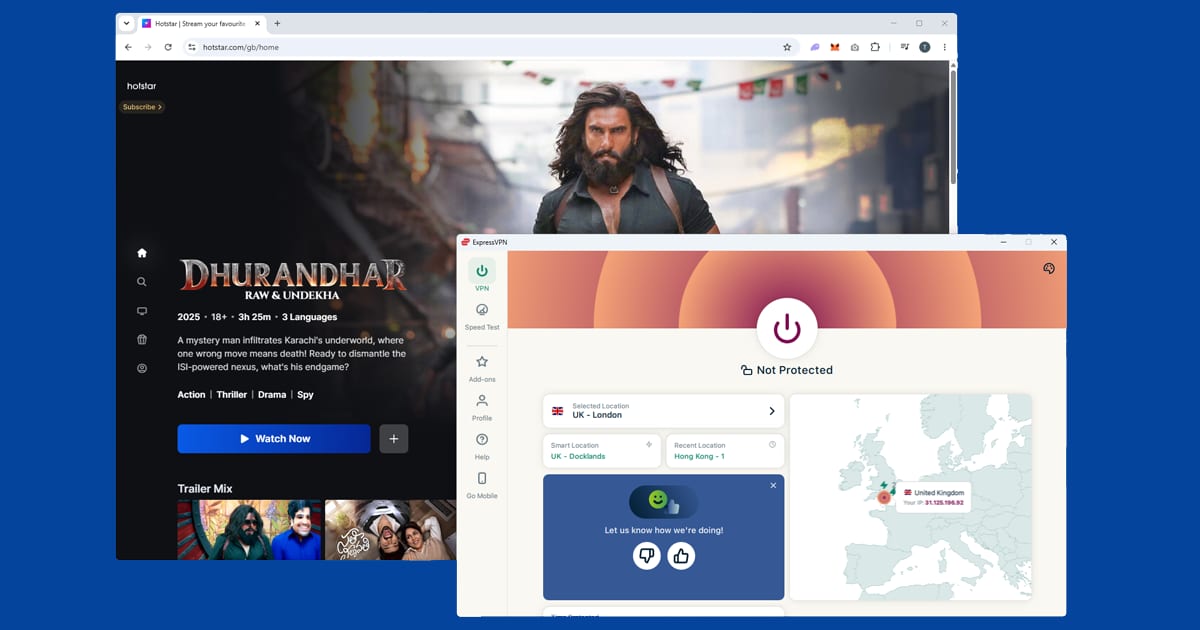
JioHotstar launched in February 2025 when Reliance Jio merged with Disney's Indian operations, combining JioCinema and Disney+ Hotstar into one platform. It's now India's biggest streaming service. You get IPL cricket, the full Disney+ India catalogue (Marvel, Pixar, Star Wars, National Geographic), Star content including HBO series, Bollywood films, Hindi TV and original shows from the old JioCinema. If you're hunting for an old JioCinema programme, it should still be there under JioHotstar.
Signing up from abroad. Here's the good news: you don't need an Indian phone number or an Indian payment card. Connect to an Indian server, go to jiohotstar.com and register with your email address. The free ad-supported tier has a large library, and JioHotstar Premium accepts international payment cards if you want to pay.
2026 prices and keeping your plan. JioHotstar changed its prices for new subscribers on 28 January 2026. Premium, which gives the best picture quality and mostly ad-free viewing on up to four screens, now costs ₹299 a month or ₹2,199 a year, up from ₹1,499 a year. Super is ₹149 a month or ₹1,099 a year, and the Mobile plan starts at ₹79 a month. Unlike the old JioCinema days, you now need a paid plan to watch IPL matches live.
The part that matters most when you're overseas: existing subscribers keep their old price as long as auto-renewal stays switched on. If your card expires or a renewal fails while you're away, you could lose that rate and end up on the new price. So before you travel, check the card on your account is in date and leave auto-renew on. Prices are in rupees, so your bank may add a foreign transaction fee if you pay with a non-Indian card.
When it's blocked. A location error or a video that won't play nearly always means JioHotstar has blocked the server you're on. It happens most around big live matches. Switch to a different Indian server (step 6) and, if several fail, check for a DNS leak (step 7). Live sport is checked more tightly than films and shows, so a server that's fine for on-demand content can still struggle during a match.
Buffering during matches. During a packed IPL game, with millions streaming at once, the extra hop a VPN adds can be the difference between smooth playback and constant stalling. Pick the virtual India server that's physically closest to you if your VPN offers more than one, use WireGuard, and close anything else on your network that's eating bandwidth. Our guide to VPN speed explains why a VPN slows things down.
Devices. JioHotstar has apps for Android TV, Fire TV Stick, Apple TV, and Samsung and LG smart TVs. On Android TV and Fire TV you can install your VPN straight onto the device. On Apple TV, check whether your VPN provider has a tvOS app. We haven't been able to confirm current JioHotstar availability on PlayStation or Xbox, so check the console's store directly; casting from a connected phone or laptop is a reliable fallback.
ZEE5
ZEE5 is probably the service Indian expats miss most for everyday viewing. Its Hindi section is the biggest, with decades of Bollywood films, long-running soaps like Kundali Bhagya and ZEE Originals you won't find anywhere else. But there are proper sections for Tamil, Telugu, Malayalam, Bengali, Marathi, Kannada, Gujarati and Punjabi too, each with their own films and shows. Live TV is included as well, with ZEE-branded channels such as ZEE TV, ZEE Cinema and ZEE News, which is handy if you want something live rather than catch-up.
Outside India, ZEE5 either blocks you outright or strips the library down to almost nothing. Subscription pricing also varies depending on where you are, so check zee5.com for the plans on offer.
Signing up. You only need an email address; there's no Indian phone number involved, and the free ad-supported tier doesn't ask for payment. If the sign-up page won't let you through from your country, connect to an Indian server first and try again.
The error messages. ZEE5's main geo-block message is "Oops, something went wrong". It doesn't always mean your VPN is off; often it means the particular server has been flagged. You may also see:
- "Content not available in your region": a clearer version of the same block. Confirm your IP, then try a different Indian server.
- A sign-up or login page stuck loading: usually the VPN wasn't connected before the page loaded. Close the tab, connect, and reload from scratch.
- Video that buffers endlessly without starting: either a congested server or a location re-check failing quietly. Try another server, then switch protocol.
One quirk to know about: ZEE5 can run a separate location check when you press play, not just when the page loads. So if the site opens but individual videos won't start, switch server, clear your cookies and open a fresh private window before pressing play again. If Mumbai keeps failing, try Chennai.
If your VPN is on but Zee5 is still blocking you, it's very often cookies. Your browser visited Zee5 at some point without a VPN and left a location cookie behind, and Zee5 trusts that over your IP. Open a private window before you load the site and that's it, sorted.

ZEE5 and the 2026 World Cup. ZEE5 surprised a lot of people in 2026 by streaming the FIFA World Cup in India: all 104 matches live, with special plans starting at ₹399 a month. Its own help page for the tournament was blunt, saying streaming was available within India only and that using a VPN or other workarounds would stop streams from working. That's a useful reminder that ZEE5's sport and live channels will be pickier than its on-demand films and shows. Use an Indian server that isn't overloaded, switch straight away if a stream refuses to start, and remember that rights for one event don't mean rights for the next, so check what ZEE5 is actually carrying before you pay for a sport plan.
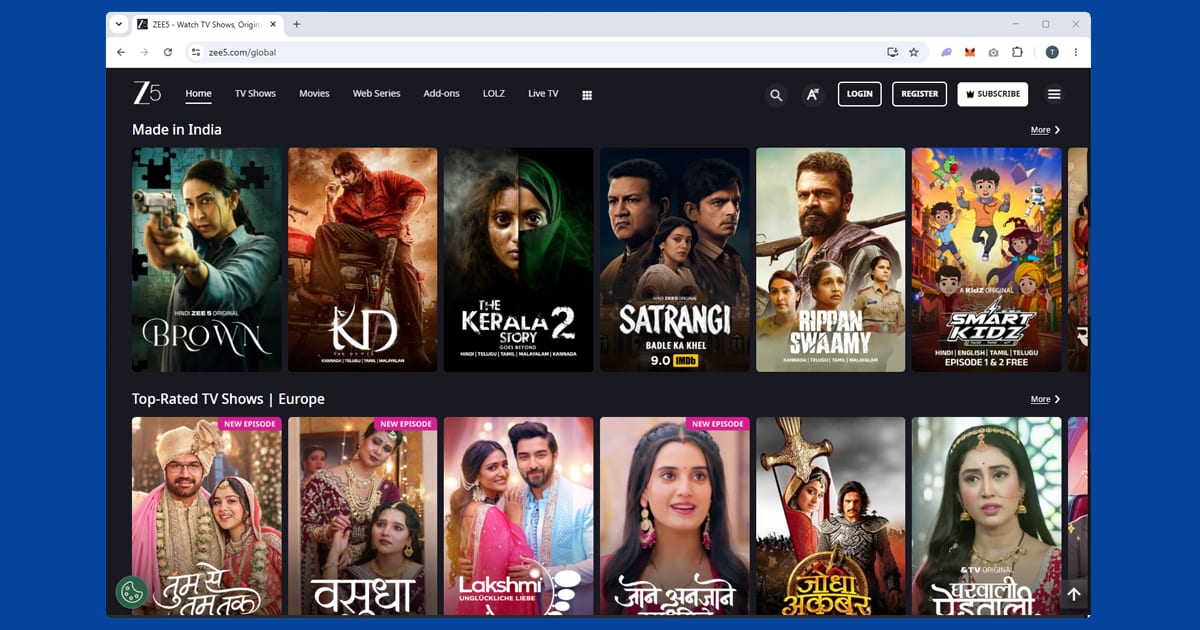
Devices. ZEE5 has apps for Android TV and many smart TVs. Fire TV Stick is the easiest TV route, since NordVPN and ExpressVPN both have Fire TV apps, and Apple TV works the same way. If the ZEE5 app doesn't appear in your local App Store or Google Play, use zee5.com in your phone's browser instead. For picture quality, most of ZEE5 is on-demand rather than live, so it's more forgiving than sport-only services; if it's stuck at low resolution, switch to WireGuard and pick a Mumbai or Chennai server under 50% load if your app shows that.
SonyLIV
SonyLIV is the other big name for cricket fans. It carries ICC tournaments, bilateral series involving India and domestic cricket, plus UEFA Champions League and Europa League football, WWE and motorsport. Outside sport there are popular Hindi TV serials, original series, Bollywood and regional-language films, and international content including US network shows. If cricket is the main reason you're doing any of this, it's worth having both SonyLIV and JioHotstar set up, since JioHotstar holds the IPL. Check SonyLIV's current schedule before signing up if live sport is the reason you want it.
The one thing to get right. SonyLIV checks your location when the app or page loads, not when you search. Open it first and turn the VPN on afterwards, and it won't work. Close it completely, make sure the VPN shows India, then reopen. That single step fixes it for most people. The good news is that SonyLIV is less aggressive about blocking VPN servers than Netflix or Disney+, so if Mumbai gives a location error, trying Chennai, Hyderabad or New Delhi almost always gets you through.
Free tier and paying from abroad. SonyLIV runs a free ad-supported tier, and a decent chunk of the library sits behind it, including plenty of Hindi serials and older films. Live sport and the newest originals are usually for subscribers. Paying is where SonyLIV differs from the other two: an Indian payment method is typically needed for direct subscriptions. The sign-up page may load from abroad, but many expats keep an existing subscription running while they travel rather than signing up fresh from overseas. Pricing has moved around a fair bit as SonyLIV has repositioned itself against JioHotstar and ZEE5, so check sonyliv.com directly rather than trusting an old number.
The Indian Super League in 2026. Football fans have a new reason to open SonyLIV. In October 2026 the Indian Super League named Sony Sports Network, SonyLIV and YouTube as its partners for the 2026-27 and 2027-28 seasons. SonyLIV streams every match live within India as part of a paid subscription. Here's the bit that could save you effort: the digital rights aren't exclusive, and YouTube is streaming every match in India and worldwide. So if you only want the ISL, try YouTube with your VPN switched off first. If it plays where you are, you don't need to deal with SonyLIV's location checks at all.
If your VPN drops mid-match. The stream will usually freeze, and without a kill switch your device can briefly reconnect using your real IP. On a live match that's mostly an annoyance, but it can make SonyLIV throw a location error the next time you press play. Turn the kill switch on (step 9) and it won't happen.
Devices and subtitles. SonyLIV has iOS and Android apps and is available on Android TV and Amazon Fire TV, both of which can run a VPN app directly. If you've got a Fire Stick, our Fire Stick guide covers the setup. VPN support on Samsung and LG TVs is patchier, so check your TV's app store and fall back to a router VPN if there's nothing there. We can't confirm current PlayStation or Xbox availability. English subtitles are inconsistent: bigger original series are more likely to have them than older Hindi serials, so check a show's page first if you need them.
If SonyLIV works on your phone but not your laptop, the issue is almost always the VPN setup on the laptop rather than SonyLIV. Check the VPN is actually connected there, not just installed, and use a private window rather than a tab that was open before you connected.
Watching live cricket and sport from abroad
Live sport is where every Indian service checks hardest, and where VPN problems show up first. A few habits make match days much less stressful:
- Connect and test a stream well before the first ball, not five minutes in.
- If a stream won't start, switch servers straight away rather than refreshing over and over.
- Pick a VPN with several Indian locations so you've got options to rotate through.
- Keep the kill switch on so a dropped connection doesn't briefly reveal your real location.
For other sport services and big tournaments, our live sport hub has guides to DAZN, TNT Sports, beIN Sports and more. And if you also watch Asian services such as Viu or iQIYI, note that those need Southeast Asian servers rather than Indian ones; our guide to Asian streaming services explains which server to pick for each. The wider international streaming hub covers services from Canada, Europe and beyond.
Which VPN works best for Indian streaming
NordVPN is our first pick. It offers virtual India servers. ExpressVPN is a close second, with virtual India servers, a choice of cities and its fast Lightway protocol. PureVPN is our third choice; check its current server list for Indian locations before you commit. Because all three services block individual server addresses from time to time, you may need to try a couple of Indian servers before one gets through. That's normal, and it usually resolves quickly.
Free VPNs rarely work, and almost never for live cricket. They share a small number of servers between huge numbers of users, and Indian slots get hammered by expats and fans all trying to watch the same match. That means slow streams, disconnections mid-over and server addresses that get blocked quickly. Some also fund themselves by logging and selling your data; our guide to free VPN safety explains what to look for.