FixYourVPN

Most British favourites stream on BBC iPlayer or ITVX, with Taskmaster on Channel 4, and all three only play for viewers in the UK. To watch from abroad you need a VPN connected to a UK server and a free account with the right service, plus a TV licence for anything on iPlayer. Set it up once and the same routine works for every show in this guide.
Below you'll find one set of setup steps and one troubleshooting checklist for all eight shows, then a section for each programme covering when new episodes land, the spin-offs and the quirks that catch people out.
Where each show streams
The service decides almost everything: which account you need, whether a licence applies and how strict the VPN checks are.
| Show | Where to stream it | TV licence needed? | When new episodes appear |
|---|---|---|---|
| EastEnders | BBC iPlayer | Yes | 6am UK time on the day it airs |
| Coronation Street | ITVX | No | 7am UK time, weekdays |
| Emmerdale | ITVX | No | 7am UK time, weekdays |
| Strictly Come Dancing | BBC iPlayer | Yes | Live on Saturday evenings |
| Love Island | ITVX | No | After the 9pm ITV2 broadcast |
| Doctor Who | Disney+ (partnership seasons) or BBC iPlayer | Yes, for iPlayer | No return date announced |
| Taskmaster | Channel 4 | No | Thursday nights during a series |
| I'm a Celebrity | ITVX | No | Live at 9pm UK time during the run |
iPlayer is the strictest of the three about spotting VPNs. ITVX and Channel 4 are easier, and a decent VPN with working UK servers is usually all they need. Our UK streaming hub covers the other British services too.
How to watch any UK show from abroad
These steps work for iPlayer, ITVX and Channel 4. Do them in order: skipping one is the most common reason people stay blocked. If you're watching something live, give yourself fifteen minutes before it starts so you're not troubleshooting during the opening scene.
- Create a free account for the service you need. iPlayer needs a BBC account registered to a UK postcode, and it asks you to confirm you hold a valid UK TV licence. ITVX needs an email address and a password. Channel 4 also asks for your date of birth and a UK postcode (SW1A 1AA works if you don't have one to hand). None ask for payment details, and you can sign up from anywhere.
- Connect your VPN to a UK server before you open anything. If you load iPlayer, ITVX or Channel 4 first and connect afterwards, the site may already have logged your real location for that session. Starting with the VPN running means the service sees a UK address from the very first request.
- Open a private or incognito window if you're using a browser. Cookies (small files websites leave on your device) from earlier visits can remember where you really are, even when your IP address now looks British. A private window starts clean.
- For iPlayer in a browser, block WebRTC. WebRTC is a browser feature that can reveal your real IP address even with a VPN running, and iPlayer checks for it. In Chrome, turn on the WebRTC blocking option in your VPN's browser extension (NordVPN's and ExpressVPN's both have one). In Firefox, go to about:config and set
media.peerconnection.enabledto false. Safari is stricter about WebRTC by default, so you're less likely to need this step there. - Sign in, then press play. None of the three services will play anything without a signed-in account. You can confirm your VPN is showing a UK address first with our IP checker.
- If you're blocked, switch to a different UK server. These services block individual VPN IP addresses rather than whole providers, so another server usually works straight away. London gets blocked most often because so many people use it; Manchester and Edinburgh are good alternatives. Our guide to switching servers covers every major app.
Phones, TVs and consoles
The iPlayer, ITVX and Channel 4 phone apps are often easier to get working than a browser, because they don't use WebRTC. Just make sure your VPN is the full app, not a browser extension, which only covers the browser. Connect the VPN first, then open the app (here's why apps help).
- Amazon Fire TV Stick: the easiest TV option. The streaming apps and the main VPN apps are all in Amazon's app store. See our Fire Stick VPN guide.
- Apple TV: NordVPN and ExpressVPN have apps in the Apple TV App Store, so check there first.
- Samsung and LG TVs, PS4, PS5, Xbox and Roku: the streaming apps are there, but none of these can run a VPN app. Set the VPN up on your router, or share a VPN connection from a laptop or phone as a wi-fi hotspot. Our Roku VPN guide covers both.
- Chromecast: cast from a phone or laptop that already has the VPN connected.
Why the player refuses to load
When a show won't play, the error is almost always one of a handful of things. Work through this list from the top, because the most common causes come first.
- Your IP address hasn't actually changed. Open our IP address checker with the VPN connected. If it still shows your real country, the VPN isn't routing your traffic properly. Disconnect, reconnect to a fresh UK server and check again before trying anything else.
- An old cookie is giving you away. A cookie from a visit you made without the VPN can override a perfectly good connection. Reload in a fresh private window, or follow our guide to clearing cache and cookies for a full reset. If one iPlayer programme plays but another doesn't, a cached cookie is usually the reason.
- Your DNS is leaking. DNS is the internet's address book: every time you open a website, your device looks up where to find it. If those lookups skip the VPN, the service can see your real location even though your IP looks British. It's the usual cause when a site loads but the video won't start. Turn on DNS leak protection in your VPN (in NordVPN, open Settings > Connection; in ExpressVPN, go to Preferences > General; in PureVPN, look in the security or privacy settings), then follow our DNS leak guide to confirm it's fixed.
- WebRTC is leaking (iPlayer in a browser). If iPlayer works on your phone app but not on your laptop, this is nearly always why. Block it as described in the steps above, or switch to the app.
- The server's IP address has been flagged. Switch to a UK server in a different city. A block on London doesn't mean Manchester or Edinburgh are blocked too.
Buffering, stuttering and dropped streams
Buffering through a VPN is nearly always down to the server rather than your home broadband. A busy server, or one a long way from you, adds delay that shows up as a spinning wheel or a blurry picture. Try a quieter UK city first. If that doesn't help, switch your VPN's protocol (the method it uses to carry your traffic) to WireGuard, which NordVPN calls NordLynx and ExpressVPN calls Lightway. It's faster and steadier for video than older options like OpenVPN, and our protocol guide shows where the setting lives.
Live shows are the least forgiving, because there's no stored video to fall back on, so keep a backup UK server saved for busy Saturday evenings and launch nights. From as far away as Australia, a little buffering as the stream starts is normal.
Still stuck? Each service has its own detailed guide: BBC iPlayer VPN fixes, why iPlayer says you're not in the UK, ITVX VPN fixes and Channel 4 VPN fixes.
EastEnders
EastEnders airs on BBC One in the UK, and outside the UK the only place to stream it is BBC iPlayer. That makes it one of the trickier shows on this list, because iPlayer doesn't just check your IP address. It also looks at your DNS requests and WebRTC data, and it regularly blocks IP ranges it recognises as belonging to VPN providers. So a VPN that sails into ITVX might need a little more care here: follow every step in the shared setup, including the WebRTC one if you watch in a browser.
The good news is the timing. New EastEnders episodes usually go up on iPlayer at 6am UK time on the day they air, well before the 7.30pm BBC One broadcast. If you're in Spain or France, that's 7am. Further east, it may land around lunchtime. So there's no need to stay up late or wait for the evening: connect to a UK server over breakfast, open iPlayer, and the new episode should already be there.
Big events can shuffle things around. During this summer's World Cup, some episodes went up a day early to fit around the football, so if an episode isn't where you expect it, check the day before as well.
Once you're in, every episode from the last 30 days is there on demand, so falling behind for a week isn't a disaster. iPlayer runs on UK time (GMT in winter, BST in summer), and a quick time zone conversion tells you when each new episode drops where you are.
A few Walford specifics:
- It isn't on Netflix or Amazon Prime, in the UK or anywhere else. iPlayer is the only place for new episodes.
- BritBox carries some older EastEnders archive content, but not current episodes. Our guide to watching BritBox outside the UK covers what's on there.
- You need a TV licence for iPlayer. It rose to £180 a year from 1 April 2026. There have been reports this year that the BBC is looking at tighter checks on who's watching iPlayer without a licence. Nothing has changed yet, but it's a good reason to keep your BBC account details accurate and sign in with the account linked to your UK home.
If episodes keep cutting out on every server you try, check your own wi-fi signal: a weak connection to your router can look like a VPN problem when it isn't.
Coronation Street
Coronation Street has been on British television since 1960, longer than most of its viewers have been alive. For British people living or working abroad, keeping up with the Street is one of those small connections to home that's easy to lose and well worth keeping. It streams on ITVX, ITV's free streaming service, which is much easier to get into with a VPN than iPlayer. No TV licence is needed for the free tier, which includes the full Corrie catalogue with adverts. A paid tier removes the adverts, but you don't need it.
If you've been away for a while, the schedule has changed. From January 2026, ITV moved Corrie to five 30-minute episodes a week, Monday to Friday at 8.30pm on ITV1. It follows Emmerdale at 8pm in what ITV calls a soaps power hour. That replaced the old pattern of hour-long episodes on Mondays, Wednesdays and Fridays, and it means five episodes a week instead of six.
For fans abroad, the more useful change is when episodes appear. Each one goes up on ITVX at 7am UK time, hours before it's shown on TV. If you're ahead of the UK, it's often there by breakfast or lunch. If you're behind, it'll be waiting when you wake up.
Five shorter episodes means checking in every weekday rather than three times a week, so make the routine painless:
- Save a UK server that works with ITVX as a favourite in your VPN app.
- Use the ITVX app rather than a browser, so you're not clearing cookies every few days.
- Stay signed in to your free ITVX account.
You don't have to wait for the on-demand version either. ITVX streams ITV1 live, so you can watch Corrie as it broadcasts: connect to a UK server before the show starts and open the ITV1 live stream. ITVX also holds a large library of recent episodes. The complete archive isn't there, but there's plenty to catch up if you've fallen behind or want to revisit a recent storyline.
If ITVX loads but Corrie won't play, check you're signed in, then work through the troubleshooting list above. Our ITVX VPN guide goes further.
Emmerdale
Emmerdale has been running since 1972. It started as a farming drama set in the Yorkshire Dales and has been part of the British evening routine ever since. Like Corrie, it streams on ITVX, free with a registered account and adverts, and no TV licence is needed. If you've already got Coronation Street or Love Island working abroad, you're already set up for Emmerdale: same app, same account, same UK server.
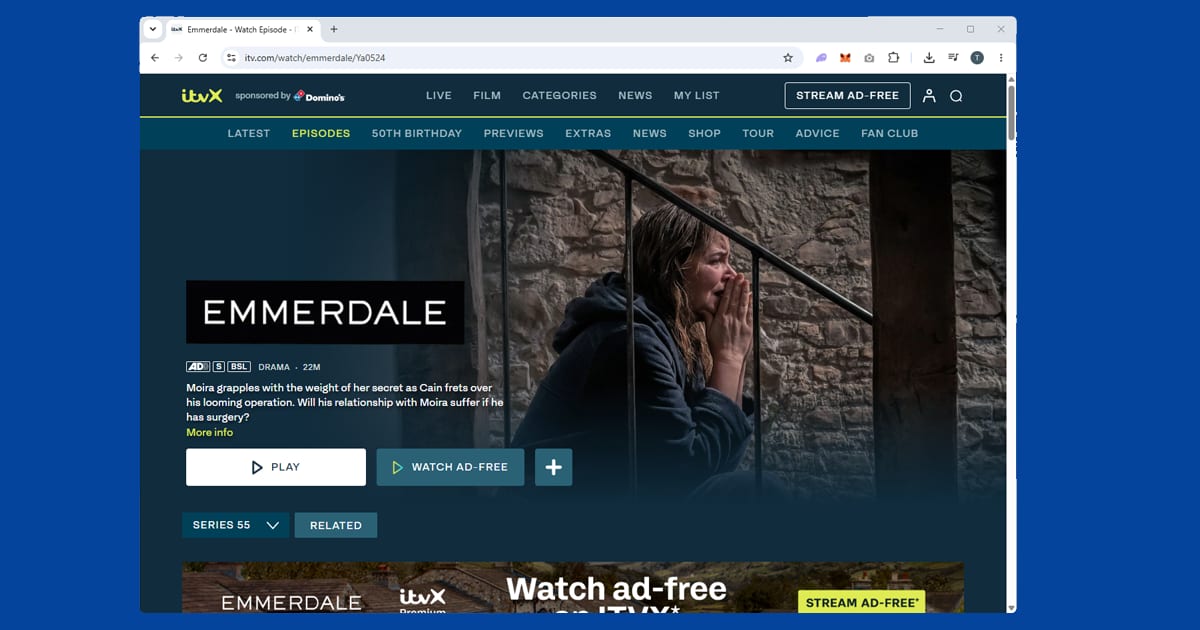
Emmerdale's slot changed at the start of 2026 too. Since January, it has aired as a 30-minute episode at 8pm every weeknight, followed by Coronation Street at 8.30pm. That replaced the old pattern, where Emmerdale went out at 7.30pm with a longer episode on Thursdays.
The better news for viewers abroad is that each episode still drops on ITVX at 7am UK time, well before it's shown on ITV1 that evening. Depending on where you live, that can turn it into a lunchtime or after-work watch rather than a late-night one. In Australia it's ready by the evening, and on the US east coast it's waiting for you when you wake up.
A five-nights-a-week soap builds momentum fast. Storylines that unfold slowly on screen get discussed and half-spoiled online within hours, so expats who fall a week or two behind often find themselves avoiding certain corners of social media until they've caught up. ITVX's on-demand library makes catching up easy: no live slot to hit, and no risk of losing an episode once it's aired.
A tip for the 7am drop: connect to a UK server before you open the ITVX app, and if you get a location error, switch to another UK server rather than waiting it out. If ITVX says you're outside the UK even with the VPN on, a DNS leak is almost always the cause, and turning on DNS leak protection fixes it.
Emmerdale isn't on BritBox or Netflix. BritBox carries archive content from various British broadcasters, but current episodes are only on ITVX.
Strictly Come Dancing
Strictly streams on BBC iPlayer, and it's different from most shows on this list because catch-up isn't really the point. The Saturday night live show is the whole event, and by Sunday morning the results are everywhere. Watching Strictly abroad means watching it live, or close to live, so your VPN needs to be working before the show starts, not while it's already on.
This year's series launched on Saturday 19 September 2026 on BBC One and iPlayer, and it looks different at the front of the ballroom. Tess Daly and Claudia Winkleman left after the 2025 series, and for the first time Strictly has three hosts: professional dancer Johannes Radebe, presenter Emma Willis and comedian Josh Widdicombe. The line-up includes Lacey Turner, Dani Dyer, Delta Goodrem and Dame Sarah Storey.
Here's something that catches people out every autumn. UK clocks go back on Sunday 25 October 2026, when British Summer Time ends. If you live somewhere that doesn't change its clocks, or changes them on a different date, the Saturday show will suddenly start an hour earlier or later for you. Plenty of expats have tuned in to find the first dance already over. A few habits help:
- Set your calendar reminder in UK time, not local time, so it moves with the clocks.
- Connect your VPN and open iPlayer at least 15 minutes before the show.
- Keep a backup UK server saved for the busy Saturday evening rush, when lots of other VPN users are trying to watch live BBC content too.
There's more to watch than the main show. Strictly usually airs a results show, often on Sunday evening, and it's exactly the kind of thing you don't want to hear about second-hand; check the iPlayer schedule for current timings. Strictly It Takes Two, the weeknight companion show, is on iPlayer each evening during the series with rehearsals, interviews and judge analysis. It uses the same setup, so if the Saturday show works but It Takes Two doesn't, a cached cookie is the likely culprit rather than a new block.
Strictly usually begins in late September with a launch show, with live shows running from October to a final in mid-December. In Australia or on the US west coast, the Saturday show lands in your night. Everything stays on iPlayer for 30 days, so the real risk is spoilers: watch before you open social media, or mute Strictly-related words until you've caught up.
Love Island
Love Island goes out on ITV2 and streams on ITVX, free with adverts and no TV licence needed. It isn't a show you can fall a week behind on: every recoupling and dramatic exit is discussed everywhere by the next morning, so an unreliable VPN means walking into spoilers.
Love Island isn't only a summer thing any more, and 2026 showed the pattern clearly. The third series of Love Island: All Stars ran on ITV2 from 15 January to 23 February 2026, won by Ciaran Davies and Samie Elishi. Then the main series came back on 1 June and ran for 48 days, ending on 27 July with Julia Majchrzak and Lorenzo Alessi as the winners. Episodes went out six nights a week, Sunday to Friday, at 9pm UK time.
So there are now two windows a year to plan around: a winter All Stars series and the big summer one. Both stream on ITVX, so the same setup works for either. Episodes go up on ITVX after the broadcast, and ITV sometimes puts them up before they air, so if you're ahead of the UK it's worth checking early. In Australia or on the US west coast, the 9pm broadcast falls in your night or morning; most people watch first thing and treat the morning as spoiler territory until they have.
Casa Amor is the stretch you really can't miss: a second villa full of new faces arrives partway through, and recouplings can undo weeks of storylines in one episode. There's also Aftersun, the studio spin-off that reviews the week with the islanders' friends and family, and Unseen Bits, the footage that didn't make the main edit. Both usually stream on ITVX too.
If you know you'll be abroad during a series, a little preparation saves a lot of stress:
- Test your VPN with ITVX a few days before launch night, using any show.
- Download the ITVX app on the device you'll actually watch on.
- Check your mobile data allowance. A single episode typically uses somewhere around 1 to 3GB depending on quality, and six nights a week for eight weeks adds up fast away from wi-fi.
International versions such as Love Island USA sit with their own broadcasters in their own countries, so you'd need a server in that country rather than a UK one to watch those.
Doctor Who
Doctor Who is the one show here where you might not need a VPN at all, but the picture has changed a lot. Since 2023, starting with the 60th anniversary specials and the Ncuti Gatwa era, new episodes were made in partnership with Disney+, which carried them in many countries outside the UK.
That partnership has ended. In October 2025, Disney+ confirmed it was leaving after two seasons, plus the spin-off The War Between the Land and the Sea. The BBC says the show is carrying on, but in June 2026 it cancelled the planned Christmas special, Russell T Davies stepped down, and the BBC is now looking for a new production partner. There's no return date yet.
What does that mean if you live abroad?
- For the partnership seasons and specials, check Disney+ first. Disney+ is keeping them in the countries where it carries the show, which has included the US, Canada, Australia, New Zealand and most of Europe. Availability varies, so the quickest check is to open Disney+ and search. If it's there, you don't need a VPN. If Disney+ itself is giving you trouble, our Disney+ VPN guide covers the common fixes.
- For the wider modern run, use BBC iPlayer. It's free with a BBC account and a TV licence, and it has a more complete modern library in one place, including some extras that don't appear on Disney+. Earlier modern series, from the 2005 revival through the Matt Smith, Capaldi and Whittaker years, vary by country on other services.
- For classic Doctor Who (1963 to 1989), look at BritBox UK, which you can reach with a UK VPN server. BritBox's catalogue differs from country to country, and if it isn't sold in your country in any form, a UK server won't get you a subscription you can't sign up for. In that case iPlayer's smaller classic selection is your best bet.
- For new episodes, whenever they come, iPlayer with a UK server is how you'll watch them, at least until a streaming service in your country picks them up. Disney+ won't be attached.
So when a return date is announced, sort your iPlayer setup straight away rather than on the night everyone else is trying too: test iPlayer a week or two ahead, save a backup UK server, and use the app rather than a browser where you can. And don't count on Netflix; Disney+ and iPlayer are the two places to check first.
Taskmaster
Taskmaster has moved channels, which makes finding the full archive a little confusing. It started on UKTV's Dave channel, where it ran for its first nine series, then moved to Channel 4 from Series 10 onwards. The full archive, including all the original Dave series, now lives on Channel 4's streaming service (channel4.com, previously branded All4), free with adverts and a Channel 4 account. There's no separate Taskmaster app; search for it inside the Channel 4 app or website.
One thing to know before you start searching: Series 1 to 5 also appear on BBC iPlayer, but in a different edited format called "Taskmaster: The Definitive Tapes" rather than the original full episodes. If you want every series uncut, Channel 4 is the right place.
Taskmaster is in the middle of a new run right now. Series 22 started on Channel 4 on 3 September 2026 and runs until early November, with Chloe Petts, Isy Suttie, Matt Lucas, Nina Conti and Richard Ayoade taking on Greg Davies and Alex Horne's tasks. New episodes go out on Thursday nights and land on Channel 4's streaming service alongside the rest of the archive. Earlier this year, Series 21 was won by Joanna Page.
If you live in North America, there's an easier route for new episodes. The official Taskmaster YouTube channel has been posting full episodes for viewers in the US and Canada, usually the day after they air in the UK, so you may not need a VPN at all for the current series. Some series have also appeared on Peacock in the US, though the selection is incomplete and changes over time. For the complete run from anywhere, Channel 4 with a UK server is still the most reliable option.
Channel 4's location checks are generally less aggressive than iPlayer's, and a plain UK server is usually enough. One binge-watching snag: if your VPN drops and reconnects mid-episode, it may land on a different server and Channel 4 can pause playback.
New to it? Series 1 is a perfectly good start: Frank Skinner, Romesh Ranganathan, Josh Widdicombe, Roisin Conaty and Tim Key. Many fans point to Series 5 (Nish Kumar, Mark Watson, Sally Phillips, Aisling Bea, Bob Mortimer) or Series 8 (Joe Thomas, Lou Sanders, Paul Sinha, Sian Gibson, Iain Stirling) as high points. If you miss other Dave favourites too, our UKTV Play guide covers that service.
I'm a Celebrity
I'm a Celebrity runs every night for roughly three weeks each November and has a way of taking over every conversation in the UK while it's on. It airs live on ITV1 at 9pm UK time most nights during the run and streams on ITVX, live and on catch-up, free with adverts and no TV licence needed. If you're abroad, falling behind means waking up to a morning full of spoilers: an eviction, a camp fallout or a surprise trial result is everywhere by 7am.
The 2026 series is due back on ITV in November, and reports suggest the launch show has moved to Monday 16 November to avoid clashing with England's Nations League match against Spain the night before. ITV usually confirms the exact date a few weeks ahead, so treat that as the likely start until the official announcement lands. The series usually finishes with the final in early December.
The weeks before launch are the best time to sort your setup, not launch night itself. Connect to a UK server and check that an older episode plays on ITVX, on the actual device you'll watch on, because a hotel TV, a laptop and a phone can each throw up different problems. Sign in while you're connected, so the app isn't relying on a session it remembers from home. Launch night and the final are ITVX's busiest moments, so if a UK server struggles, switch to another UK location rather than waiting it out.
The show is built around daily continuity: the same camp, shifting alliances and Bushtucker trials that decide who eats properly that day. Miss a run of episodes and you can lose track of who's still getting on with who.
ITV2 has carried a companion show that goes up on ITVX the same night, though exactly what airs alongside the main show changes from series to series. Check the ITVX homepage during the run; if there's companion content that year, it'll usually be sitting right next to the main episodes. If you're ahead of the UK, new episodes can appear earlier than you'd expect, so check ITVX in the morning. In Australia, the episode has often landed by breakfast.
ITVX also keeps a back catalogue of past series, though how many are available changes over time. If a particular year isn't there, it has probably been rotated out of the catalogue rather than being blocked by a VPN problem.
Which VPNs work best
All three services keep lists of VPN IP addresses and block them, so the VPN that works is the one with plenty of UK servers that it refreshes when they get flagged. That rules out free VPNs. They share a small pool of addresses among lots of users, those addresses get caught quickly, and many cap your data at a few gigabytes a month, which a nightly soap or a full Love Island series will eat through fast. A free VPN might work on a Tuesday afternoon and fail on Saturday night, right when Strictly starts. Our free VPN safety guide covers the wider risks.
These are the three we recommend:
- NordVPN is our top pick, especially for iPlayer. Its UK server pool is large enough that there's almost always a working server, switching to the next one takes seconds, and speeds are high enough for HD streaming.
- ExpressVPN is a close second. It refreshes its UK server IP addresses regularly, which means fewer blocked connections on ITVX and Channel 4, and it's a dependable backup if several servers on another service are blocked at once.
- PureVPN is our third pick. It has UK servers and a DNS leak protection setting you can switch on in its security options, which matters for ITVX and Channel 4 as much as for iPlayer.