FixYourVPN
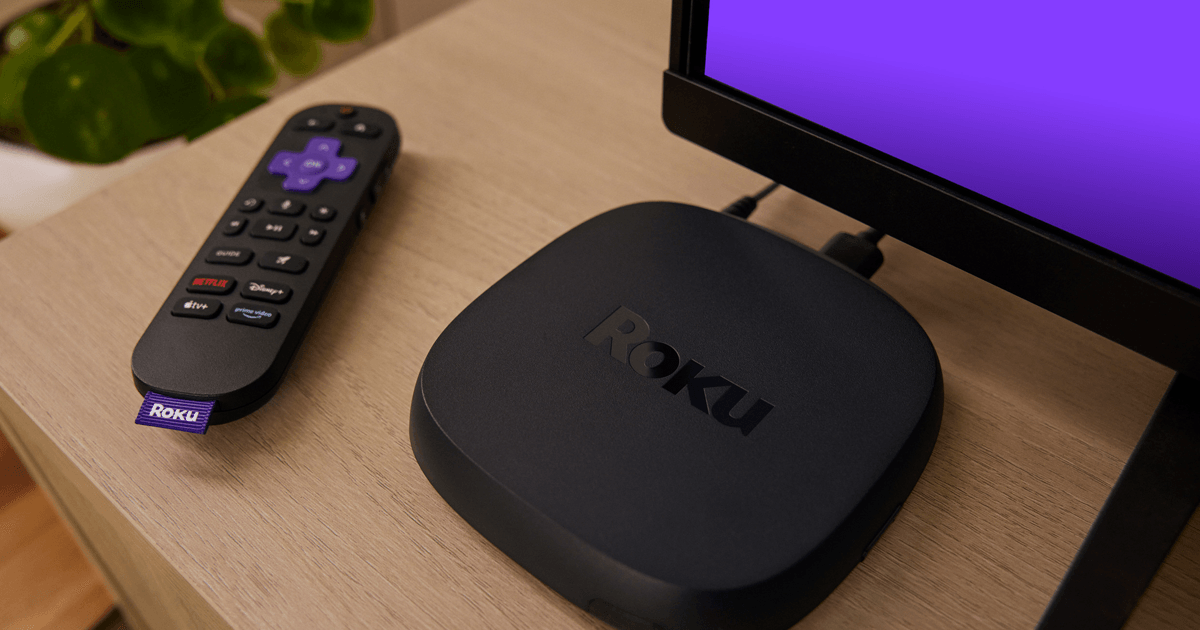
If you've been searching the Roku Channel Store for a VPN app and coming up empty, you're not doing anything wrong. Roku simply doesn't support VPN apps, on any model, and it never has. That's a deliberate design choice rather than a bug or an oversight, and once you know that, the fix is straightforward: you cover the Roku from somewhere else instead of trying to install anything on the device itself.
Why doesn't Roku support VPN apps?
Roku's operating system is a closed, tightly controlled platform built specifically for streaming, rather than a general-purpose system like Android that happens to run on a streaming device. Fire TV, by contrast, is built on Android and can run a much wider range of apps, VPNs included.
Roku's Channel Store is deliberately limited to the kind of content and playback channels it was designed for, and VPN apps have never been part of that. There's no sideloading option either, since Roku doesn't offer the kind of developer access that would allow it. This isn't likely to change, so the practical answer is to stop looking for a Roku VPN app and set the VPN up somewhere else on your network instead.
If you've seen a "VPN app for Roku" advertised somewhere, it's not a genuine Roku channel. It's either a Smart DNS service using the word loosely, or something that isn't what it claims to be. Treat any claim of a native Roku VPN app with real suspicion.
Why use a VPN with Roku in the first place?
Most people land on this because a specific streaming app is geo-blocked: BBC iPlayer refusing to load abroad, or wanting the US Netflix library from outside the US. That's the most common driver, but it isn't the only one.
A VPN also hides your streaming activity from your internet provider (your ISP, short for internet service provider), which otherwise has visibility into which services you're connecting to. A Roku is usually a single-purpose device sitting behind the TV, so the privacy angle here mostly comes down to whether you're comfortable with your ISP seeing a running log of what you stream and when.
Option 1: Set up the VPN on your router
This is the most complete fix, and the one we'd recommend if you have the choice. If your router supports VPN connections, every device on your home network, Roku included, automatically uses the VPN without any setup needed on the Roku itself. Your Roku just sees a regular internet connection; it has no idea a VPN is involved at all, which is exactly why this works when installing an app directly doesn't.
Not every router supports this out of the box. Many mid-range and higher-end routers do, and some VPN providers also sell pre-configured routers if you'd rather not set one up yourself. Check your router's own settings menu and your VPN provider's setup guide, since the exact steps vary quite a bit by router make and model.
The main downside is that a router-level VPN applies to every device on the network at once. If you want your Roku on a UK server while your laptop stays on your regular connection, you'll need a router that supports creating a separate VPN-only wi-fi network alongside your normal one, which better routers do support but budget ones often don't.
Option 2: Share a VPN connection as a wi-fi hotspot
If you don't have router access, perhaps you're renting, or on a network you don't control, connect a laptop to your VPN, turn on its wi-fi hotspot feature, and connect your Roku to that hotspot instead of the regular wi-fi. The Roku then uses whatever location and connection the laptop's VPN provides.
This works but it's a genuine trade-off: your laptop needs to stay switched on and connected the whole time you're using the Roku, and hotspot connections are generally slower and less stable than a proper router setup. It's a reasonable option for occasional use, less so if you want this running permanently.
Option 3: Smart DNS
Smart DNS is a different technology to a VPN, even though the two get lumped together a lot. Rather than encrypting your whole connection and routing it through a VPN server, Smart DNS only redirects the specific part of your connection that streaming services use to check your location. That makes it faster, since there's no encryption overhead, and it works directly on Roku without needing a router change or a hotspot, because you configure it in Roku's own network settings.
The trade-off is that Smart DNS doesn't encrypt your traffic or hide your IP address the way a full VPN does, so it's purely a location-spoofing tool rather than a privacy one. If your only goal is getting a UK or US streaming library working on your Roku and you're not bothered about the privacy side, it's a genuinely simpler option. Several VPN providers, NordVPN among them, include Smart DNS as part of a regular subscription at no extra cost, so check whether yours already offers it before signing up for a separate service.
To set it up: find your VPN provider's Smart DNS server addresses in their app or support pages, then on your Roku go to Settings > Network > Set Up Connection > [your network] and enter the DNS addresses manually where prompted.
Common Roku VPN problems
- Streaming app shows the wrong content library despite the router VPN being on: some streaming apps cache your location. Fully close and reopen the app on the Roku, or restart the Roku itself from Settings > System > Power > System restart.
- Roku won't connect to the internet at all after setting up a router VPN: double check the DNS or VPN settings on the router are correct; a misconfigured router-level VPN can block internet access for every device on the network, not just the Roku.
- Smart DNS isn't changing what content shows: confirm you entered the DNS addresses correctly on the Roku itself under Network settings, and that you restarted the streaming app afterwards. Smart DNS changes take effect on the next app launch, not instantly.
- Everything was working, then suddenly wasn't: streaming services regularly update which IP addresses and DNS servers they block. If a router VPN or Smart DNS setup stops working, check your VPN provider's support pages for current server or DNS address recommendations.
Which streaming services actually work well on Roku through a router VPN
Once your router or Smart DNS setup is in place, Roku behaves the same as any other device on that network as far as streaming apps are concerned, so the fix for any individual service is the same as the guide for that service generally. BBC iPlayer, Netflix, Disney+, and YouTube TV all have their own guides if a specific app is still giving you trouble once your network-level VPN or DNS is confirmed working.
Free VPNs and Roku
Since a VPN app can never run directly on Roku anyway, the question becomes whether a free VPN is good enough for the router or hotspot setup covering it. Generally not: free VPNs have small, heavily shared server pools that streaming services flag quickly, and the speed hit is often severe enough to make video streaming a poor experience even before detection becomes an issue.
There's also the wider concern that many free VPNs make money by logging and selling browsing data rather than charging for the service, covered fully in Are Free VPNs Safe?. A paid VPN, or a Smart DNS service from a reputable paid provider, is a much safer bet for something running permanently on your home network.