FixYourVPN
Sling TV, YouTube TV and Fubo all stop working the moment you leave the US, but if you already pay for one of them, a VPN connected to a US server gets you back in. Connect before you open the app, make sure DNS leak protection is switched on, and if you still see a location error, switch to a different US city. Signing up from abroad is harder, because all three want a US payment method, and that's something a VPN can't change.
The three services check your location in very similar ways, so the fixes are written once below as a numbered checklist. Each service then gets its own section with the error messages, plan changes and quirks that only apply to it.
Why US live TV services block you abroad
Live TV is one of the most tightly licensed things you can stream. Networks like Fox, NBC, ESPN and CBS license their channels territory by territory, and Sling TV, YouTube TV and Fubo only hold the US rights. When you travel or move abroad, those rules still apply to your account, and the services have no way of making an exception for individual subscribers.
The main check is your IP address, the number that identifies your internet connection and roughly where it is. Each service compares it against databases of US locations and known VPN addresses, which is why a single server can be blocked while your VPN is otherwise working fine. A VPN connected to a US server swaps your real IP for an American one.
Sling TV and Fubo go a step further and check your DNS requests too. DNS is the look-up your device makes to find a website, and if those requests leak out through your normal internet provider, they give away your real location even when your IP looks American. YouTube TV has its own wrinkle: it's tied to your Google account, and Google may have stored your location from an earlier visit without the VPN.
All of these have simple fixes. There's also one thing that sits outside the VPN entirely, and it catches out a lot of people, so it gets its own section next.
Home area, billing and payment checks
A VPN changes where you appear to be connecting from. It doesn't change your bank card, your billing address or the home area on your account, and US live TV services care about all three.
Signing up needs US payment. All three services want a US payment method before they'll start a subscription:
- Sling TV: a US credit or debit card, or a US PayPal account. Some people report success with US-issued prepaid Visa cards bought through services like MyUS, though we haven't been able to verify this ourselves.
- YouTube TV: a US credit or debit card, or a US Google Play balance. Google asks for a US payment method even when your IP looks American. Services like Wise issue US account numbers that some subscribers report using, though again we haven't been able to verify this ourselves.
- Fubo: a US billing address and a US payment method. A prepaid US virtual card is one option. Keep your VPN connected to a US server before and during sign-up.
Payment requirements can change, so check each sign-up page before you start.
Home area and local market checks. YouTube TV's terms require a US home area. If you stop using it from the US for an extended period, it may prompt you to update your home area, which needs a US location to confirm. Sling TV's regional sports networks run their own check to make sure you're in the right local market, not just in the US, so you may need a server in the specific city the network covers. Fubo's terms limit access to US residents.
What this means for you. If you're an existing subscriber travelling for a few weeks, the payment stage is already done and a US VPN server is all you need. If you're moving abroad for good, using any of these from overseas technically falls outside their terms, so long-term use is your own call. That said, there are no documented cases of Sling TV cancelling accounts for VPN use, and account action isn't something Fubo subscribers commonly report either. The usual outcome is simply a blocked stream.
Step-by-step: the fix for all three services
Work through these in order. Existing subscribers are usually watching again by step 3.
- Connect your VPN to a US server first. Do this before opening Sling TV, YouTube TV or Fubo, and wait for the connection to confirm. New York, Chicago and Los Angeles are good starting points. In NordVPN, search for United States and pick a city; in ExpressVPN, choose United States from the location list.
- Turn on DNS leak protection. In NordVPN it's under Settings > Connection; ExpressVPN handles it automatically when you connect. This matters most for Fubo and Sling TV, which check DNS as well as your IP. Our DNS leak guide shows you how to test it.
- Switch to a different US city if you see a location error. These services keep updated lists of known VPN IPs and can only block servers they've already spotted. Try a different city, such as Dallas, rather than another server in the same one. Two or three cities is usually enough. Our guide on how to switch VPN servers covers every major app.
- Check what the service can see. Visit our IP address checker with the VPN on. If it shows a US location and no sign of your real internet provider, your VPN is doing its job and the server is the problem. If it shows your real location or provider, reconnect and check again.
- Clear cookies and open a private window. If you've used the service before without a VPN, your browser may have stored a non-US location. Connect the VPN first, clear the service's cookies, then open a fresh private window. Our guide to clearing cache and cookies has the steps for every major browser.
- Try the app instead of the browser, or the other way round. The website and the app can give different results. Make sure your VPN is running as the full app on your device, not a browser extension: extensions only cover browser traffic and won't protect a streaming app.
- Change your VPN protocol. A protocol is the method your VPN uses to connect. WireGuard is the fastest modern option and the best for live TV. In NordVPN it's called NordLynx; in ExpressVPN, choose Lightway UDP. On hotel, office or university wi-fi that blocks VPNs, try OpenVPN TCP on port 443 in NordVPN or Lightway TCP in ExpressVPN, which blend in with ordinary web traffic. Our protocol guide and our guide to VPNs on public wi-fi have more detail.
- Switch on the kill switch. If your VPN drops and reconnects, even for a second, the service can catch your real IP and cut the stream. A kill switch pauses your internet instead, so your real location never shows through.
Watching on a TV or streaming stick
All three services have apps on most TV platforms. Whether you can run a VPN alongside them depends on the device.
- Fire TV, Android TV and Apple TV: install the VPN app directly. NordVPN and ExpressVPN both have Fire TV, Android TV and native Apple TV apps. Connect to a US server, then open your live TV app.
- Roku and Samsung, LG and Sony smart TVs: these don't support VPN apps. Set the VPN up on your router so every device on your home network gets a US IP automatically, or share a laptop's VPN connection as a wi-fi hotspot and connect the TV to that.
- A hotel TV or someone else's device: cast from your phone or laptop, where you can run the VPN app yourself.
Most VPN providers have router setup guides in their support section. Once it's running, the TV needs no extra setup.
Sling TV
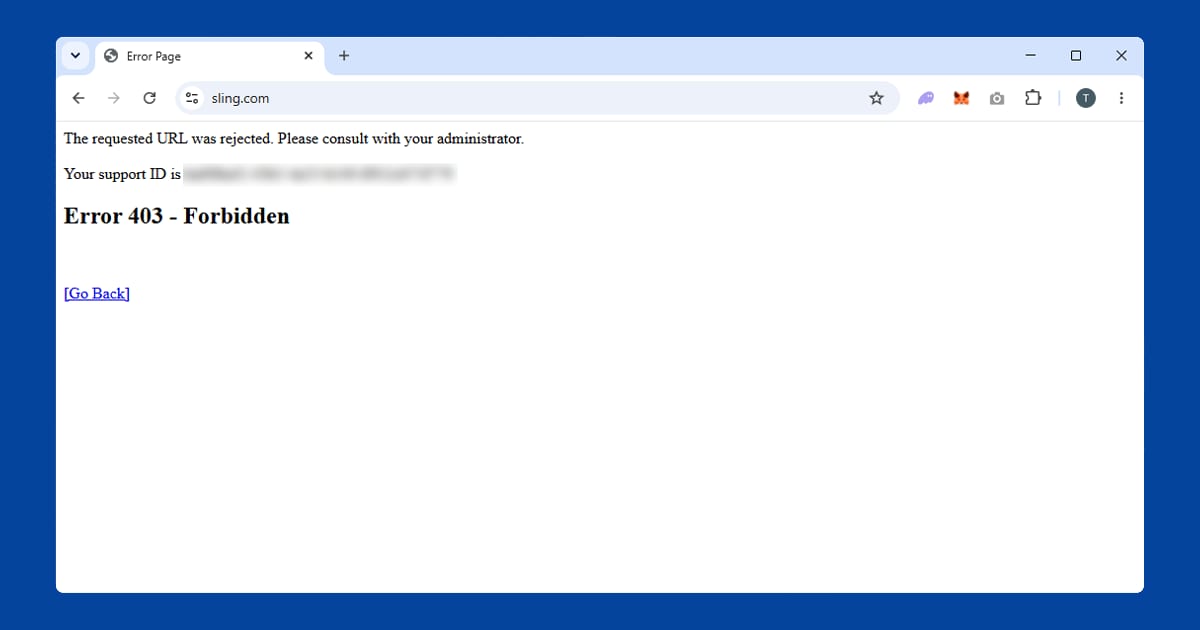
Sling TV is a US-only live TV service carrying channels including ESPN, CNN, Fox News and regional sports networks, all licensed strictly for US viewers. When it spots a non-US connection, you'll usually see "Sling TV is not available in your current location". In a browser you might get a 403 error instead, which means the request was blocked before the page had a chance to load. Either way, the fix is the checklist above, starting with a US server before you open Sling.
Day, weekend and week passes have ended. If you were planning to buy a Sling Day Pass to watch one game while abroad, that option has gone. In early October 2026, Sling stopped selling its 1-day, 3-day and 7-day passes, which gave access to channels such as ESPN for a fixed window without a monthly plan. Existing passes keep working until they run out, but you can't buy new ones. Sling hasn't given a reason, although the passes had faced legal challenges from Disney and Warner Bros. Discovery.
The cheapest route into Sling is now a regular monthly plan, which you can cancel when you no longer need it. Bear in mind it renews automatically, so if you only signed up for one event, set a reminder to cancel before the next bill. Signing up from outside the US still needs US payment, as covered above.
ESPN, sport and regional networks. ESPN is on certain Sling plans, and it doesn't need any separate VPN setup: the same US connection covers everything in your plan. If you want ESPN+ on its own rather than through Sling, our ESPN+ VPN guide covers it. Regional sports networks are the exception, because they check your local market; a server in the city the network covers is the thing to try.
Your recordings travel with you. Cloud DVR recordings are stored on Sling's servers rather than a local device, so they stay saved to your account wherever you are. Connect to a US server and they'll show up exactly as they did at home.
Devices. Sling TV runs on Fire TV Stick, Roku, Apple TV, Android TV, Chromecast and most smart TVs. In the US it also has an Xbox app, though console support can change, so check the Microsoft Store for current availability.
Free trials. Sling has offered free trials at various points, but availability and length change and may not apply the same way to accounts used through a VPN from abroad. Check the current sign-up page rather than assuming one's available.
Sling's detection is stricter than a lot of on-demand services because live TV licensing is tightly enforced, so free VPNs are among the first things it blocks. The good news is that Sling and YouTube TV check your location in much the same way: if your VPN works for one, it tends to work for the other.
YouTube TV
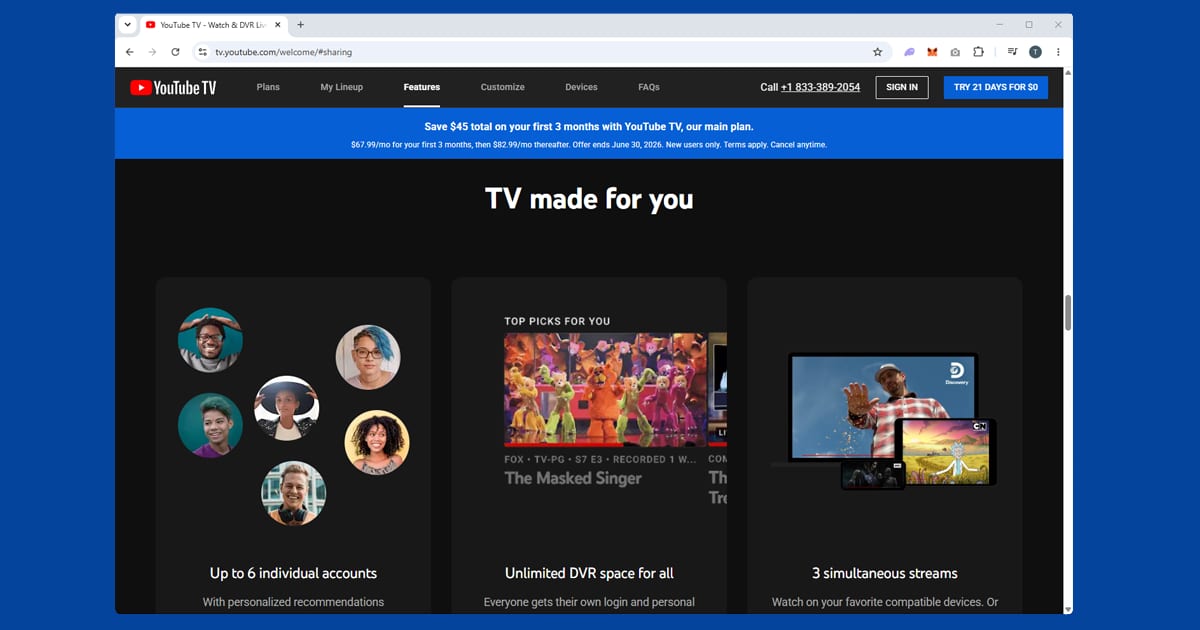
YouTube TV is a cable replacement with over 100 live channels: local broadcast networks (ABC, CBS, NBC, Fox, PBS), sport (ESPN, ESPN2, Fox Sports, NFL Network, NBA TV), news (CNN, MSNBC, Fox News) and entertainment (FX, Bravo, HGTV, TLC, Comedy Central). The base plan includes unlimited cloud DVR storage and up to six accounts per household, with no annual contract. For US expats and longer-term travellers, it's one of the main ways to keep up with live US sport, local news and primetime programming.
The Google account catch. Because YouTube TV is linked to your Google account, Google may remember your location from a session without the VPN. If you're blocked even though the IP checker shows a US address, clearing your YouTube cookies and starting in a private window (step 5) gives YouTube TV a clean read of your current connection. New York and Los Angeles servers tend to work well.
When the stream cuts out mid-show. If your VPN drops and reconnects automatically, YouTube TV can detect the change and stop your stream. Switching on the kill switch (step 8) before a long game or film stops your real IP leaking through while the VPN reconnects.
The cheaper genre plans. YouTube TV isn't just one big package any more. Since February 2026 it has offered cheaper genre-based plans alongside the main plan, which costs $82.99 a month. The headline options include a Sports plan at $64.99 a month (new customers pay $54.99 for the first year), an Entertainment plan at $54.99, a Sports + News plan at $71.99, and a News + Entertainment + Family plan at $69.99.
If you're heading abroad, have a quick look before you go. Someone who only watches sport while travelling might be paying for news and entertainment channels they won't use. You change plans in your YouTube TV account settings, and it's best done while you're still in the US, or connected to a US server, because your account is tied to your US home area. The new plans don't change how YouTube TV checks your location: every one of them needs a US connection.
Sharing with family back home. YouTube TV allows up to three simultaneous streams per subscription. If family members in the US use the account normally, you can watch on your VPN connection at the same time without affecting them.
YouTube TV isn't YouTube Premium. They're easy to mix up. YouTube Premium removes ads and adds background playback on the standard YouTube app, and it's available globally. YouTube TV is the separate, US-only live TV service. They're billed independently and cover completely different things.
Sport replays. Fox held the English-language US broadcast rights to the 2026 World Cup, and Fox is part of YouTube TV's standard line-up, so subscribers can reach the replays and highlights with a US connection like any other YouTube TV content. Our guide to watching World Cup 2026 replays abroad covers the UK coverage too.
Fubo
Fubo, which you'll still see called FuboTV in plenty of places, is built around live sport and is stricter than most streaming services. It checks your DNS requests as well as your IP address, which is why some VPNs fail even when they look connected. When it spots a non-US connection, you'll see "FuboTV isn't available in your location". You also need an active subscription with a US billing address: a VPN gets you past the location check, but it can't replace the account itself.
DNS is the step people miss. If your IP checks out as American but Fubo still blocks you, a DNS leak is the likely cause. Turn on DNS leak protection (step 2), then run our IP checker again: if your real internet provider still appears in the results, the leak isn't fixed yet. Our DNS leak guide walks through the rest.
Servers that used to work. Fubo updates its blocked IP list regularly, so a server that worked last month might not work today. Try two or three US cities, closing the Fubo app or browser before each switch. If several fail, contact your VPN provider's support team. The better providers track which servers are currently working with Fubo and can point you to one.
What's on Fubo. The line-up is mostly American sport, with some international competitions:
- NFL: live games via CBS, Fox, NBC, ESPN and NFL Network, plus NFL RedZone on higher tiers
- NBA: games on TNT, ESPN and NBA TV, depending on tier
- NHL and MLB: coverage via ESPN, TNT, Fox and FS1
- Football: select Premier League matches via USA Network, and some UEFA Champions League matches via CBS Sports
- Tennis, golf and motorsport: via ESPN, Golf Channel and FS1
Exact channels depend on your tier. Fubo offers several plans at different price points, all US-only.
Fubo and Hulu + Live TV: what the merger means. Fubo's ownership changed in late 2025, when it combined with Hulu + Live TV. Disney now owns about 70% of the combined business, and together they're one of the biggest pay TV providers in the US, with around 6.2 million subscribers across North America at the end of 2025.
The important bit for you is that they're still two separate services. Fubo keeps its own app and its own subscriptions, and Hulu + Live TV stays inside the Hulu app, so a Fubo login won't get you into Hulu + Live TV. Since February 2026, Fubo Sports Network has also been part of Hulu + Live TV's core plan, so some Fubo programming now turns up in both places. If you've got Hulu + Live TV rather than Fubo, our Hulu guide covers the Hulu app's own quirks.
Fubo and Peacock aren't identical, but both are more aggressive than most platforms and both check DNS as well as IP, so the fixes overlap a lot. More sports services are in our live sport hub.
Getting a smooth, buffer-free live stream
Live TV is less forgiving than on-demand video. There's no stash of downloaded content to fall back on when your connection dips, and you can't pause a live match and come back later. A few things make a real difference:
- Stick with WireGuard. It copes much better with the steady flow of live video than older protocols.
- Pick a US server close to you. From Europe, an east coast server such as New York or Washington DC will usually be faster than one in California.
- Choose a quieter server. If your VPN app shows server load, look for one under 50% busy. If it doesn't, the "recommended" option usually picks a quiet one for you.
- Free up your connection. Video calls, big downloads and cloud backups all share the same bandwidth as your VPN tunnel.
- Get closer to the router. On wi-fi, a stronger signal makes a bigger difference than people expect.
If buffering continues across several servers and protocols, the problem is more likely your internet connection abroad than the VPN.
Which VPN to use for US live TV
NordVPN and ExpressVPN are the two we'd start with. Both include DNS leak protection, which Fubo specifically checks for, and both rotate large US server pools to stay ahead of block lists. For Fubo's live sport, ExpressVPN has been our top pick because connection stability matters so much mid-match, while NordVPN gives you more US servers to cycle through when one gets blocked. PureVPN rounds out our top three.
Free VPNs practically never work with US live TV. They route everyone through a small, shared pool of IP addresses, and once one is identified, it stays blocked for everyone on that service. They're usually too slow or data-capped for live video too.
If you also watch free US services, our guide to Pluto TV, Tubi and Fandango with a VPN covers those, and the US streaming hub lists everything else.