FixYourVPN
If Starz, MGM+, AMC+, Lionsgate+, Bravo or Acorn TV has stopped playing because you've left home, your account almost certainly hasn't broken. Each of these services checks your IP address (the number that tells websites roughly where you're connecting from) before anything plays, and an address from the wrong country gets you a location error. Connect a VPN to a server in the right country before you open the app, and most of the time that's the whole fix.
The details are where these six differ. Some live inside Prime Video rather than their own app, one needs a US TV provider login on top of the location check, and one works in five countries rather than just the US. Below you'll find one set of fixes that works for all of them, a section on Prime Video Channels and bundles, then the quirks of each service in turn. For every other American service we cover, see our US streaming hub.
Why these services block you abroad
Streaming services buy the rights to show programmes one country at a time. Starz, MGM+, AMC+ and bravotv.com have cleared their libraries for the US, and Acorn TV for a short list of English-speaking countries. Checking your IP address is how they enforce that, and it happens every time the app or site loads, quite separately from whether your subscription is paid up.
None of them ban VPN providers by name. What they block is individual IP addresses, especially ones belonging to data centres, which is where most VPN servers live. As addresses get reported they're flagged, so a server that worked last month can stop with no warning. That's why switching to a different server, or a different city, is the fix you'll use most.
There's often a second layer too. If you watch through Prime Video, Apple TV or Hulu, that platform runs its own location check on top, and Prime Video also looks at which country your Amazon account belongs to. Your browser can let you down as well: a cookie saved from an earlier visit without the VPN can keep reporting your real location, and a DNS leak (when your device's web lookups skip the VPN and go through your normal broadband provider) can give you away even when your IP address looks right.
A quick word on the rules. All six services' terms, and Prime Video's, expect you to watch from your registered region, so using a VPN from elsewhere sits outside them. In practice, enforcement means a blocked stream on a flagged server rather than action against your account, and there's no widely reported pattern of accounts being closed over it. Using a VPN is legal in the UK, across the EU and in most other countries.
How to fix it: step by step
- Close the app completely, then connect your VPN first. The location check runs the moment the app or page loads, so opening it before the VPN can lock your real location in for that session. Connect, wait for the VPN to confirm, then open the service.
- Pick the right country. For Starz, MGM+, AMC+ and bravotv.com, that's the US. For Acorn TV and Lionsgate+, it's the country your subscription belongs to, which their own sections below explain.
- Check what the service can see. Open our IP and DNS checker with the VPN running. If it shows your real country, or the DNS server location doesn't match your VPN country, sort that out before trying anything else.
- Use a private window, or clear your cookies. A private or incognito window starts clean. If you've used the site before without a VPN, clear its cookies as well; our cookie-clearing guide has the steps for every browser.
- Switch server, then switch city. In the US, New York, Los Angeles and Chicago are good starting points, with Dallas and Seattle in reserve. Close the app or tab fully between attempts and try two or three before deciding something's properly wrong. Our guide on how to switch VPN servers shows where the option lives in each app.
- Turn on DNS leak protection. It's usually a single toggle in your VPN's settings. Our DNS leak guide covers each major provider.
- Try a different protocol. The protocol is the method your VPN uses to build its connection. In NordVPN, WireGuard appears as NordLynx; in ExpressVPN, try Lightway. Both are quick and help with buffering too. On hotel wi-fi that blocks VPNs, OpenVPN TCP on port 443 in NordVPN or Lightway TCP in ExpressVPN usually gets through. See our protocol guide and our guide to VPNs on hotel wi-fi.
- Use the app, with a full VPN app behind it. Browsers have a feature called WebRTC, built for video calls, that can sometimes reveal your real IP address. Streaming apps don't have that problem. Just make sure the VPN is installed as a proper app rather than a browser extension, since extensions only cover browser traffic.
On TVs, NordVPN and ExpressVPN both have apps for Fire TV, Apple TV and Android TV, so install the VPN there and connect before opening the streaming app. Roku, most Samsung, LG and Sony TVs, PlayStation and Xbox can't run VPN apps, so either set the VPN up on your router, which covers every device at home, or share the connection from a laptop running the VPN as a wi-fi hotspot. Our Fire Stick and Roku guides go into more detail. If you're watching anything live, switch on your VPN's kill switch so a dropped connection can't reveal your real location mid-stream.
Prime Video Channels and bundles versus going direct
Plenty of people never open the Starz, MGM+ or AMC+ apps at all. All three are sold as add-on channels through Amazon Prime Video, and Starz is also sold through Apple TV and Hulu. Acorn TV is available through Prime Video Channels and Apple TV Channels, and Lionsgate+ now lives almost entirely inside Prime Video. How you subscribe changes what you're actually fixing.
The biggest recent change is a bundle. Since 15 September 2026, Prime Video in the US has sold Starz, AMC+, MGM+, BritBox and PBS Masterpiece together for $29.99 a month, about 39% less than paying for all five separately. Amazon owns MGM+, but it's still a paid add-on rather than part of Prime itself.
If you watch through a channel or the bundle, keep these in mind:
- The location check comes from the platform. Connect to a US server, then open Prime Video (or Apple TV, or Hulu), not the other way round.
- Sign in to the right account. Add-on channels belong to the country they were bought in, so a US channel won't appear if you're signed in to a UK Prime account. On a TV or Fire Stick, that means using the same US account rather than a family member's local one.
- One blocked service doesn't mean a broken bundle. If Starz plays and AMC+ won't, it's usually a single flagged server rather than your subscription. Switch servers and try again.
- Prime Video's own errors need Prime Video fixes. Our Amazon Prime Video VPN guide covers those in depth.
Going direct gives you each service's own app, which can be simpler to troubleshoot, but signing up is where it gets awkward from abroad. Starz requires a US payment method at checkout, so new Starz accounts need setting up while you're in the US. MGM+ and AMC+ usually accept an international credit card once you're connected to a US server. For Acorn TV, paying through Amazon or Apple sidesteps the problem, because you're billed through an account you already hold. Whichever route you pick, a VPN doesn't change what you pay; you're billed as normal wherever you happen to be.
Starz
Starz started out as a premium cable channel and built a streaming service around its originals. The big draw is the Power universe: Power itself, then Power Book II: Ghost, Power Book III: Raising Kanan and Power Book IV: Force. Outlander is the other long-runner, alongside its prequel Outlander: Blood of My Blood, which premiered in 2025. P-Valley and Heels, a film library and licensed shows from other studios round it out.
In June 2026 the standard monthly price went up to $11.99. If you're travelling, that charge still lands on your US payment method as normal.
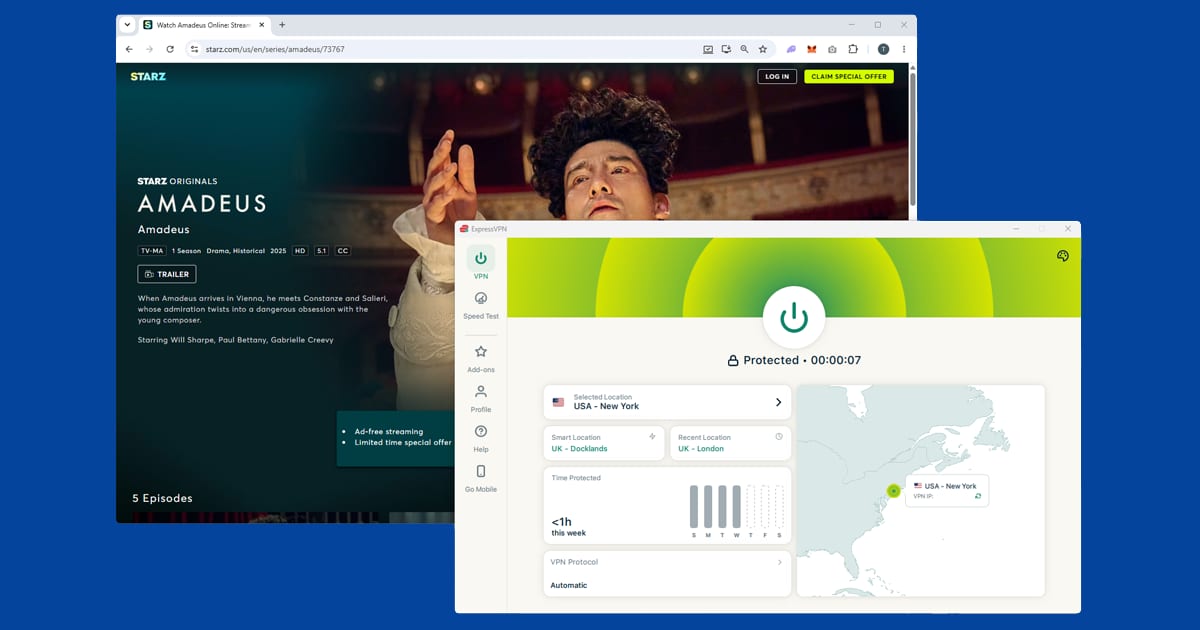
Outside the US, Starz shows "This content is not available in your region", or sometimes just a blank screen. Starz blocks specific IP addresses rather than VPNs wholesale, so if one US server fails, a server in a different city usually gets you in. In NordVPN, SmartPlay is built into every connection, so there's nothing to switch on: close the Starz app or browser and connect to a server in another US city.
The Starz app is on iOS, Android, Fire TV, Apple TV, Roku and most smart TVs. If you watch through Amazon, Apple TV or Hulu instead, connect to the US before you open that platform, not just before you click into the Starz content. Each runs its own check on top of Starz's, but a US server normally clears them all in one go.
Abroad, Starz itself isn't the whole story. In the UK, Starz content is sold as a Prime Video channel add-on, but it's a trimmed version of the US catalogue and some originals aren't included. In several other markets, some Starz content goes out through Lionsgate+, which is a separate product covered below. If you're a US subscriber travelling, a US server gets you back into the full library you're paying for rather than the local version. If you're UK-based without a US subscription, the Amazon UK Starz channel is the native option, no VPN needed.
Starz is also the first stop for Lionsgate's new 2026 cinema releases in the US before they move on to Prime Video, which the Lionsgate+ section explains.
MGM+
MGM+, formerly Epix, is a US-only premium service built around the MGM film library. That means the James Bond films, Rocky and Creed, the Pink Panther films, classic MGM musicals and decades of other Hollywood titles. Amazon bought MGM in 2022, which has helped the service grow its library and make more originals. The flagship series are From, a horror mystery with a big cult following, and Billy the Kid, with the 1970s Miami drama Hotel Cocaine a more recent addition. It's a mix you won't find on the bigger streamers like Netflix.
You can take MGM+ as a standalone subscription at mgmplus.com or as a Prime Video channel, including inside the bundle above. Check mgmplus.com for current pricing, as it changes from time to time.
MGM+ blocks at the IP level, so individual server addresses get flagged over time. If New York isn't working, Chicago or Dallas usually will. The private window step matters more than people expect here: a cached location cookie from a visit without the VPN can override a perfectly good US connection and keep showing the location error.
Signing up from abroad does work. With a US server connected, sign up at mgmplus.com as normal. An international credit card usually goes through fine; if yours doesn't, a US PayPal account or a US App Store or Google Play gift card (for in-app purchases) are other options. If you already have an account, just connect and log in, since your subscription stays active wherever you are.
The MGM+ app is on iOS, Android, Apple TV, Fire TV, Roku and Samsung smart TVs. If the app isn't in your local App Store or Google Play because of your region, mgmplus.com in a mobile browser is a reliable stand-in.
MGM+ and AMC+ get mentioned in the same breath a lot. Both are US-only, both come direct or through Prime Video, and both unblock exactly the same way, so choosing between them is purely about what you want to watch: the Bond and Rocky catalogue here, or AMC's prestige dramas and Shudder's horror next door. If you're mostly here for the films, a fast server matters too, because a slow VPN connection is the most common cause of buffering once you're past the location check.
AMC+
AMC+ is more than the AMC channel. Depending on your plan, it can include Shudder (horror and thriller, with its own originals), Sundance Now (indie and international drama) and IFC Films Unlimited (independent cinema). They all live inside the AMC+ app and website under one login, and each can also be bought on its own if you only want one.
The originals are the main reason most people subscribe: the Walking Dead universe, Better Call Saul, Interview with the Vampire, Anne Rice's Mayfair Witches and The Terror. Shudder has a loyal following among horror fans, and Creepshow is a good sampler of its tone.
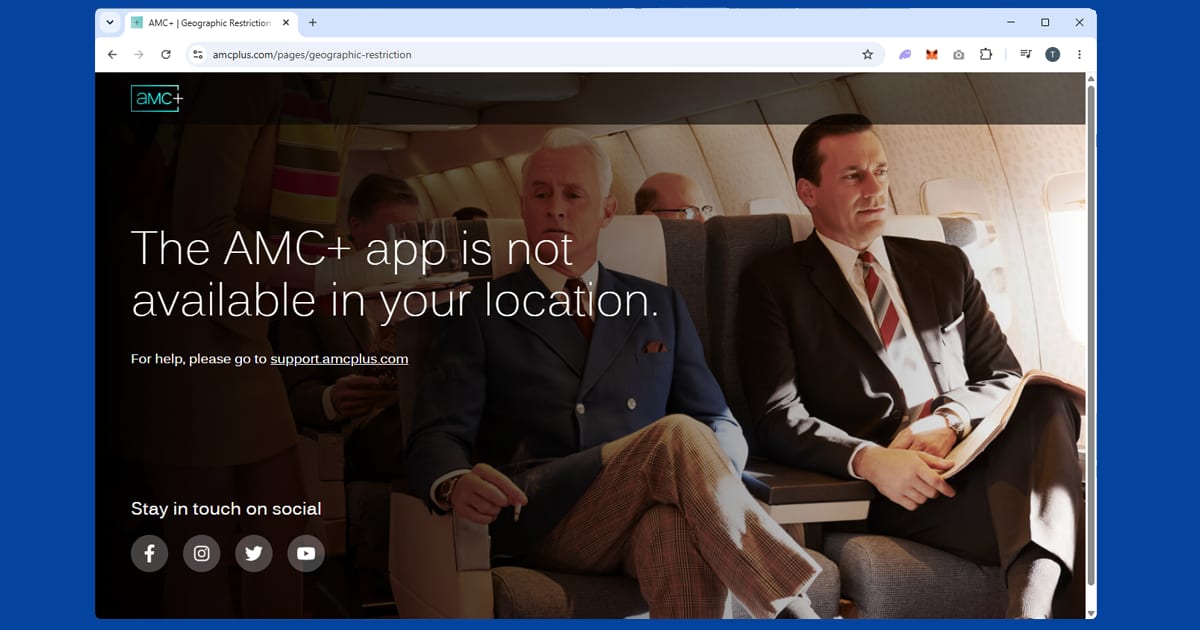
AMC+ is currently US-only, so a non-US IP address brings up the error above even on an active account. It blocks data-centre IP addresses rather than VPN providers as a whole, and different cities use different addresses, so if the coast cities fail, try Chicago, Dallas or Seattle.
There's a cheaper monthly plan with ads, an ad-free monthly plan and an ad-free annual plan, so compare them before you pay. AMC+ has changed its prices more than once, and changes don't always reach new members and existing subscribers on the same day, so check your account for the rate you're actually paying. To sign up from abroad, connect to a US server and use amcplus.com; an international credit card usually goes through without any trouble. If the standalone price feels steep, AMC+ is part of the Prime Video bundle described above.
Whichever route you use, Shudder and Sundance Now come along for the ride, so the same US server works for them too. There's no separate location check to deal with. Shudder's newer films are higher quality and buffer badly on a slow connection, though, so a fast protocol pays off here.
The AMC+ app is on iOS, Android, Apple TV, Roku, Fire TV and Chromecast. If it isn't in your local app store, amcplus.com in a mobile browser works just as well. AMC Networks also owns Acorn TV, which has its own section below.
Lionsgate+
A lot of online advice about Lionsgate+ is out of date, because it's changed more in a few years than most services do in a decade. It started as STARZPLAY, rebranded in 2022, then pulled its standalone app from most of Europe and Latin America, shutting the UK app entirely in February 2024. Today it runs mainly as a Prime Video Channel add-on, priced around $6.99 a month with a seven-day free trial (check Amazon for the current figure).
That has one big consequence: when Lionsgate+ blocks you, you're really up against Prime Video's location checks, and our Prime Video VPN guide covers that system in depth. You'll also need both a Prime Video or Amazon Prime membership and the Lionsgate+ add-on, because channels aren't included automatically.
Lionsgate+ isn't Starz. The two share some originals, like Power and Outlander, but they're different products with different regional availability. In the UK specifically, Outlander and Power moved to Amazon's separate MGM+ channel when the Lionsgate+ app shut, so don't assume everything associated with the brand is still in the channel everywhere. Catalogues vary by country anyway, since licensing is negotiated market by market. Alongside the originals sits a large catalogue of Lionsgate films, from new releases to older titles.
The list of countries offering the channel shifts, so search for it inside Prime Video before building a VPN setup around it. Connect to a server in a country where it's listed, ideally the one your Amazon account and payment details belong to, because Prime Video checks your account region as well as your connection. Connect somewhere it isn't sold and it simply won't show up in search. An empty Lionsgate+ search with the VPN on is often just a flagged server, so try two or three in the same country.
If you'd rather send only Prime Video through the VPN, split tunnelling does that. In NordVPN on Windows or Android, it's under Settings > Split Tunneling; in ExpressVPN, it's Preferences > General > Split tunneling. Most providers don't offer it on iPhone, so run the full VPN there.
Americans abroad have a different route to Lionsgate's films. Under a multi-year deal, new Lionsgate cinema releases from the 2026 slate go to Starz first, then to Prime Video for an exclusive streaming window, including The Hunger Games: Sunrise on the Reaping and the third Now You See Me film. With a US Prime Video account, a US server keeps those playing while you travel, no add-on channel needed. Connecting a non-US Prime Video account to a US server won't hand you the US library, though, because Prime Video ties what you can watch to your account's home country.
Bravo
Most people asking how to watch Bravo in the UK don't need a VPN at all. Bravo is the US cable channel behind Real Housewives, Vanderpump Rules, Below Deck and Top Chef. Hayu is NBCUniversal's own international streaming service, built to carry those same shows outside the US, and it works in the UK with no workaround. It has the full Real Housewives franchise, Below Deck, Vanderpump Rules, Million Dollar Listing, Top Chef and more, plus E! shows like Total Bellas and Botched. Our Hayu guide covers taking it on holiday.
A lot of Bravo problems are really a Hayu problem in disguise. It's easy to assume your VPN is broken when Hayu already has the season you're after. Check there first, every time, before you touch a VPN at all.

bravotv.com itself only matters for a few things. Bravo often posts new episodes there the same day they air in the US, which can beat Hayu's upload schedule, and the site carries extras, bonus scenes and Watch What Happens Live, the nightly after-show that Hayu doesn't typically carry. Outside the US, the site shows something like "this content is not available in your location", or sends you to a generic NBCUniversal error page.
Here's the catch a VPN can't solve. Most full episodes on bravotv.com sit behind a TV provider login: you sign in with details from a US cable, satellite or live TV streaming service to prove you already pay for a package that includes Bravo. YouTube TV, Fubo, Hulu + Live TV and DirecTV Stream are generally accepted, though the list shifts, so check bravotv.com's own provider list before subscribing to anything for it. A US server shows you the US site; it doesn't give you a cable subscription, and without one you're limited to clips and highlights. Our guide to watching US live TV abroad covers getting those live TV services working overseas.
Without a TV provider, Peacock is the easiest way to full Bravo episodes, as NBCUniversal puts a good chunk of the library there for the price of a Peacock subscription. Our Peacock VPN guide covers the setup, including the US payment method it needs.
In case you've seen the headlines: NBCUniversal's split of its cable channels completed on 2 January 2026, when USA Network, E!, Syfy and Oxygen moved to a new company called Versant. Bravo wasn't part of it. NBCUniversal kept it, largely because its shows are such a draw on Peacock, so nothing has been reshuffled and you won't need to unblock some new service.
bravotv.com doesn't have its own Fire TV or Apple TV app, so on a TV you'll usually cast the browser tab from a phone or laptop that's running the VPN. For Watch What Happens Live, keep the kill switch on, and from the UK pick a US East Coast server, since it's the shortest hop.
Acorn TV
Acorn TV specialises in British, Irish, Australian and Canadian mystery and drama. Its originals include Harry Wild, Whitstable Pearl, The Chelsea Detective, London Kills and Queens of Mystery, alongside licensed favourites such as Doc Martin, Agatha Raisin and Foyle's War. It's owned by AMC Networks, in the same stable as AMC+, Shudder and Sundance Now, but sold as its own subscription, and it has generally stayed ad-free.
Unlike the others here, Acorn TV isn't US-only. It runs mainly in the US, Canada, the UK, Australia and New Zealand, though it's expanded before, so check acorn.tv if your country isn't on that list. Outside those countries it blocks you outright, usually with something like "this service is not available in your region", without mentioning VPNs at all.
The trickier case is travelling between two supported countries. Your account keeps working, but shows are licensed country by country, so something in the UK library can be missing from the US one, and the other way round. Connecting to the country whose catalogue you want sorts that out. NordVPN and ExpressVPN both keep servers in all five countries.
The most important rule is to match your server to how you subscribed. Your subscription belongs to the country it was bought in, so if you signed up through a US Amazon account, a US server is the one that'll work, even if acorn.tv is available where you're staying. Stick to that country every time rather than hopping between them, as switching back and forth is one of the quickest ways to trigger a fresh location check.
The price depends on the route too, and it can differ through a TV provider like DirecTV, so compare the direct price at acorn.tv with Prime Video Channels and Apple TV Channels before paying. Signing up direct needs a payment method acorn.tv accepts for that country's pricing, and registration, free trial included, is geo-restricted in the same way as the streaming. Amazon or Apple billing is the easier route from abroad.
The app is on iOS, Android, Apple TV, Fire TV, Roku and Chromecast. If Acorn TV hasn't got the show you want, BritBox covers the BBC and ITV archive that Acorn TV doesn't touch. BritBox UK is a joint venture between those two broadcasters, so there's less overlap than the branding suggests.
Which VPN to use
Server count matters more than you'd expect with these services. They block individual addresses as they're reported, so a VPN with only a handful of US servers runs out of working options fast. NordVPN is our first pick: it has a large US server network spread across many cities, plus SmartPlay for streaming. ExpressVPN is a close second, with the quick Lightway protocol and a wide US spread of its own. PureVPN is a sensible third option to compare if neither suits you.
Free VPNs are a poor fit. Their small pools of shared addresses get flagged quickly, most cap monthly data at a level a couple of films will use up, and the speed often isn't there for anything above standard definition. Some also cover their costs by logging or selling your data, which our guide Are Free VPNs Safe? explains. If you're mainly after free US channels rather than paid ones, our guide to free US streaming services covers those.