FixYourVPN

Pluto TV, Tubi and Fandango (the service most people still know as Vudu) all check where you are, even though two of them cost nothing to watch. Connect your VPN to a US server before you open them, then load the site in a private window so old cookies can't give away your real location. If you still see a location error, the server you're on has been flagged, and switching to a different US city usually sorts it on the first or second try.
All three are covered here in one place. The fixes are almost identical, so they're written once as a numbered checklist, and each service then gets its own section with the error messages, quirks and recent changes that only apply to it.
Why free services still check where you are
It's easy to assume a free service wouldn't care where you're watching from. Nobody's paying, after all. But "free" really means you pay with your attention instead of your card, and that's exactly why your location matters.
Pluto TV and Tubi make their money from adverts. Advertisers pay to reach viewers in specific countries, so a US advert shown to someone sitting in Manchester or Melbourne isn't what the advertiser bought. The service has a genuine financial reason to know where its audience actually is.
Then there's licensing. Film and TV rights are sold country by country, and even free platforms have to honour those territory-by-territory deals with the studios. A film Tubi can show in the US might belong to a completely different company in the UK. Fandango adds another layer: it's mainly a shop where you rent and buy, and the whole platform is US-only.
So how do they check? Mostly through your IP address, the number that identifies your internet connection and roughly where it is. They compare it against databases of known VPN and data centre addresses, which is why one server can be blocked while your VPN is otherwise fine. They also pick up clues a VPN can't always hide by itself: cookies saved from an earlier visit, DNS requests (the look-ups your device makes to find websites) that slip outside the VPN, and a browser feature called WebRTC that can reveal your real IP.
The good news? Each of those has a simple fix, and they're the same fixes for all three services.
Step-by-step: the fix for all three services
Work through these in order. The most common fixes come first.
- Connect your VPN to a US server first. Do this before you open Pluto TV, Tubi or Fandango. If the service loads first, it reads your real location, and that result can stick for the rest of the session. New York, Chicago and Los Angeles are good starting points. In NordVPN, search for United States and pick a city; in ExpressVPN, choose United States from the location list.
- Open a private or incognito window. Private windows start with no cookies or stored data, so the service only sees your current US connection. This is the most common fix of all for being shown the wrong version. If it works, clear that service's cookies in your normal browser for a permanent fix: our guide to clearing cache and cookies has the steps for Chrome, Firefox, Safari and Edge. Connect the VPN first, then clear the cookies, then reopen the site. The order matters.
- Switch to a different US city. These services block individual server IPs, not VPNs in general. If one city fails, try a different one, such as Dallas, Seattle or Atlanta, rather than another server in the same city. Close the tab or app fully between attempts so the location check runs fresh. Our guide on how to switch VPN servers covers every major app.
- Check what the service actually sees. Visit our IP address checker with the VPN on. If it shows a US location, your VPN is working and the server is the problem, so go back to step 3. If it shows your real location, the VPN isn't routing properly on that server: reconnect and check again.
- Turn on DNS leak protection. If your DNS requests leak out through your normal internet provider, they can give away your real location even when your IP looks American. Look for DNS Leak Protection in your VPN app's settings, and see our DNS leak guide if you're not sure how to test it.
- Try the app instead of the browser, or the other way round. Browsers can leak your real IP through WebRTC; apps generally don't. Make sure the VPN is running as the full app on your device, not as a browser extension: extensions only cover traffic inside the browser, so a streaming app won't go through them.
- Change your VPN protocol. A protocol is simply the method your VPN uses to connect. WireGuard tends to work best for streaming. In NordVPN it's called NordLynx (Settings > VPN protocol); in ExpressVPN, pick Lightway UDP (Settings > Protocol). Reconnect and try again. Our VPN protocol guide covers the other apps.
- Switch on the kill switch. If your VPN drops for a second and reconnects, the service can catch your real IP in that gap. A kill switch pauses your internet instead of letting unprotected traffic through. Turn it on before a longer film or viewing session.
Watching on a TV, streaming stick or console
All three services have apps on most TV platforms. The real question is whether your device can run a VPN app as well.
- Fire TV and Fire TV Stick: the easiest option. NordVPN and ExpressVPN both have Fire TV apps in the Amazon app store. Install one, connect to a US server, then open the streaming app.
- Apple TV, Android TV and Google TV: NordVPN and ExpressVPN both have native apps for these too, so it's the same routine.
- Roku, Samsung (Tizen), LG (webOS) and Sony TVs, PlayStation and Xbox: none of these let you install a VPN app. Set the VPN up on your router instead, so every device on your home network gets a US connection automatically, or share a laptop's VPN connection as a wi-fi hotspot and join the TV to that.
- A device you don't control: casting from a phone or laptop that's already running the VPN is a fine one-off fix if you'd rather not touch the router.
Most VPN providers have a router setup guide in their help centre. Once it's done, there's nothing extra to set up on the TV itself.
Pluto TV
Pluto TV is a free, ad-supported service owned by Paramount. You don't need an account or a subscription: just open it and watch. It runs hundreds of live channels you tune into mid-programme, like old-fashioned TV, alongside a large on-demand library. Think of it as Paramount's free tier; Paramount+ is the paid service.
Here's the twist for UK viewers: you can already watch Pluto TV at pluto.tv without a VPN. The UK version has 150+ channels, including Sky News, British comedy and genre film channels. People use a VPN to reach the much bigger US version, which carries over 250 live channels:
- Live news: CNN Headlines, MSNBC, NBC News Now, Bloomberg Television
- Entertainment: MTV, Comedy Central, BET and Paramount Network channels
- Sport: NFL Channel (highlights and archive), Fox Sports, Stadium (college sport and highlights), NASCAR
- Film and classic TV: dozens of 24-hour genre movie channels, plus full series back-to-back, from CSI to Star Trek
- Kids: Nickelodeon-branded channels and animation
If the UK library is enough for you, there's no need for a VPN at all.
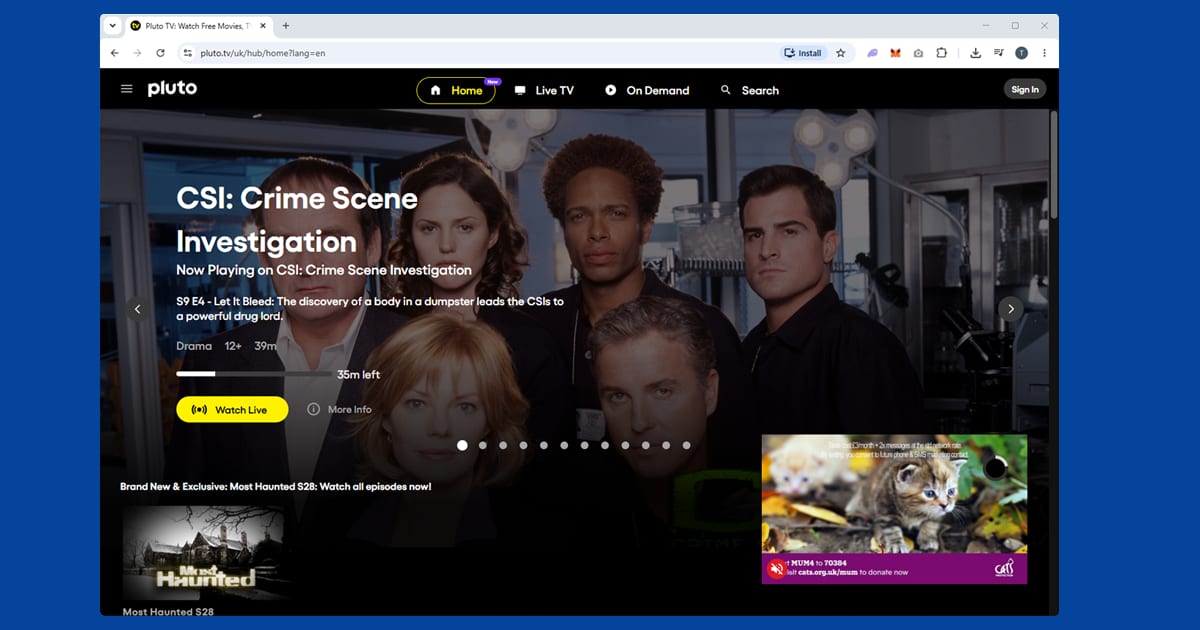
Why Pluto keeps showing you the UK version. This is the classic Pluto TV problem, and it's almost never the VPN. Your browser saved your location in a cookie during a visit before the VPN was on, and Pluto reads that instead of your new US IP. A private window (step 2) fixes it in one go. For a permanent fix, connect the VPN, then search your browser's site data for "pluto" and remove it. A free Pluto account (just an email address) is optional, but it saves your watchlist and channel preferences across devices.
The September 2026 redesign. If Pluto TV looks different lately, it's not your VPN. In September 2026 Pluto launched a redesigned platform built on the same technology as Paramount+, which it called its biggest technology investment since it started. The home screen now has separate Movies and Shows hubs and personalised rows, and the channel guide lets you favourite channels and see what's coming up. Pluto says monthly on-demand viewing grew 70% in 2026, and on-demand is where the gap between the US and UK versions is most obvious.
Big updates like this can trip up VPN users, because a new app version can reset settings or hang on to old data. If Pluto suddenly switches you to the UK version after updating, close the app completely, clear its data or reinstall it, connect to a US server, then open it again. Favourite channels while you're on a US connection so they're waiting for you next time.
Apps and other regions. Pluto TV has apps for iPhone, Android, Fire TV Stick, Apple TV, Roku and most smart TV platforms. If the app doesn't appear in your App Store, switch your store region to the US: on iPhone, go to Settings > your name > Media & Purchases > View Account > Country/Region and select United States. Pluto also runs separate versions in Germany, Spain, France, Austria, Switzerland and Italy, each with its own library. Fancy one of those instead? Connect to a server in that country and use the same private window trick.
Tubi
Tubi is a free streaming service owned by Fox Corporation. There's no subscription and no credit card, although you'll need a free account to watch, which only takes a minute to set up. The library runs to tens of thousands of titles and leans heavily toward films: 80s and 90s action, B-movie horror, classic westerns, foreign-language cinema and cult titles that have fallen through the gaps on bigger platforms. It's also stronger on full TV box sets than most people expect. Don't expect last year's big releases, and do expect ad breaks, the same as a commercial TV channel.
What you'll see when it's blocked. The usual message is "This video is not available in your location" or "Sorry, this content isn't available in your region." A "Proxy Detected" message means Tubi has identified the exact server IP you're on as a known proxy address. Sometimes the homepage loads perfectly but nothing plays when you press the button; that's a separate location check firing at playback. Whatever the wording, the server is flagged, so go straight to step 3 and try a different US city. In NordVPN, close the app or browser before you switch, then pick a server in a new city. In ExpressVPN, changing city is the quickest way to get a fresh IP, because it automatically picks the fastest server in whichever city you select.
Tubi now has its own UK service. If you're in the UK, you might not need a VPN at all. Tubi launched a proper UK version in July 2024, and by February 2026 it said its UK catalogue had grown to nearly 75,000 movies and TV episodes. It's free with ads, just like the US version, and it's built into Virgin Media TV as well as a growing number of smart TVs.
The catch is that the UK and US libraries aren't the same, because the rights are sold country by country. Search the UK app first. If what you want is there, watch it with the VPN off; you'll get a smoother picture and no location errors to deal with. If it's only on the US side, connect to a US server and work through the steps above. Hopping between the two? Clear your cookies or close the app fully after switching, or Tubi can hang on to your old location and get confused about which library to show you.
Tubi also runs in Canada, Australia, Mexico and a handful of other countries. If you're somewhere outside those, you'll need a server in one of them, and the US library is the biggest by a wide margin.
Browser or app? If the browser keeps getting caught, WebRTC is a likely culprit (step 6). The Tubi app doesn't use it in the same way, which makes it a useful fallback. Tubi has apps on iOS, Android, Fire TV, Roku, Apple TV, PlayStation and Xbox, among others; for the ones that can't run a VPN, see the TV section above. If it's the app that's failing, try the browser in a private window instead. Switching between the two often shows you which path is being caught.
One more Tubi habit worth building: if your VPN drops and reconnects mid-film, Tubi can catch the brief moment your real IP shows through, so switch on the kill switch (step 8) before settling in for a long session.
Fandango (formerly Vudu)
Fandango works a little differently from the other two. It's mainly a US digital shop where you rent and buy films and TV shows, and the whole platform is US-only: rentals, purchases and its free, ad-supported tier are all geo-blocked in exactly the same way.
What happened to the name. If you've opened the app recently and wondered where Vudu went, you're not imagining it. Walmart sold Vudu to Fandango in 2020, and Fandango rebranded it as Fandango at Home in March 2024. In 2026 it dropped the "at Home" bit too, so the streaming service and the cinema ticket site now share one name: Fandango. Customers were told by email that nothing about their accounts is changing, so your purchased films, your sign-in and the US-only location check all carry over.
For anyone abroad, the practical change is mostly about searching. Help pages, app store listings and on-screen messages may now say Fandango rather than Vudu, while some older devices and app listings still show the Vudu name. If you're installing it on a new device, search for Fandango first.
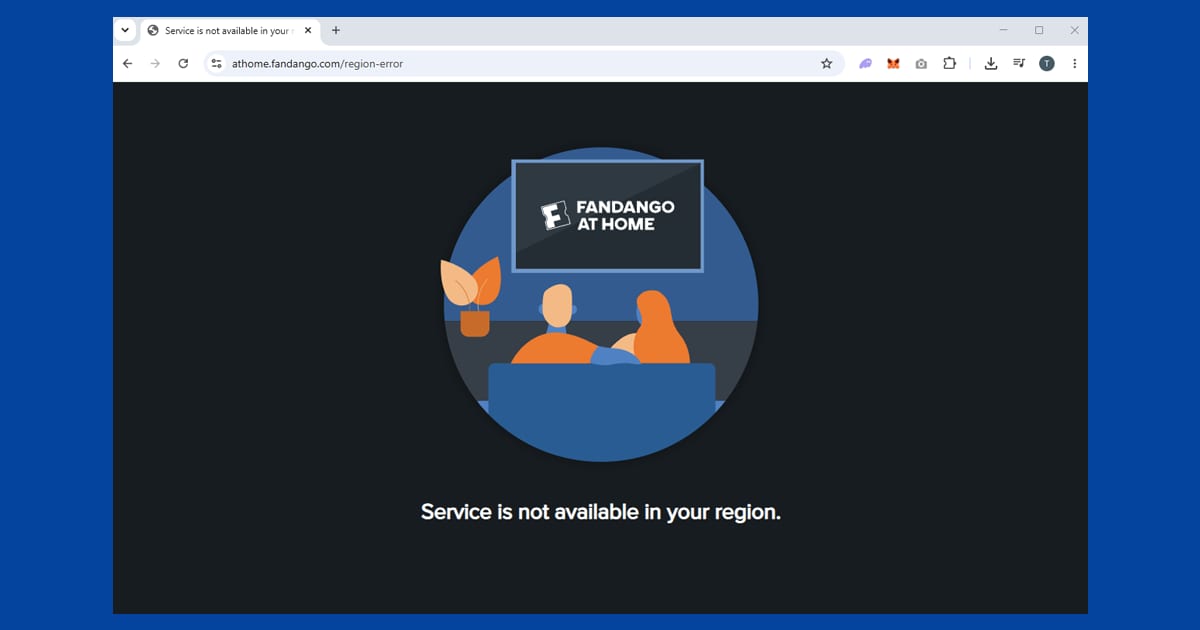
What the error messages mean. "This content is not available in your area" or "Vudu is not available in your country" is a straightforward geo-block: your IP isn't reading as American. An error that mentions a proxy or VPN directly means that specific server IP has already been identified and blacklisted, so switch city (step 3) rather than rebuilding your setup from scratch. If browsing works but the block appears the moment you press play, that's a second check at playback, and the same city switch clears it.
Your film library abroad. Films you've bought are tied to your account, not your location. The geo-block stops you logging in and playing them, but the purchases themselves don't go anywhere: connect to a US server and your library is there exactly as you left it. Fandango is also a Movies Anywhere partner. If you've linked your account, your purchases are available through connected platforms such as Amazon, Apple TV and Google Play, so if the VPN won't cooperate on one device, another platform may work without one.
To rent or buy while you're away, connect to a US server first and browse as normal. Most international credit cards work fine for payment, and a US PayPal account is a useful backup if a card gets declined.
Rentals need a steady connection. Rentals run on a 24 or 48-hour playback window once you start them, so a dropped connection partway through a film is more than a minor annoyance. Turn on the kill switch (step 8) so Fandango never sees anything but a clean US connection. If HD or 4K rentals buffer, switch to WireGuard, and if you're connecting from Europe, pick a server on the US east coast: the shorter distance generally means better speeds.
The rebrand also comes with a bigger push into free, ad-supported viewing, and its owner Versant has announced German Bundesliga matches for US viewers, the platform's first move into live sport. Free or paid, the location check is just as strict.
Which VPN works best for free US streaming
Since the services themselves are free (or, with Fandango, things you've already paid for), the VPN is the only real cost. NordVPN and ExpressVPN are our top picks: both have large US server pools with regular IP rotation, which makes it easier to land on a server that isn't on the current block list. NordVPN's SmartPlay feature is built for streaming, and ExpressVPN's Lightway protocol is quick enough for HD films. PureVPN rounds out our top three if you'd like another option.
Free VPNs rarely work here. Their small, shared server pools get flagged fast, they're often too slow for live channels, and many cap your data. Our guide to whether free VPNs are safe explains the other risks.
Once you're set up, the same VPN covers paid US services too. Our guides to Netflix and Peacock cover their own location checks, US add-on channels covers the extras people stack on top of a main subscription, and watching US live TV abroad covers Sling TV, YouTube TV and Fubo. Everything else is in our US streaming hub.