FixYourVPN
Google Play is a genuinely confusing app to troubleshoot with a VPN. Unlike Netflix or BBC iPlayer, it doesn't decide what you see purely by checking your IP address.
Your Play Store country is mostly tied to your Google account's saved country and payment profile instead, and Google only lets you change that officially once a year. A VPN can still help, but only in specific situations.
It's not the single-toggle fix it is for most streaming apps, so it's worth understanding what's actually going on before you burn through half your VPN's server list hoping something sticks.
What actually controls your Play Store country
Two separate things decide what you see on Google Play, and mixing them up is the reason most VPN troubleshooting for the Play Store goes nowhere.
- Your account's country setting. This lives in your Google Play profile and was set when you first added a payment method or made a purchase. It decides your default catalogue, pricing currency, and which apps show as available to you. Google lets you change it, but only once every twelve months, and you generally need to clear out saved payment methods and any remaining Play balance first.
- Your IP address. Some individual apps and games check your IP directly, on top of whatever your account country says, particularly ones with their own regional licensing (games with region-locked servers, apps tied to local broadcasting rights, or services that only operate in specific markets). This is the part a VPN actually affects.
In practice, that means a VPN alone won't move your whole Play Store library to a new country. It can help with apps that specifically check IP location, and it can help you browse what a store listing looks like from another country.
But for your permanent account country you need to go through Google's official change process.
Fix 1: "This item isn't available in your country"
This is the most common error, and it has two completely different causes that look identical on screen.
Region restriction: the developer has limited the app to specific countries, usually for licensing or legal reasons. If this is the cause, connecting your VPN to a server in a supported country, fully closing the Play Store app, and reopening it sometimes gets you access to install, particularly for free apps that check IP at install time rather than relying on your account country.
Paid apps are more likely to also check your account's billing country, in which case the VPN alone won't be enough.
Device compatibility: the app has been restricted by the developer to certain phone models, Android versions, or carrier variants, which is completely unrelated to your location. A VPN does nothing for this version of the error.
You can usually tell the difference because a device compatibility block also happens on your home network without a VPN, and it happens consistently regardless of which country server you try.
To test which one you're dealing with: connect your VPN to a server in a country where the app is definitely available, force close the Play Store from your phone's app settings, reopen it, and search for the app again.
If it appears and installs, it was a region restriction. If it still says unavailable, it's a device issue and no VPN server will fix it.
A VPN changes where Google thinks you're connecting from right now. It doesn't automatically change what your Google account itself is registered as, which is why Play Store troubleshooting so often needs both a VPN and a change in your account settings, not just one or the other.
Fix 2: Changing your Play Store country properly
If you've genuinely moved countries, or you want your default library and pricing to reflect a different market long-term, changing your account country is the correct fix rather than relying on a VPN every time you open the app.
- Open the Play Store app, tap your profile icon, then go to Settings > General > Account and device preferences > Country and profiles.
- Check your current country and payment profile. If you have an active subscription or a Play balance, Google may ask you to use it up or cancel it before letting you switch.
- Remove any saved payment methods tied to your old country. Google requires this before it lets the country change go through.
- Select your new country. You'll need a payment method (or the option to skip adding one, where available) that matches the new country to complete the switch.
Google limits this change to once every twelve months, so it's not something to do casually if you travel often, and the switch itself can take up to 48 hours to fully take effect once you've submitted it.
One thing that catches people out: if you open Country and profiles and there's no option to change country at all, that's not a bug, it means Google has decided you're not eligible right now, usually because you changed it recently or you're currently connecting from a country Google doesn't allow the change from. Google's own help page on changing your Play Store country has the current eligibility rules if you want to check the exact wording.
If you only need temporary access to a region-specific app rather than a permanent move, the VPN-only approach in Fix 1 is the better route, since it doesn't touch your account's actual country setting.
Fix 3: Payment and billing problems
If you can see and try to buy an app but the payment fails, this is usually your card issuer's fraud check rather than anything Google itself is blocking.
Banks flag transactions where the billing address on the card doesn't match the apparent location of the purchase, and a VPN showing a different country than your card's issuing country is a classic trigger for that.
Switch your VPN to a server in the country your card was actually issued in for the purchase itself, then reconnect to wherever you actually want to use afterwards.
Gift cards are region-locked to the country they were purchased in and won't work as a payment method on an account set to a different country, regardless of what your VPN shows.
Fix 4: Downloads stuck, slow, or failing to start
If an app shows as available and purchasable but the download itself won't progress, that's usually unrelated to region blocking. A VPN server that's a long way from your actual location adds a longer routing path for the download traffic, which shows up as a stalled or crawling progress bar.
Switch to a server that's geographically closer to you, even if it's not the country you originally needed for region purposes: once an app is visible and installable, the download itself doesn't need to keep coming from that specific country's server.
If downloads fail outright with a network error, check your VPN's kill switch. Some kill switches briefly interrupt all traffic while the tunnel reconnects, and the Play Store treats that interruption as a failed download rather than resuming it. Disabling the kill switch temporarily and trying again will confirm whether that's the cause; our full kill switch guide covers how to set one up properly once you know it's working the way you want.
Fix 5: Play Store won't load at all with the VPN on
A blank Play Store page, a spinning loader that never resolves, or a generic "check your connection" message with the VPN active but not without it usually points to one of two things.
First, a DNS leak: your device's lookup requests can slip outside the VPN tunnel and confuse Google's location detection mid-request, which shows up as an inconsistent or failed connection rather than a clean block. Run our IP and DNS checker with your VPN connected and see whether the DNS server matches your VPN's country; if it doesn't, turn on DNS leak protection in your VPN app. Our full DNS leak guide covers the fix for the major providers.
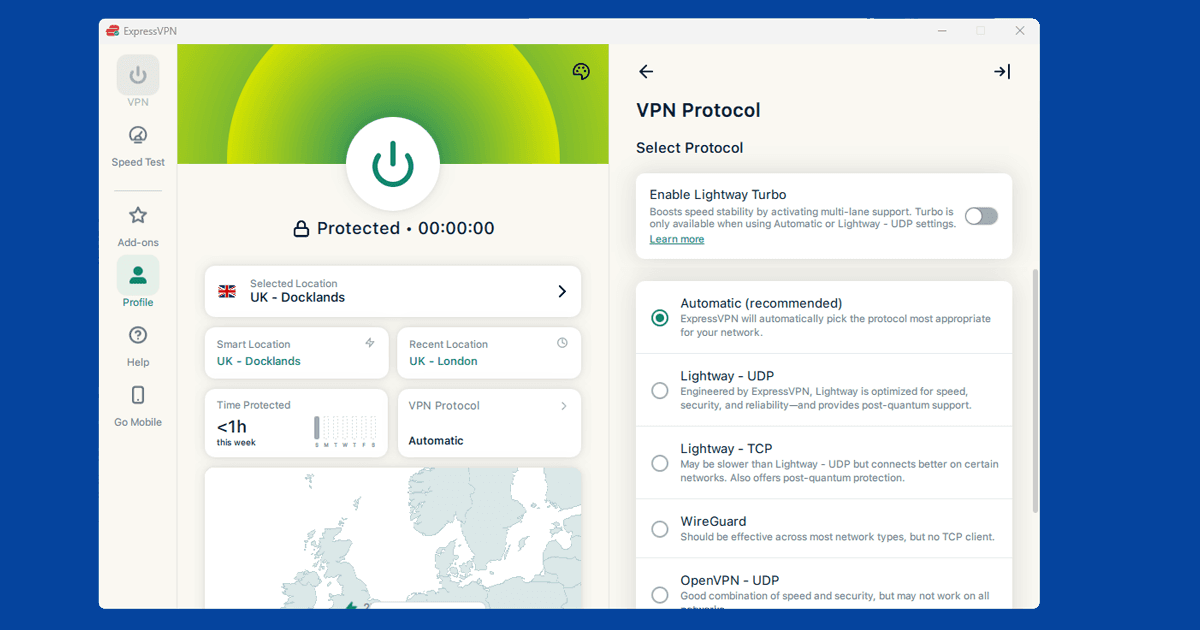
Second, try switching protocol. Some networks and some VPN server configurations don't play well with the Play Store's connection requirements, and switching to WireGuard (called NordLynx in NordVPN) or Lightway in ExpressVPN clears it in most cases. Our protocol switching guide has the full steps. If you're not sure whether the problem is really the Play Store or your VPN connection itself, running through our quick VPN diagnostic checks first will save you a lot of guessing.
School and work Android devices
If you're on a school-managed Chromebook or a work Android device, the Play Store may be restricted directly by device management software rather than by Google's own region checks, and this is a different problem entirely from anything a VPN can solve.
Managed devices often have an approved-apps list controlled by an administrator, and installing a personal VPN app may not even be possible if the device policy blocks it. If you're at university and running into this on personal (not managed) hardware over campus wi-fi instead, our university VPN guide covers the network-level side of that.
Family Link supervised accounts work similarly: a parent's approval settings control what a child's Play Store shows, and this sits on top of, not underneath, any region restrictions. A VPN doesn't override parental controls.
Mobile data vs wi-fi
If the Play Store behaves differently on wi-fi versus mobile data with the same VPN connected, that actually tells you something useful. If a region-restricted app installs fine on mobile data but not on wi-fi, your wi-fi network (a workplace or shared network, for example) may be adding its own filtering on top of the Play Store's normal checks.
If the reverse is true and it only works on wi-fi, check whether your VPN app is actually staying connected when your phone switches to mobile data, since some VPN apps briefly drop the connection during that handover.
Will Google ban my account for using a VPN?
Google doesn't have a published policy specifically banning accounts for VPN use with the Play Store, and there's no widespread pattern of accounts being suspended purely for it.
What can trigger extra verification is switching VPN locations very frequently, especially around purchases, since that's the same pattern Google's fraud systems (like most big online services) watch for as a sign of account takeover. If you're only occasionally connecting through a VPN for a specific app, this is unlikely to cause any friction. If you're hopping countries constantly while making purchases, expect the odd security check.
Which VPN works best for Google Play
NordVPN and ExpressVPN are both solid choices, largely because their large server networks give you options if a particular server's IP has been flagged by a specific app's region check. Neither will change your Google account's actual country setting, since that's controlled entirely on Google's side, but both are reliable for the IP-level checks that individual apps run.
Free VPNs are worth avoiding here: their small, overcrowded server pools get flagged quickly and tend to be too slow for anything beyond the smallest app downloads. Our guide on whether free VPNs are safe covers the wider risks.